
GEDCOM File upload

Is it too early to upload a GEDCOM file? I have uploaded one and it’s not workable I’ve heard that work is being carried out to rectify problems.
Kommentare
-
@Cedrus Libani I see you have two user trees. Can you provide more information about what you mean by "not workable"?
1 -
When I do a Find (search) for a name in The Village Tree I get the message “No results” . This happened with surname “RIZK”. I also tried a few ID Nos which showed results
Under the heading Manage Trees I get the message - “you don’t have any trees uploaded to Genealogies yet”. What does this mean?
0 -
@Cedrus Libani Thank you for the additional information.
“you don’t have any trees uploaded to Genealogies yet” (This is a seperate topic and should have been a new post.)As MandyShaw1 mentioned, there are multiple tree configurations currently. This message is referring to the older Genealogies system where the upload would have gone into the Pedigree Resource File database. Since it appears you have access to user trees, then your GEDCOM uploaded to the newer system instead of the older system. It also shows this because you had not uploaded any to the old system before you gained access to the new one.
Searching by name when the tree is marked "Private"
Searching by name using the Find feature is not available when the tree is marked Private. Only searching by PIDs will work through this feature currently. We have it on our list as a possible enhancement to allow name searching on private trees. You can filter or sort the Person List to find the individual instead.
1 -
@Cedrus Libani We have enhanced the ability to search by name within a specific user tree to now include the following:
1. living or confidential persons within user trees with public visibility
2. any person within a user trees marked private
These will only be visible to those who have edit rights on that user tree.
There are at least two ways to search a specific user tree.First Way
While looking at the tree (landscape, portrait, etc) or a person within the user tree, click Find in the subnav. (Image below) It will take to a search page with the name of the user tree you were looking at.
Second way:- Search (in the main menu)
- Family Tree.
- Scroll down a little bit and click View All Trees under the Browse Specific Collections search box
- Put the name of your tree in the Tree Title box
- Hit Enter or Submit
- Click on the name of the tree and it will take to the tree specific search page
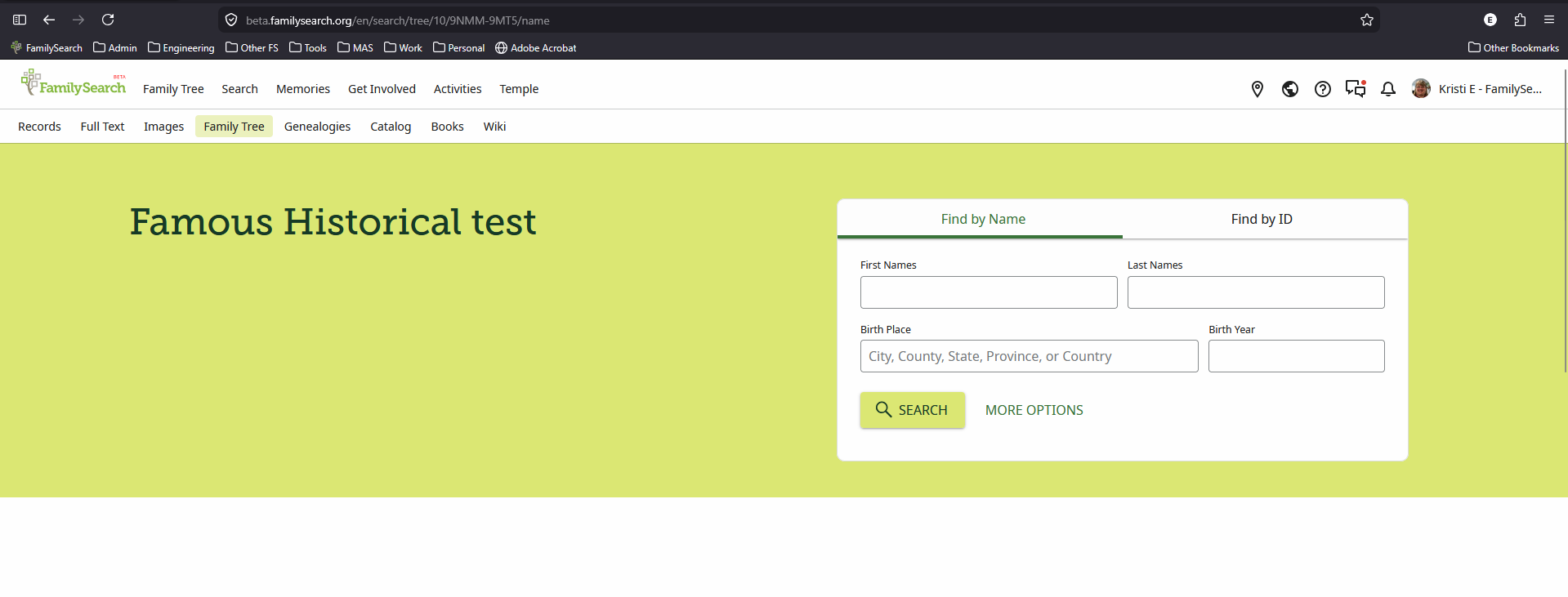
Either way the URL for a tree specific search will look something like this: https://beta.familysearch.org/en/search/tree/10/9NMM-9MT5/name
The initial tree specific search page will look like the image below.
 0
0