
Move CET Private Family Tree to Public FamilySearch Tree

I accidentally added individuals and whole families to the private platform, though I meant to add them to the public family tree.
When working on a page, it's not apparent whether I am in my private CET tree or the Public FamilySearch Tree.
The name disappears from the left top corner as I scroll down the page. It could always be seen if the platform name stayed at the top somewhere—just a thought.
How do I move persons and or families to the public FS tree?
Thanks,
Commentaires
-
@LRLNorma At the moment there's no way to move individuals and their sources into/from the Family Tree. It's a capability FamilySearch is presently working on…. Unfortunately, you'll have to do a side-by-side yourself and add the individuals manually
0 -
@LRLNorma @Mark McKenzie_1 is correct. A feature is being worked on (Tree2Tree) which will allow copying from any tree to any tree. Stay tuned….
0 -
I understand and look forward to the new feature. Possibly anchoring the name of the work environment (public or private) to the page top will also be added.
Thanks,
0 -
@LRLNorma I agree, it's a bit subtle at the moment. It's got a different color which is a start
0 -
@LRLNorma and @Mark McKenzie_1 this feature is being actively worked on at the present. Hopefully, it will be forthcoming in the near future.
0 -
@LRLNorma the treelinker feature should be available for your use at this time. Please verify that it works for you. Thank you again.
0 -
Where is it?
0 -
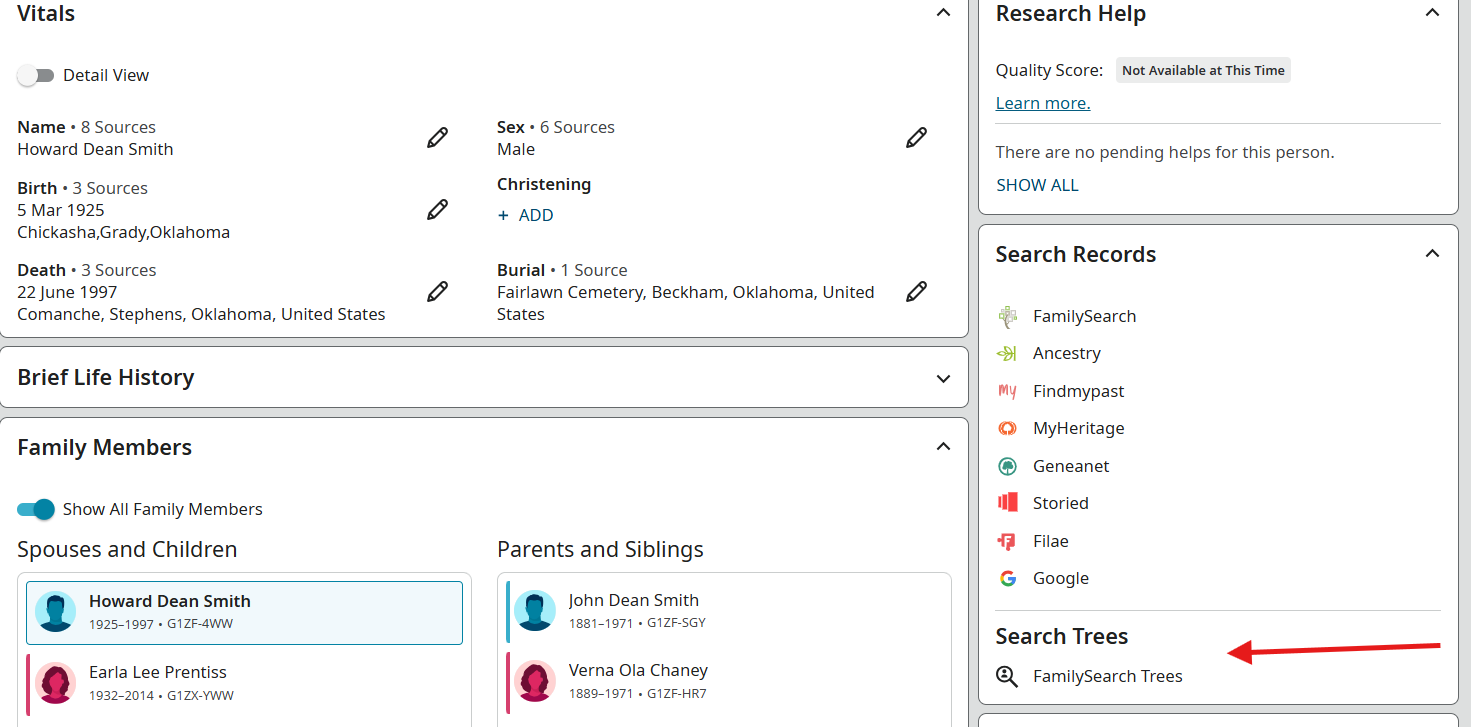
@LRLNorma While on the person page, a menu will appear on the right side panel listing search locations. At the bottom of the list is a "Search Trees" section with "Family Search Trees":
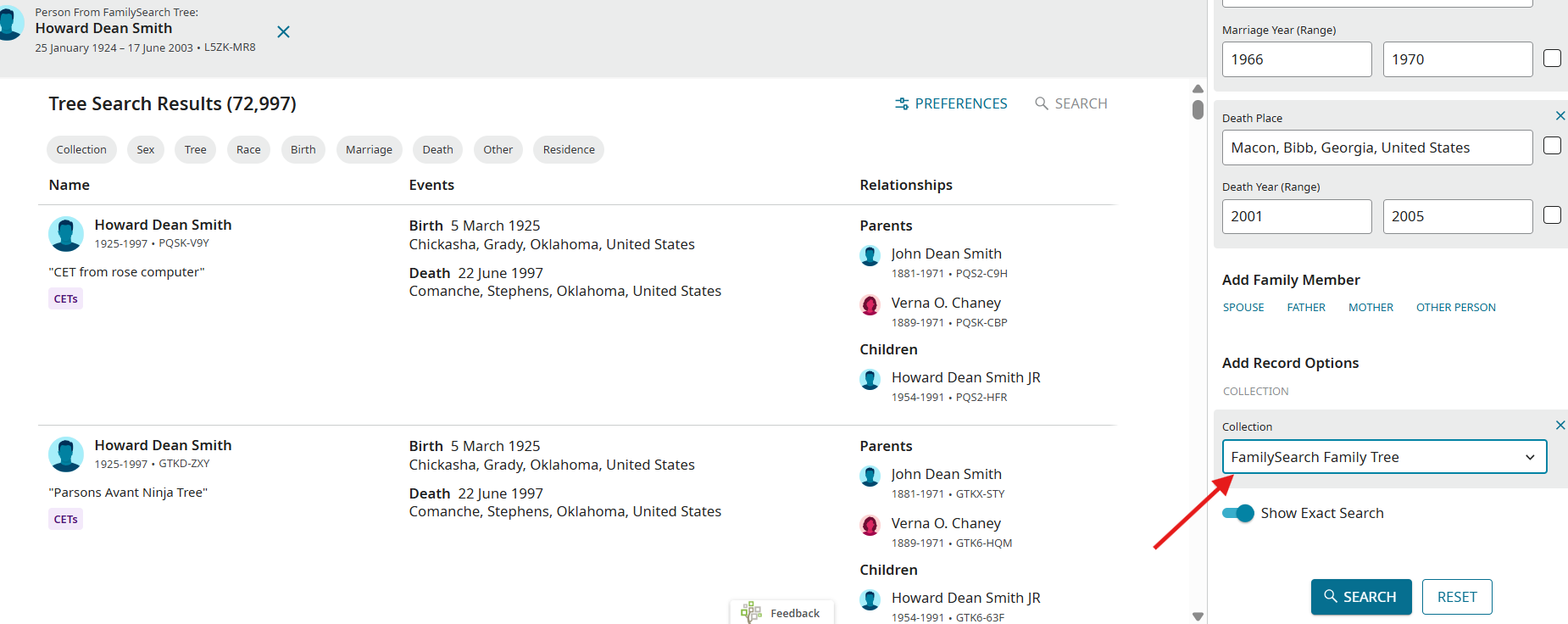
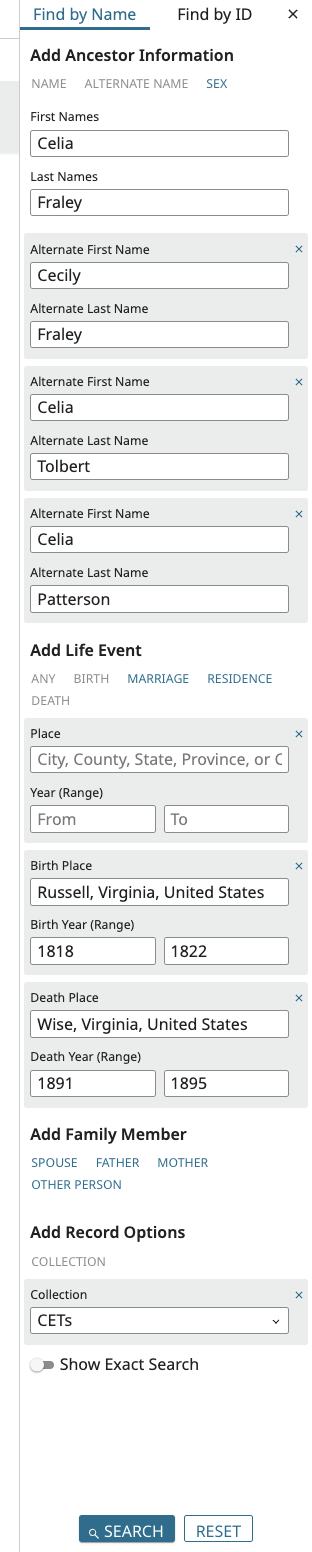
After selecting the "FamilySearch Trees" option, a new window will open. On the right side panel will list search criteria. At the bottom, choose the collections that you would like to search, i.e., "CETs", "FamilySearch Family Tree", etc.
At the bottom of the right side panel will be the option to "Compare and Copy" from one tree to another:
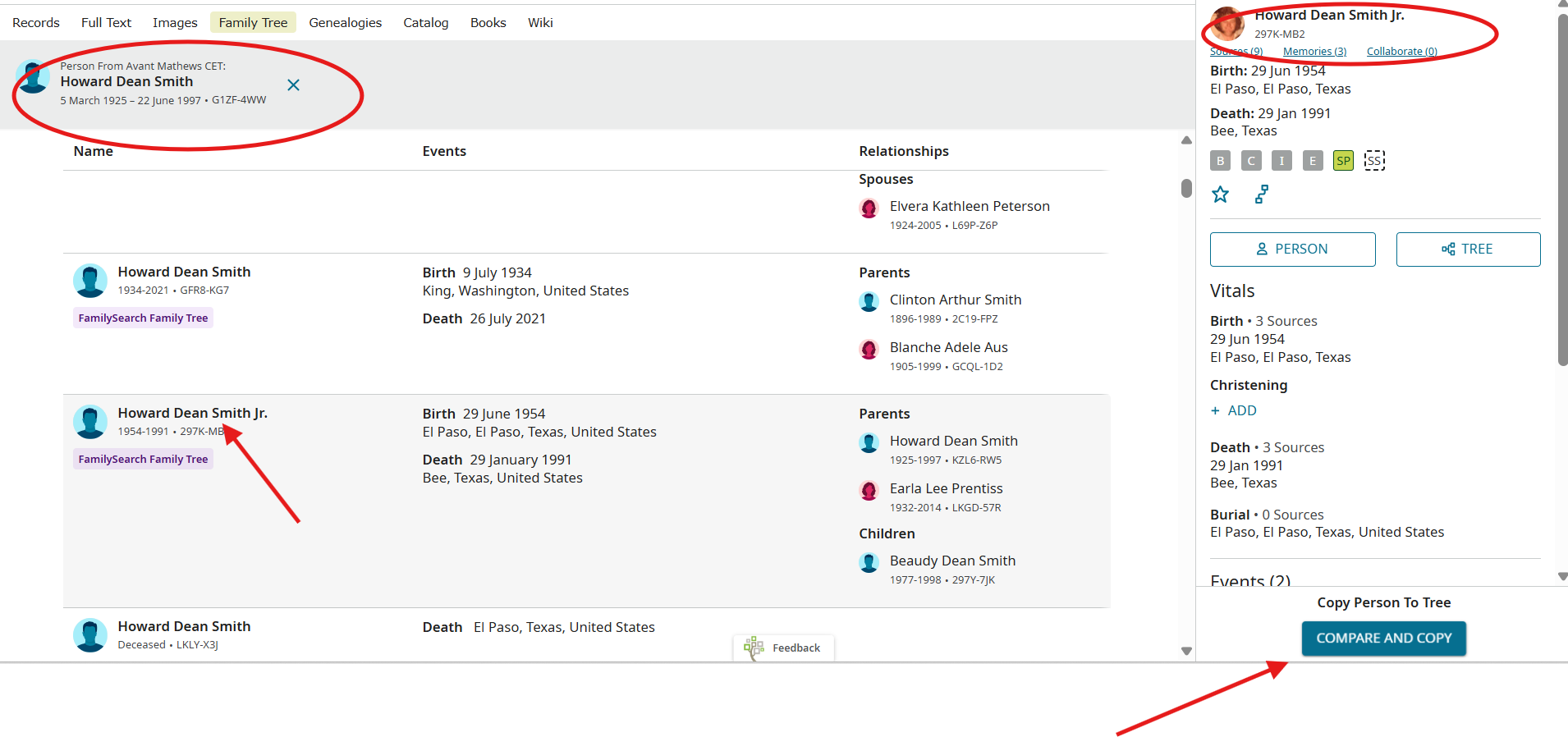
The next screen will resemble "SourceLinker" and you can copy the information you want to your tree.
I know I have said this many times, but thank you for testing CET and providing your very valuable feedback to us.
0 -
@LRLNorma I want to follow up with you to ensure you have now been able to access tree2tree and use the TreeLinker feature. Please let us know if you have any further issues with this feature. And, as always, thank you for taking the time to test CET and provide feedback.
0 -
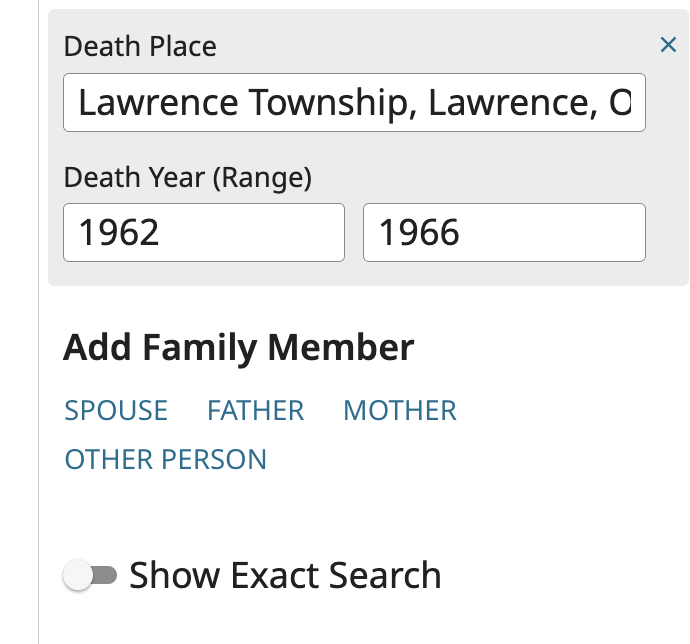
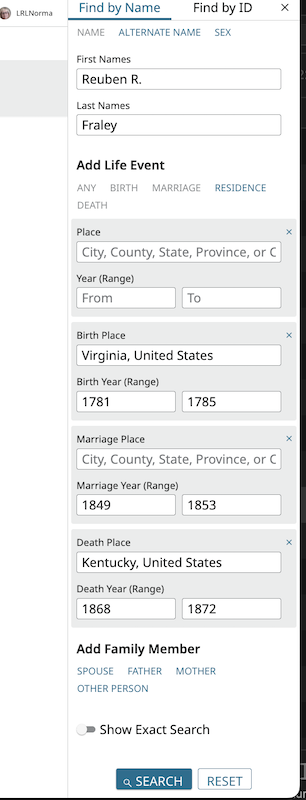
There is no "Record Collections" option in my right sidebar. I am attaching an image of the sidebar's end. Am I missing something? I tried this for the same ancestor in both my private ancestor's profile page and their public one.
 0
0 -
@LRLNorma Thank you for this additional information. It appears there is a bug. We will work with the engineers to resolve this for you.
0 -
@LRLNorma Please confirm you followed the steps mentioned by @mynameistk to get to the search form. Other paths to the search form may not show the Collections options needed.
0 -
@LRLNorma Please check the envelope in the upper right corner for a message directly to you.
0 -
I still don't see it. Am I doing something wrong?
 0
0 -
I got the message and have responded. Thank you.
0 -
@LRLNorma Did you select "FamilySearch Trees" on the person page BEFORE you got to the "find" menu?
0 -
So much time is passing between posts that I can't remember what this feature is for or how it is supposed to work. I believe I followed the steps provided, but I can't be certain now.
Is there a URL with a tutorial that explains step by step, not just how to click through, but what this feature is for, or a video available?
0 -
@LRLNorma There is not a tutorial or a video. This feature will allow you to copy the information from one tree to another tree (CET»FSTree; FSTree»CET, etc.). Since one person could be in 2 or more trees, but with a unique number in each tree, the tree2tree feature allows the user to copy the information selected from one tree to the other without the need to reenter the information. To do this, please start in the Person page, and on the right side of the page, select "FamilySearch Trees" - not a search page like FamilySearch; Ancestry; MyHeritage, etc. After a list of the 3rd party affiliates, is another section called "Search Trees" and under that title should be "FamilySearch Trees". This will include all FamilySearch Trees (CETs, Family Group Trees, FamilySearch Family Tree, etc.). If you still don't see it, please send a screen shot of the person's detail page - not the search page. Thank you so much for all you have done to test this product. We do appreciate it.
0 -
I see the FamilySearch Trees option in the right sidebar on a person page. And on the page that opens when I select it, I see the Collection option. I have clicked through all the options, and the only thing that happens is that a new page opens of search results. When I click on one of the search results, that page opens, and nothing more happens. Am I missing something?
 0
0

