
The "Find" feature isn't working again

Hello folks,
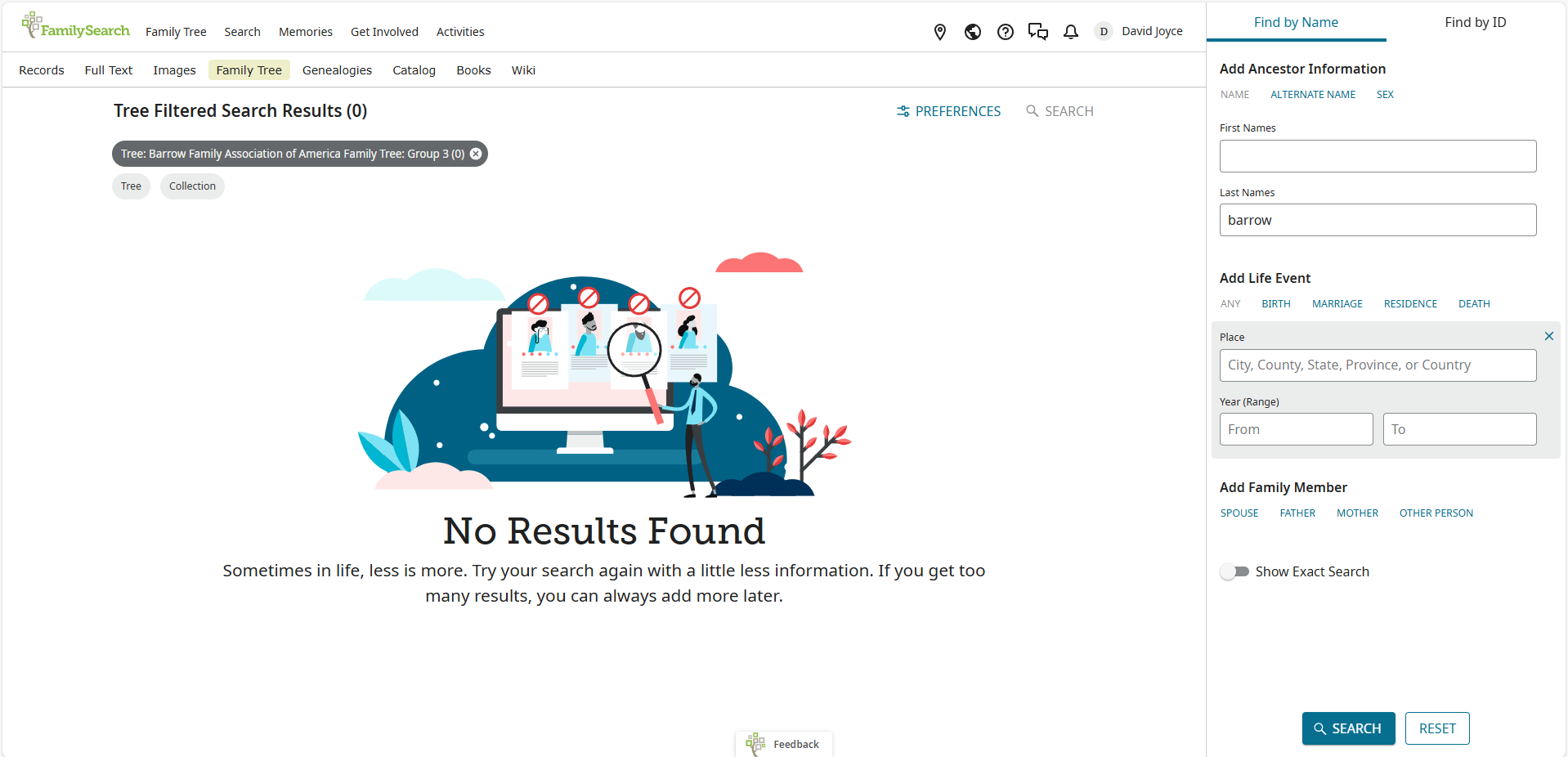
I ran into the issue of the find feature not working properly again. When I type in anything in the search boxes, it only says "No results found." I have attached a screenshot for your consideration. This issue is happening with the "Barrow Family Association of American Family Tree: Group 3" tree, in this particular case. I'm using bing.
Thanks,
David
Comments
-
I confirm the same lack of results with Find on a CET.
Windows 11
Chrome 142.0.7444.60 64-bit1 -
@David Joyce28 @Áine Ní Donnghaile Thank you for testing CET. Please give us more information. Were you searching by name or ID? What steps did you take to get to the search box? What information did you enter into the search box immediately prior to the error message? Please attach screenshots.
1 -
You can see David's search parameters in his screenshot above.
I followed the same steps, since I was checking to see if the same problem showed up for me.1 -
@mynameistk I searched by name. I originally typed in the full name of several people in the tree, and noticed I couldn't pull up any information about them. I went to the "Find" tab after clicking on the CET for the Family Tree.
Thanks,
David
1 -
@David Joyce28 Is this still an issue for you? I was able to use the Find feature in my CET this morning.
0 -
Yup :{. The tree is still private, could that be an factor?
0 -
I just noticed, when I type in the ID of a person, it works. But when I type in the name of a person, it doesn't.
0 -
Yes, you cannot search a private tree by name.
0 -
All,
The tree search system has never contained living tree individuals. This is true in the Shared Family Tree as well. If your tree is private, all tree individuals, living and deceased, are protected with the same fairly robust protections with which the system protects the living…and they are not added to the search system.
However, we are working on applying the required data protections to the tree search system so that in the near future we will be able to put living tree persons into the search and 100% ensure that the only users this data is returned to are the owner, co-owners and members of the tree authorized to see the data. Look for this enhancement in the near future.Robert Kehrer, sr product mgr, familysearch
0


