
How to Attach Screenshots or .PNGs to sources in the CET Beta

I love the new CET interface, Bravo!
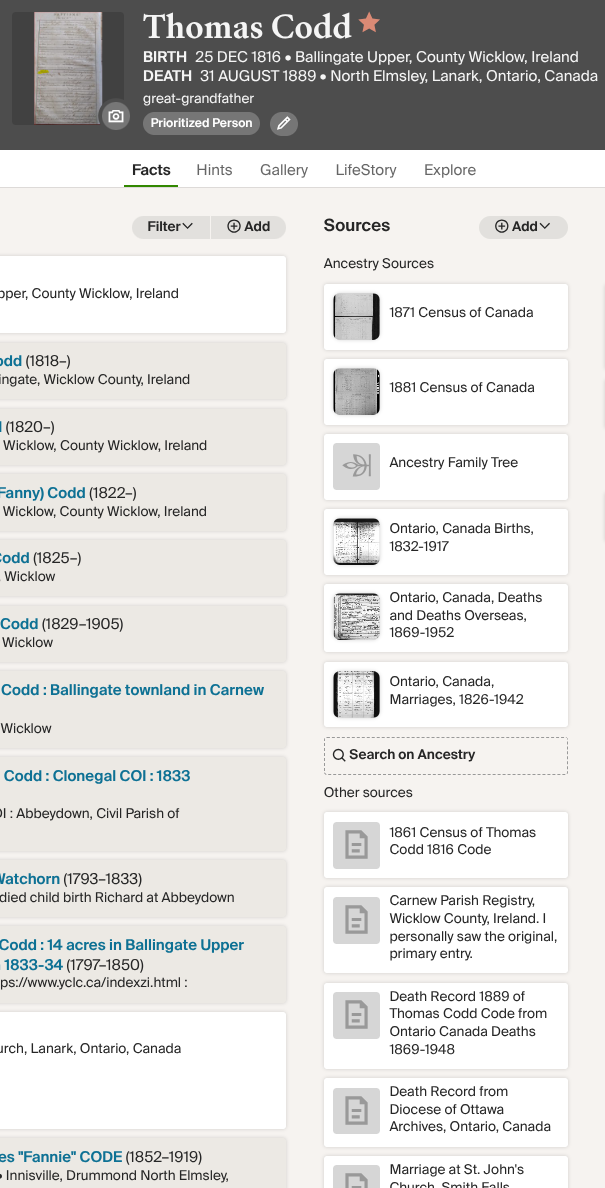
I am migrating from Ancestry.com, where I spent long-and-lengthy-and-laborious hours carefully sourcing my research on my ancestors. For each source, I would attach a screenshot or .PNG of the actual doc, plus a sharing link to my Google Drive so people could obtain their own copies as well. Below is a screenshot of a typical record in my Ancestry.com interface.
How do I do the same in my CET? The only place to attach images seems to be in "Memories," which does not allow me to attach specific images to particular sources. And the process seems quite laborious.
All advice or software tweaks welcome. I worked several years in UX / User Interface, so I am happy to help design something with y'all.
—David
Best Answer
-
A current limitation of sources on Family Tree is that they can contain a URL or an image but not both:
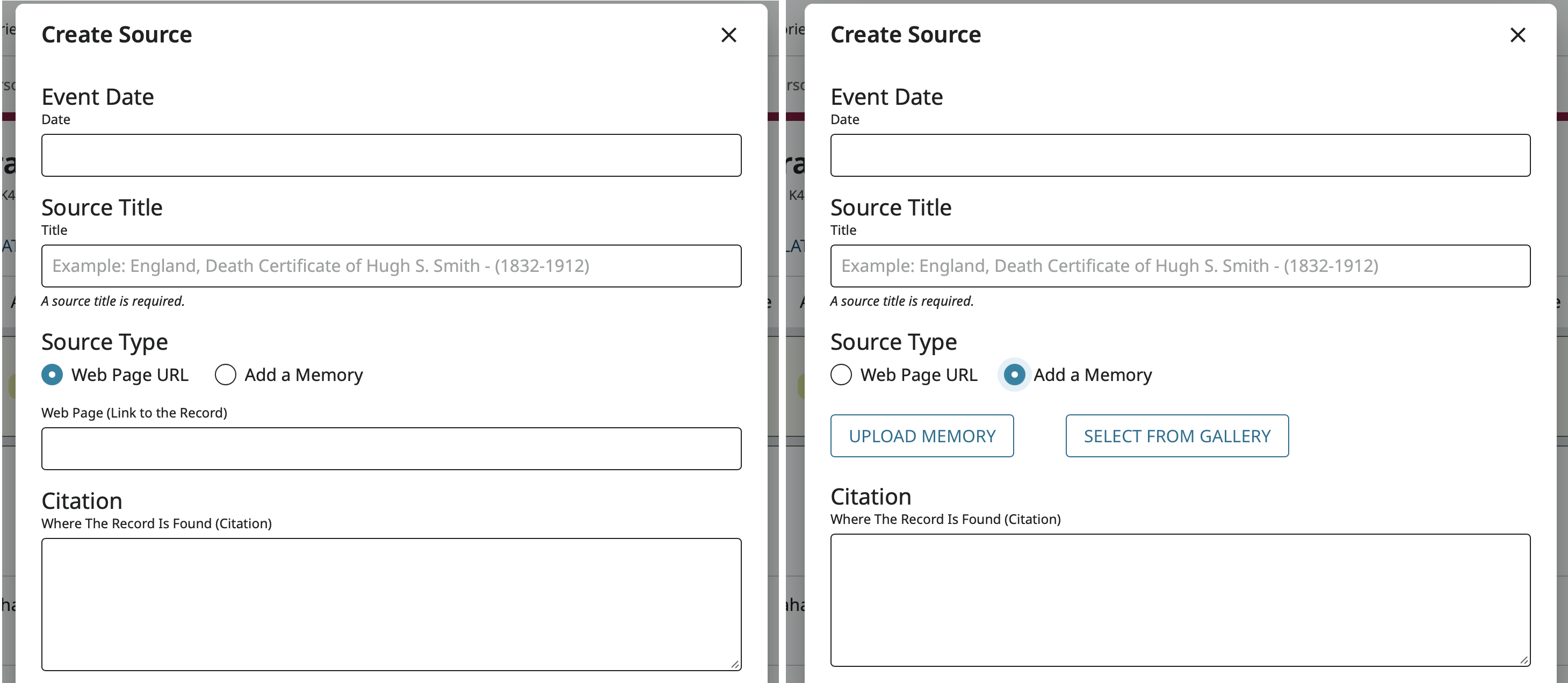
So currently to accomplish what you would like to do, you can either create two sources for the same document, one with a active link in the Web Page URL field and another with the image or you can create one source with the image and put an inactive link as part of the Citation or under Notes.
Keep in mind that if you use the type of source that has an image such as this one I created:
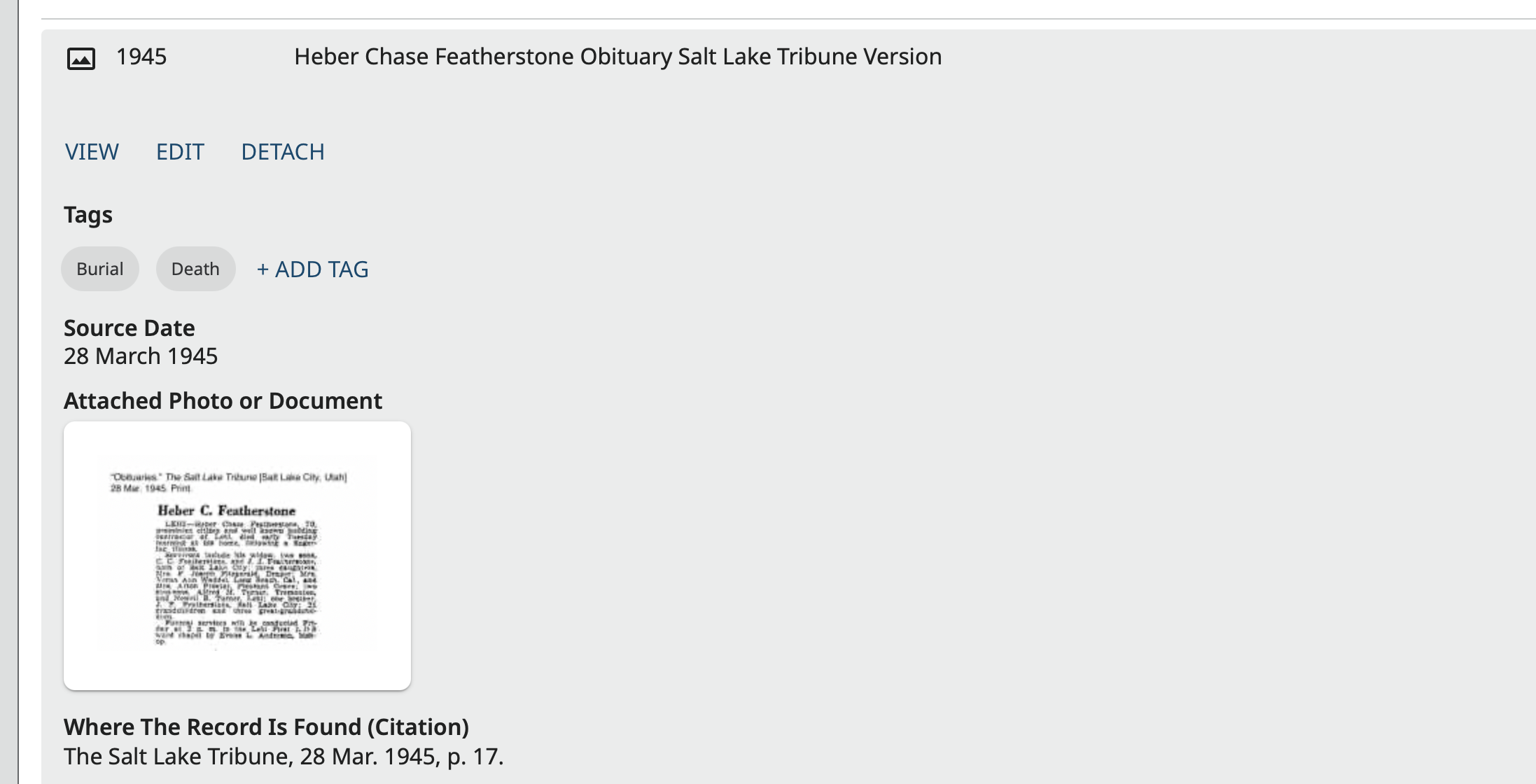
When people click on the image to view it, they can download a copy:
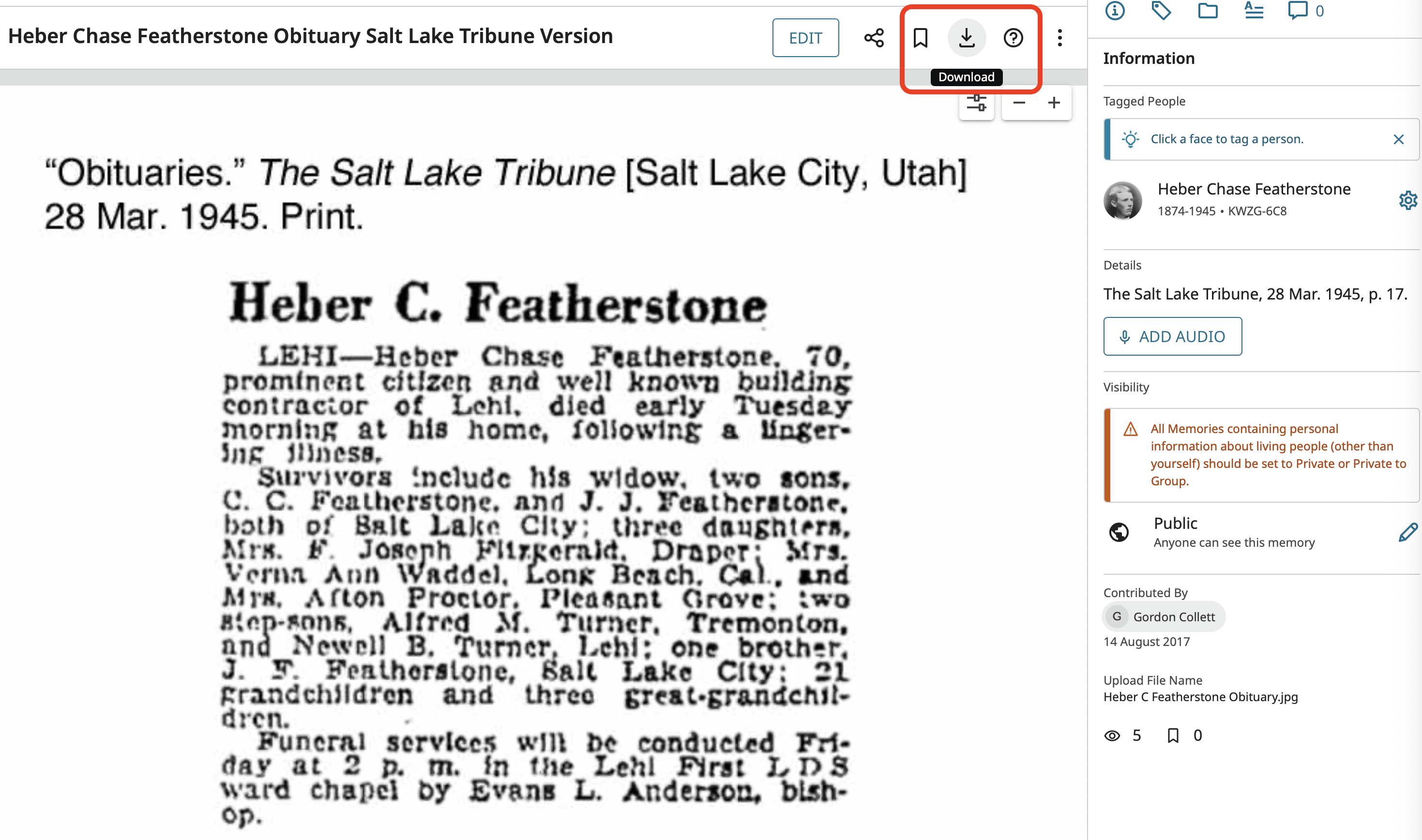
So you really don't need to include a link to your Google drive which may not work in fifty years anyway. (Unless you have a copy of the document that is at such a high resolution it is too large to upload to FamilySearch.)
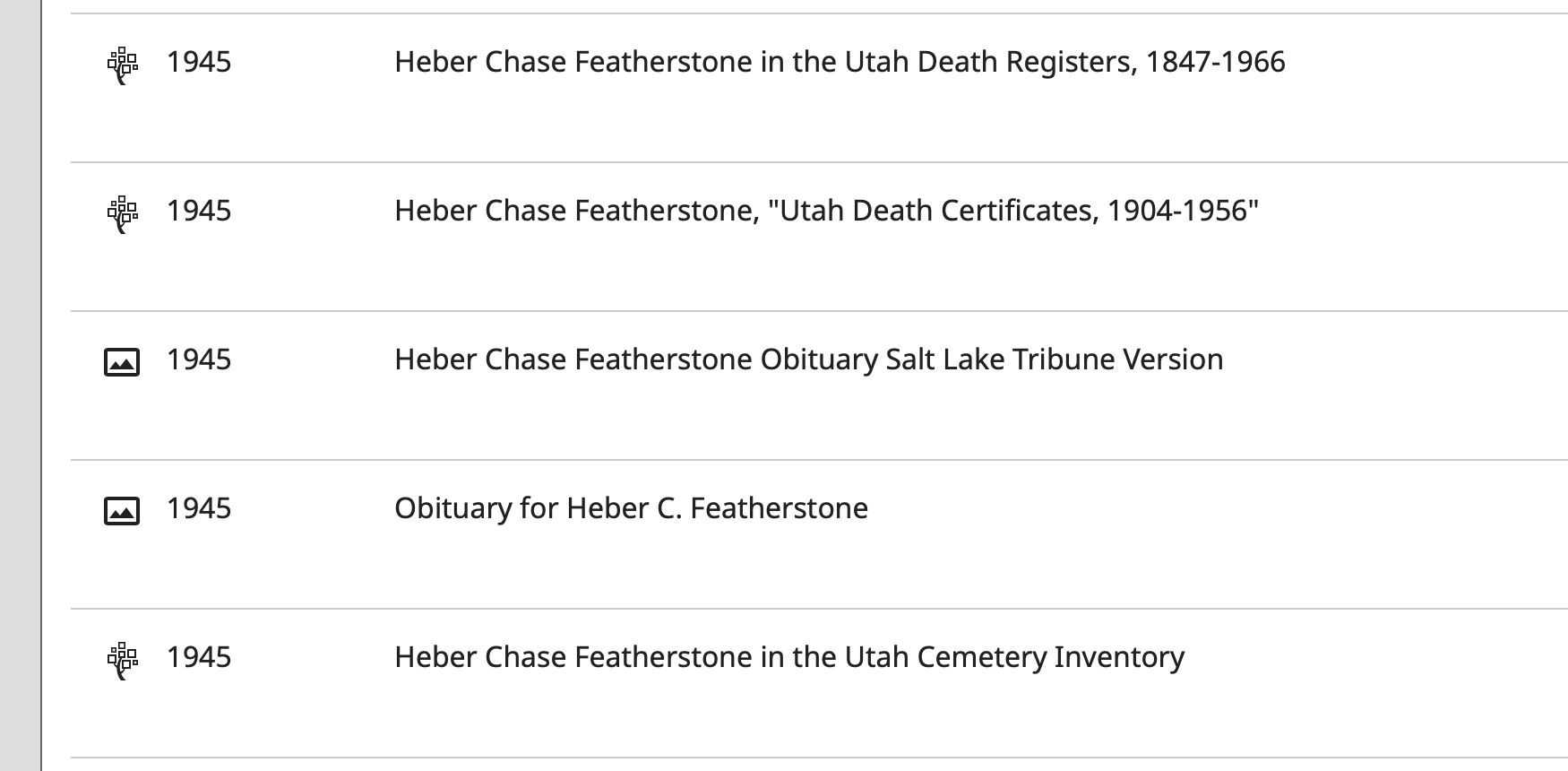
When you look a the list of sources on a person, you can see right away which ones have images on them:
 2
2

Answers
-
You can attach a memory as a source. It's not quick, but it's not fast on Ancestry either. I've been using both platforms for many years.
This is the relevant Help Article:0 -
Aine, I am grateful for your attention. You made me realize I was unclear.
I was surprised (and delighted) that my GEDCOM that I downloaded from Ancestry.com and then uploaded to FS CET preserved SOME of the details (and some of my GDrive shared links) in the FS interface. But of course none of the images were transferred.
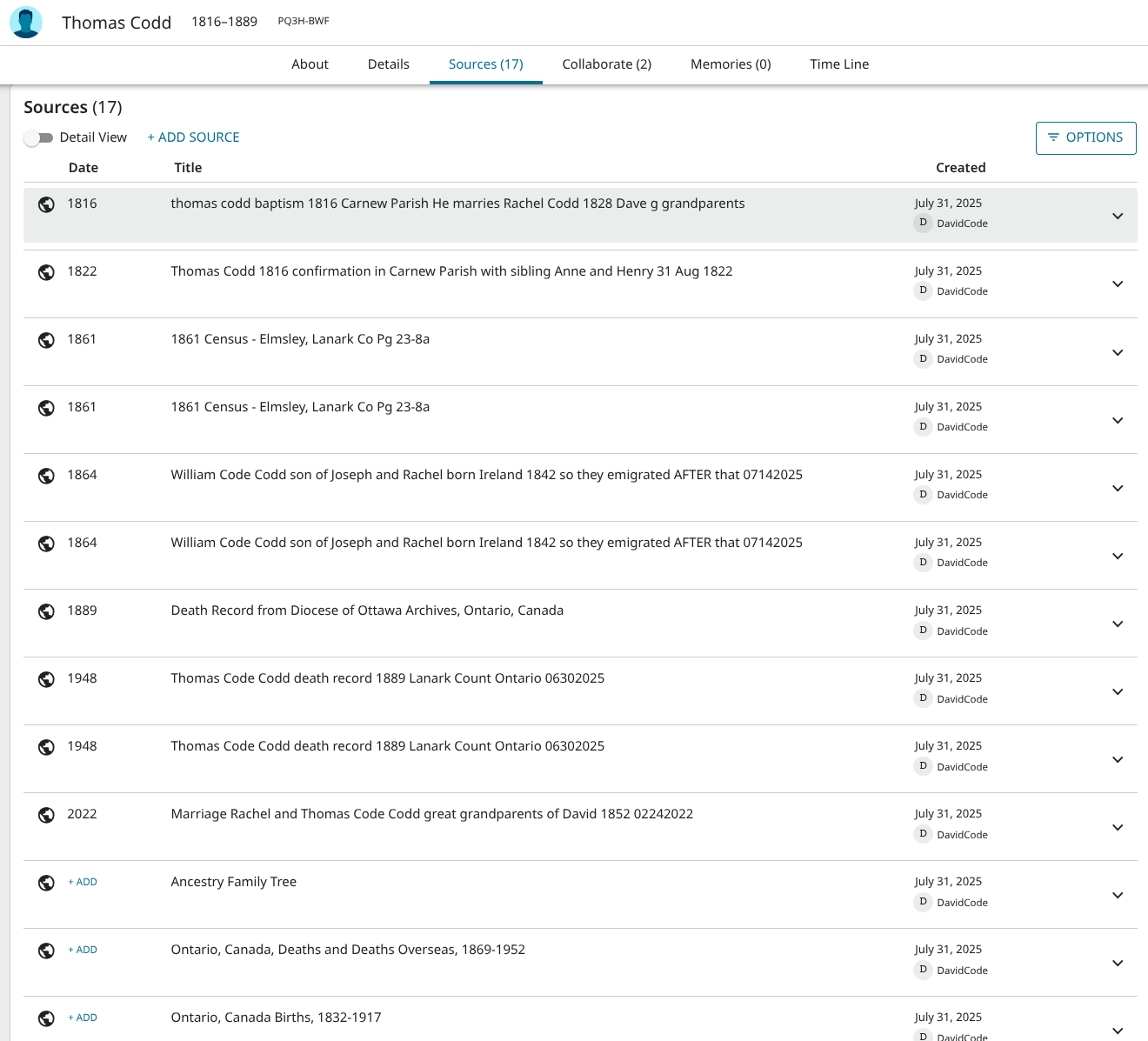
In Utopia, I want FS to tweak their software such that I could click on each of my sources in FS (see screenshot below), and within each source there would be an "Add Image" button I could click. I could easily upload all the document images currently sitting on my laptop hard drive, and Presto! Beautiful images of centuries-old documents that would move my fellow family researchers to tears, as they did me when I first discovered them. Who can help me give that gift to FS?
 0
0 -
You may find this thread useful. There is the possibility that RootsMagic will provide that image transfer option in the near future.
https://community.familysearch.org/en/discussion/179714/ancestry-file-transfer#latest0 -
Gordon, your response was perfect: well-written, and the screenshots made things super-clear. Thanks for taking the time to help.
0
