
GEDCOM Import Stuck

My 125,000+ people GEDCOM upload from Family Tree Maker appears stuck. After more than four days I still have the message "When the tree is finished importing, all changes made to it will show here." My Tree Settings and Controls are all grayed out (except for Edit Tree Details and Set as Preferred Tree).
Comments
-
@kenbabcock1 Thank you for participating in the early access CET and offering feedback. I have let the engineering team know of your issue. This is a reply from the product manager to another user:
"1) Length of upload and processing: The time it takes to upload the file from your hard drive to FamilySearch is usually measured in seconds to minutes depending on the size of file and internet bandwidth. Once FamilySearch has the file it begins a processing step that creates people for all the individuals in your file, hooks them up in relationships and then adds all the genealogical data. Experience is that this processing step handles about 10,000 persons/hour. Thus a 15,000 person Gedcom should take about 90min before you have a tree that you can begin working in. That time may vary depending on the total load on the system, especially the number of persons uploading Gedcoms simultaneously. "
You will be notified here with any updates or if further information is needed. Thank you for your valuable feedback.
0 -
@kenbabcock1 Again, thank you for your patience and willingness to test early access CET. The following post has been copied to this discussion for continuity since it involves the same upload and the same user. The other discussion has been closed and all information will be added below.
CET has no file size limit for its GEDCOM upload. From which 3d party vendor did you create your GEDCOM? Which operating system and browser are you using? Please respond to the privately email requesting your GEDCOM file to allow the engineering team to analyze the file. In the meantime, will you try completely leaving FS, clearing the cache and cookies on your machine, restarting it, creating a new GEDCOM and upload it into a new CET? Thank you.
0 -
Family Tree Maker version 2019, Mac OS 15.4.1, Safari.
GEDCOM emailed to CET missionary 23 April, as instructed in her email.
I will now follow the above clearing and new uploading to CET instructions. The new GEDCOM will be from my newly updated Family Tree Maker version 2024.
0 -
@kenbabcock1 Have you had an opportunity to attempt another GEDCOM upload to create a new CET?
0 -
I succeeded uploading a small, seven person GEDCOM export from the newest version of Family Tree Maker ("2024"). It loaded very fast and correctly, including sources. That seems to validate correct GEDCOM formatting from that vendor.
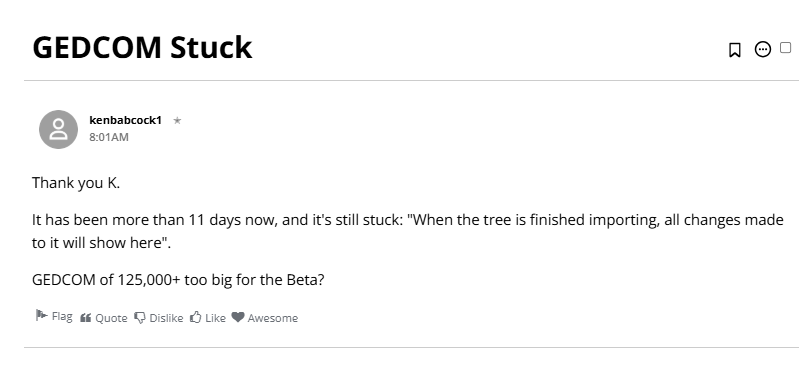
However my new, +125k person GEDCOM from Family Tree Maker ("2024") loaded but still appears stuck, with the message:"Latest Changes
When the tree is finished importing, all changes made to it will show here."
0 -
@kenbabcock1 Did the CET finish importing? How long did it take?
0 -
All three big tree importing attempts still not finished. Little tree importing did complete, as noted above.
0 -
@kenbabcock1 Please update the status of this issue? Will you try uploading your gedcom through the "geneologies" tab and report?
0 -
Thank you for bringing this to our attention. We’re committed to resolving as many issues as possible, but unfortunately, the report did not include enough information for us to investigate further. Since no additional details were provided, we’re closing this discussion for now. If you or others encounter this issue again, please start a new discussion and include relevant information such as your operating system, browser, URLs, and screenshots if available.
We appreciate your support and engagement. Please don’t hesitate to reach out with any future questions or concerns.
Thank you for using CET.
0
