
Message says upload success but when I go to tree, it says it failed



Answers
-
I have EXACTLY the same problem. I've tried three times so far to upload my GEDCOM, and this is what happens. I don't see any point in continuing to try until someone can tell us why this is happening.
0 -
@Carol Humphrey @Susan Dakin Thank you very much for agreeing to test this early release of CET. I will bring this issue to the attention of the Engineering Team. We will keep you posted as to the status of this issue. Thank you, again, for bringing this to our attention. This is the first time we have been notified of this particular issue.
0 -
@Carol Humphrey @Susan Dakin Again, I would like to express our appreciation on your time and efforts spent testing this early release product for us. The engineers need access to the GEDCOM file you are uploading. Please include the source of your GEDCOM, the browser, and the operating system used for this upload. I sent an email with instructions to get that GEDCOM file to the correct engineer. Again, thank you for testing CET.
0 -
@mynamelstk Was a solution to this ever reached? I am having the same exact problem. I am trying to upload Morton_For_FS_CET_2025-03-12.ged. I am on a Windows 10 computer and using Chrome.
0 -
@LaMyra Morton thank you for testing early access CET. No, this issue has not been resolved as yet. I will add your information to the list for the engineers to check. Thank you for your patience.
0 -
I'm having the same problem as well. Using Reunion for Mac 14.
0 -
I am experiencing the same thing. I have tried up loading different trees. GEDCOM is from ancestry and I am using Chrome on an Imac and on a MacBook. Any help would be much appreciated.
0 -
@Bob Hernandez @Louise MCDONALD_1 Thank you both for testing early access CET and providing feedback on this issue. The engineering team is aware of the issue and trying to resolve it. I have made them aware that each of you are also experiencing this problem.
0 -
UPDATE - I originally tried uploading my tree from Ancestry utilizing two different platforms. Today I tried uploading a gedcom that was generated by My Heritage. This was a much smaller tree and I indicated not to include photos or other extra elements. This too failed with the same messages (1) upload failed and (2) this tree is not viewable to members of the group. Looking forward to testing this feature.
0 -
@Louise MCDONALD_1 thank you for your diligence and keeping us informed of your issues. I have forwarded this additional information to the engineers.
0 -
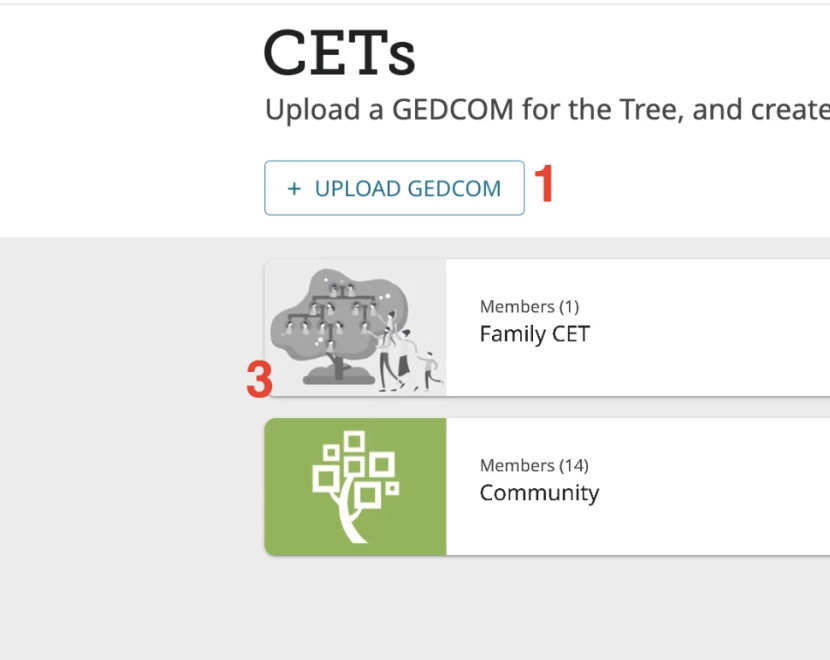
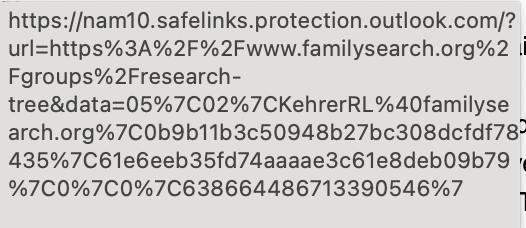
UPDATE2 - I created a completely bland tree. No references, no citations, just names. This was done on Ancestry. I tried loading it from Chrome and from Safari. Both failed. (NEW) I tried to reload it and the message says "You have already uploaded this tree". This is curious as it tells me the upload failed, yet when I try to reload it says I halready have. (OBSERVATION) The instructions that are provided show a screen that lets you see (1) the Community and (2) your tree-picture attached. I never see those icons. While I would not see the "tree" I would think I would see the community. Remembering that a message comes up indicating cannot show to member community. Could this be a secondary issue? (THOUGHT) I am also attaching a screenshot of the detailed URL provided in my email, just on the outside chance that the path is not the most current development.
 0
0 -
UPDATE - On the recommendation I created a tree with 26 people from Ancestry.com. I tried to upload this to the new area. This time I recived an error that said "you must be 18 to create a CET". This is a new error. Tree never uploaded. Still trying to find a way to upload a tree successfully. Thank you
0 -
@Louise MCDONALD_1 This error message refers to your FamilySearch profile. If your birthdate is not entered, the system will default to "under age". To enter your date of birth: start on the FamilySearch homepage>click on your name in the upper right corner of the homepage>click on "settings">at top of screen, above your photo, click on "account">scroll down to "General" and verify your correct birthdate. After changing your birthdate, please log out of familysearch and log back in.
0 -
@Carol Humphrey @Susan Dakin @Bob Hernandez @LaMyra Morton @Louise MCDONALD_1 Would each of you please respond to this comment and let us know if you have now successfully uploaded your CET and you can access it? If not, please comment on the error message(s) you are now receiving. Thank you
0 -
Tried twice. Box sshowed uploading, then stopped saying I had to be at least 18 hrs old. I am, but the question was not asked when I submitted.
0 -
This error message refers to your FamilySearch profile. If your birthdate is not entered, the system will default to "under age". To enter your date of birth: start on the FamilySearch homepage>click on your name in the upper right corner of the homepage>click on "settings">at top of screen, above your photo, click on "account">scroll down to "General" and verify your correct birthdate. After changing your birthdate, please log out of FamilySearch and log back in. Then post a new comment about whether this solution worked or not. Thank you,
0 -
I appear to have been successful uploading my gedcom file. Got the congratulations button and am waiting for tree to finish building to view. I truly appreciate all who stuck with this problem until resolved. That doesn't always happen elsewhere unfortunately.
1 -
@Carol Humphrey Thank you for your patience and for your feedback. If you encounter another issue, please begin another discussion on that topic. The user feedback is very important to the engineering team.
0 -
We will soon be adding better messaging helping the user know why the upload failed and what action they can take when they try to upload, but either do not have a birthdate in the system, or the birthdate indicates that they are under 18yrs of age (the required age to upload data to a CET).
0 -
@Bob Hernandez The engineering team has made some corrections to the CET creation process. Please delete your GEDCOM and your CET. Then, create a new GEDCOM with a DIFFERENT name and create a new CET with a different name.
0 -
@Bob Hernandez Were you able to create a new GEDCOM and a new CET successfully?
0 -
yes. I did have 88 upload errors but the tree is there. Thank you for the follow-up.
Is there a way to copy individuals with sources from CET to add to world tree?
0 -
@Carol Humphrey Thank you for your response. The "tree2tree" feature will be released soon which will allow copying of information between trees. Stay tuned.
0 -
Thank you for bringing this to our attention. We’re committed to resolving as many issues as possible, and we’re closing this discussion for now. If you or others encounter this issue again, please start a new discussion and include relevant information such as your operating system, browser, URLs, and screenshots if available.
We appreciate your support and engagement. Please don’t hesitate to reach out with any future questions or concerns.
Thank you for using CET.
0
