I notice that posting comments, as of 05 Nov 2026, has a linger issue

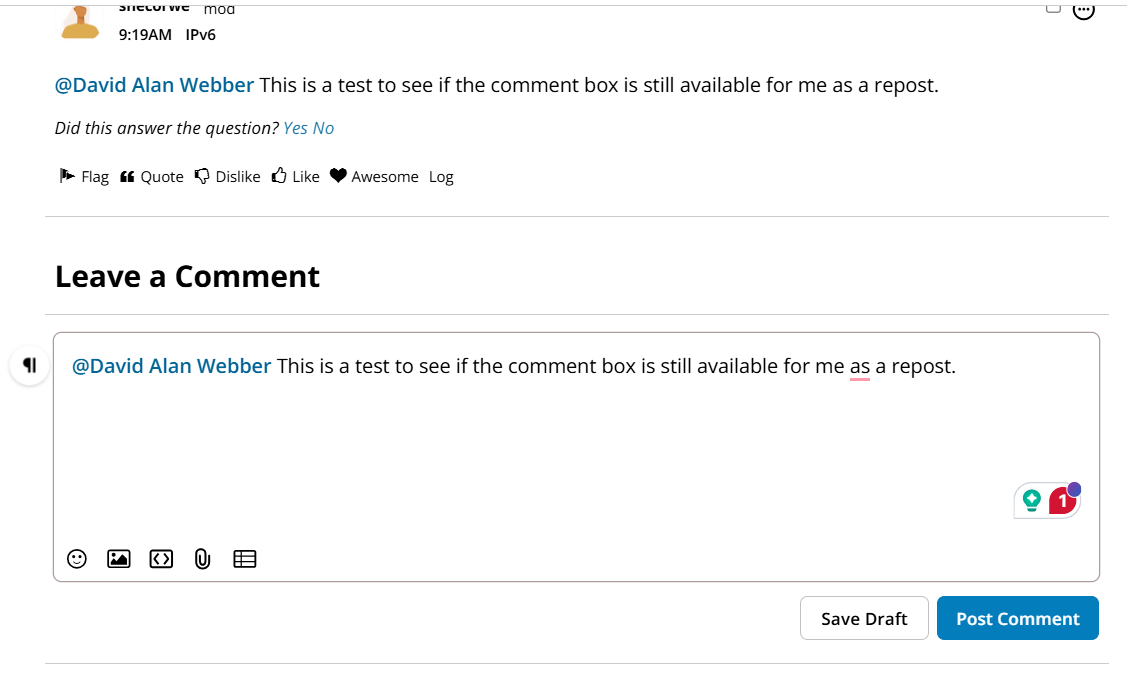
Hello, as I was conversing here, I saw that after I'd hit the Post Comment button, my comment would post, but the comment itself was still available to be posted again in the submission box. I have only noticed this today, and I've been using an InPrivate (Incognito) browser session, so the behavior probably isn't due to stored cookies/information in the browser.
Other folks, mods, devs, fellow tator-tot enjoyers notice anything like this today?
I'm on a Windows 10 box, using the Microsoft Edge browser.
Answers
-
Also, it doesn't seem to be doing that when I first start a topic, only when answering an already existing thread.
1 -
@David Alan Webber This is a test to see if the comment box is still available for me as a repost.
0 -
@David Alan Webber Yes, it did remain an option to post it again, then it timed out and created a blank post. This is a Vanilla issue (the program we use for Community). I will report it.
 4
-
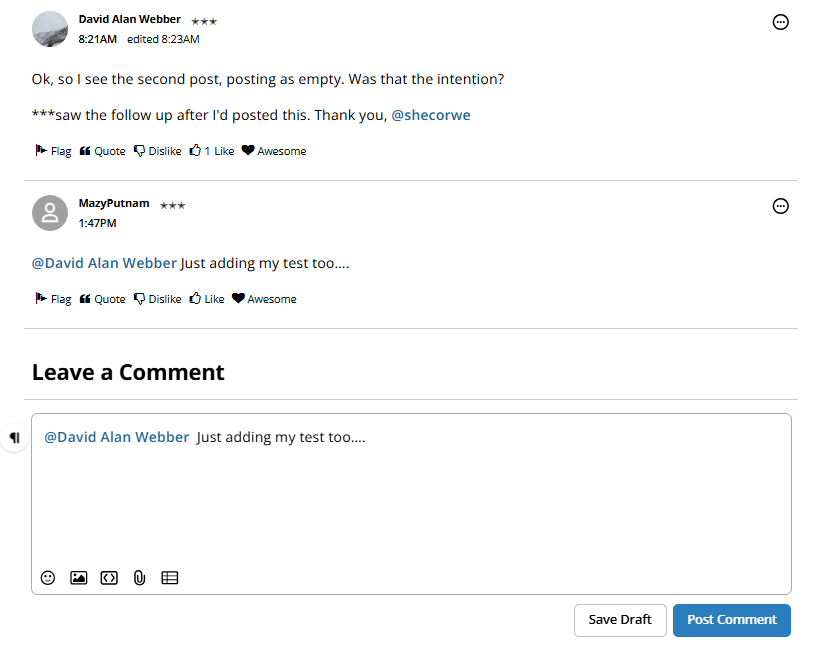
Ok, so I see the second post, posting as empty. Was that the intention?
***saw the follow up after I'd posted this. Thank you, @shecorwe
1 -
@David Alan Webber Just adding my test too….
1 -
@David Alan Webber @shecorwe Yes, did it for me too. Also, could not write an additional Post until I clicked on "Post Comment" which created a blank post.
 1
-
Well, as of 08 November 2026, this is now a resolved issue. I didn't linger longer on my utmost post. 🤔
1 -
Oh, wait… too soon! My comment did linger for a moment in the new comment box after I posted. But only for a second.
0 -
Ok, two posts in and I do seem to have revived the issue, where as a moment ago, I thought it was fixed. I actually just now tried to post the "lingering" text in the new comment box, but I got a "Body is required" message, in red, and the text did NOT disappear after a second this time.
Ok, my celebration was premature, sorry, this is still a thing.
2 -
Yea, it's been remaining for me ever since you first posted about it.
For the person who said she couldn't post again, I think you can delete the text that's there and type a new message (but I rarely need to do two in a row).
1 -
Actually the text cleared when clicked in the box.
0 -
It happened to me twice today thus far, Nov. 8.
2 -
It's happened to me every time I've commented in the last couple of days. Refresh/reload clears it up. Not perfect, but a quick/easy workaround.
4 -
Testing the lingering post problem - is it still happening today?
1 -
Testing …. Yes it is (Chrome up to date on Windows 11 up to date).
0 -
Also still happening in Firefox and Chrome, Windows 11, all up-to-date.
3 -
Yes, still happening on Nov. 9 (Chrome up to date on Windows 11 up to date).
1 -
Thank you for checking, it is still happening for me too. We are talking with the Community vendor about it
2 -
It also did it for me.
0 -
Second test today (Chrome, Windows 11, everything current): the comment posted once with the right text, but the composer still kept the same text after sending — so the lingering is still happening for me as of Nov 10. A page reload clears it.
2 -
Yes, still happening as of November 10.
2