Bug: Links to persons missing in "Attach Historical Records to Family Tree" view

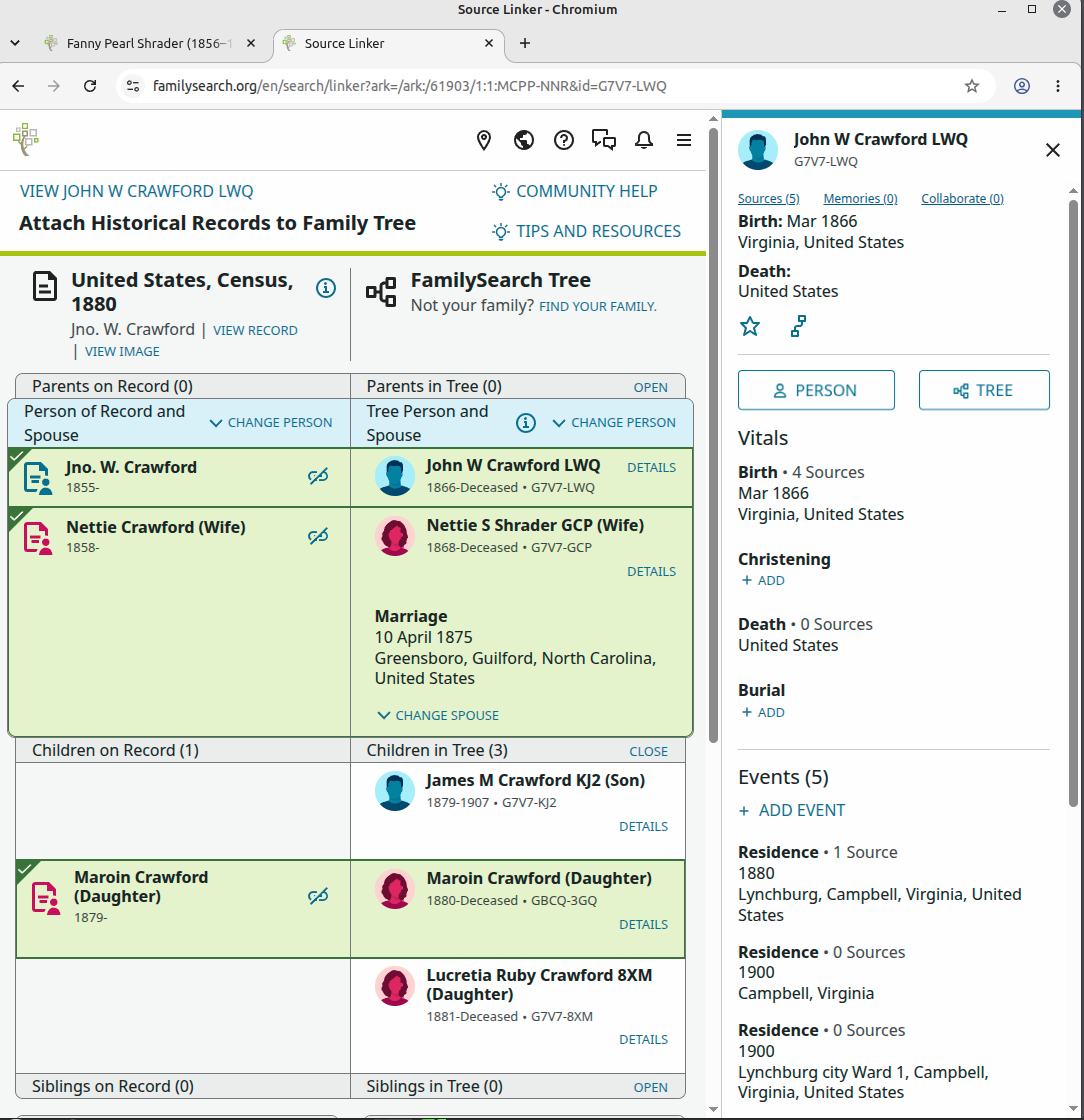
Today, in "Attach Historical Records to Family Tree" view, a link to the person in the Family Tree is missing. I can click on a name on the form and see his details to the right (see screenshot below). But usually in that right box, the persons name in underlined and clicking it will open a detail view of the person. That link is now missing. I think there is usually a link to copy the Tree ID below the name and it is missing now, too.
Example:
https://www.familysearch.org/en/search/linker?ark=/ark:/61903/1:1:MCPP-NNR&id=G7V7-LWQ
Answers
-
Hmm, I see now that I can instead click on the "Person" button in that right box. But I think it would be helpful to continue to link the name, as well.
0 -
@Anne986 FamilySearch seems to have made some changes to how sources are attached. As you’ve discovered, the person's name is no longer clickable. You now need to click on the “Person” button to attach the source. The community is unsure whether this change is permanent or just temporary.
0 -
@Suzy1654 Thank you for your helpful reply. I can live with the button for the name, but being able to click the ID to copy it is certainly helpful.
1 -
I agree with Anne986 that having a clickable ID for copying is very helpful, I use it frequently. So, now I have to highlight the ID and right-click to copy. There might be a better/easier way than that. Like returning to a clickable ID :) I searched for and did not find any other discussion about this. Perhaps I don't know what to call it in the search.
0 -
-
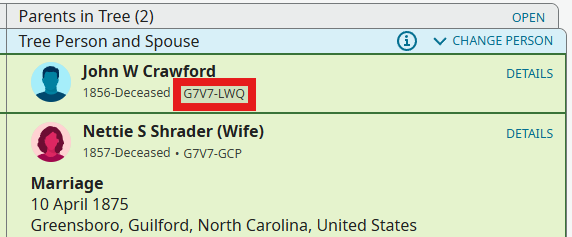
Yes, have frequently got thrown by expecting clicking on the ID, as shown here, will copy the ID, instead of opening a panel on the right side of the screen, from where the link can be copied!

One eventually learns that clicking on the ID link (above) merely opens the panel on the right (as shown below), from where the ID reference can be copied
 0
-
@VHC, @Paul W, Thank you for your comments about the copy-able IDs in the Source Linker. I have also noticed the inconsistent behavior when clicking on an ID on the Record Side versus the Tree Side. I would prefer that that behavior were more consistent. As you point out, clicking an ID on the Record side, opens that person on the right column where it would be really handy to easily copy that ID as we could previously.
0