Does family tree have search capability for "not in" or "not equal"

Answers
-
I believe it's very much a case of "What you see is what you've got" in respect of search options. True, the main Search page (at https://www.familysearch.org/en/search/ ) doesn't explain there is the option to search using wildcards, nor (until you hover over the boxes) that you can make an "Exact" search on the fields in question, but unlike some websites there does not appear to be the capability to make a search on the terms you reference.
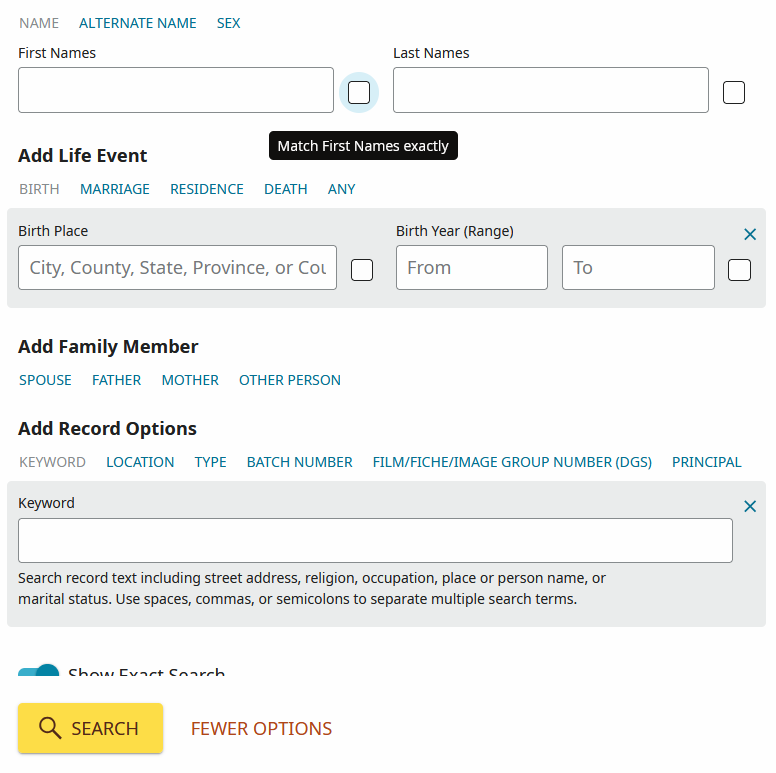
Incidentally, even where there are supposedly ways of narrowing a search using specific parameters (the Search Newspapers option in Find My Past comes to mind) I find myself still unable to reduce "matches" to the level I would wish: even when I feel I have applied the required filtering that should enable me to do this.
2 -
While FS does not offer a "not in" or "not equal" option, there are other ways to filter collections to narrow your results.
For example, if you're searching for a death record in the United States, but you're not sure in which of several states the record was recorded, you can narrow the search to the United States and specify death, and the available collections will appear when you open the Collections menu. Then you can select just those locations you want to check.
By checking the "Principal" box, you'll only see those records where your person of interest is the one who died - not records where he might be the father or informant, for example.
In this example, I chose a fairly common name, and a narrow window of 1934-1937 and marked it exact. That gives over 4000 results. There are 96 collections that might have a pertinent record, and you can choose any one or several or all. The collections are sorted by number of records.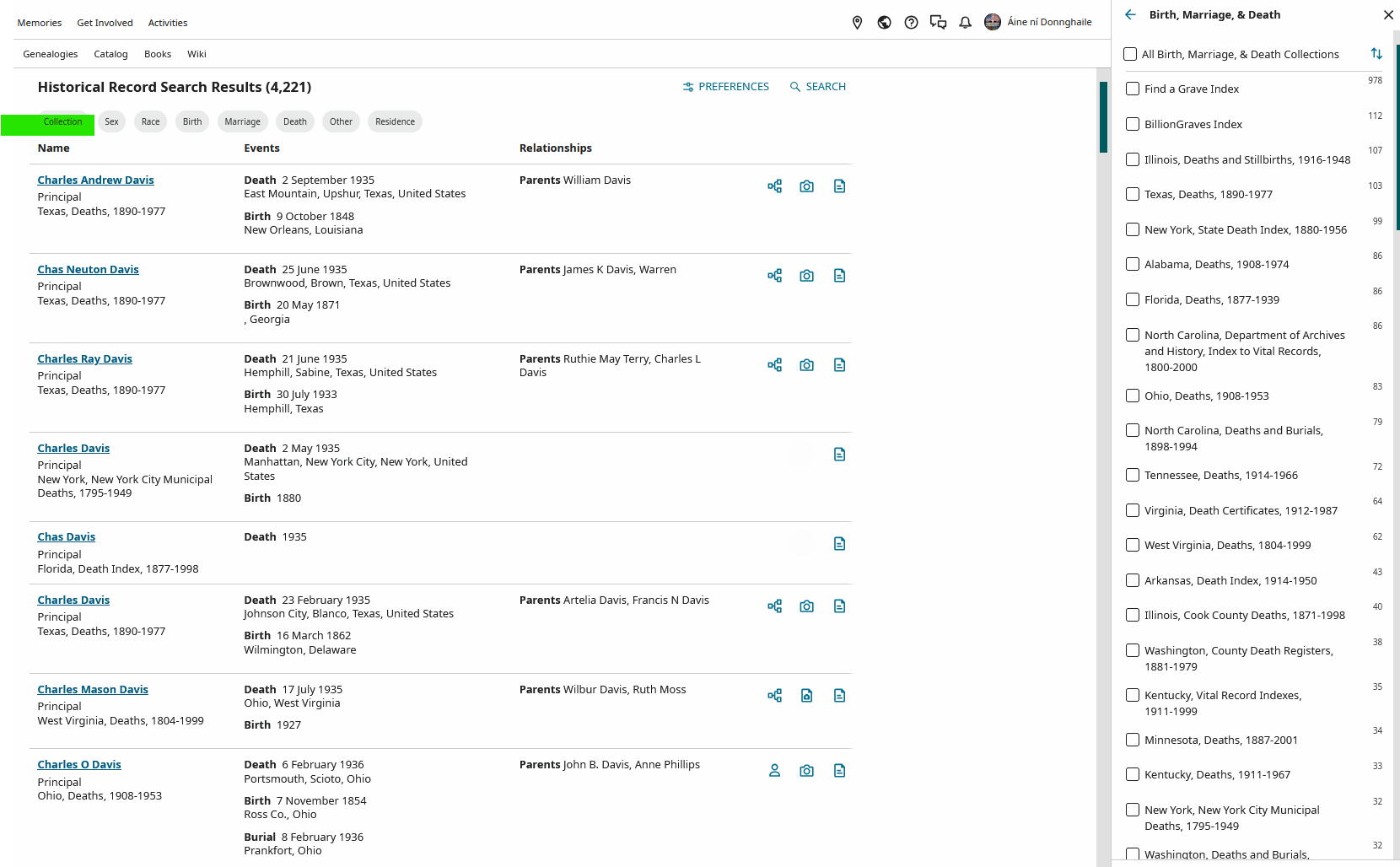 3
-
Doing a full text search allows you to exclude instances. I copied and pasted the search tips below.
Tips for a successful full-text search
To reduce the number of search results, use the filters in the upper left under the Results number. You can also include the following in your searches:
Find an exact word or phrase Use quotation marks. Example: "Henry Jones"
Search for multiple words or phrases Enter multiple terms separated by spaces. Example: John Jane Robert
Include a specific word or phrase Use the + symbol. Example: +Judith
Exclude a specific word or phrase Use the - symbol. Example: -John
Find different spellings Use the ? symbol. Example: Jens?n will return Jensen and Jenson
Find different forms of a root word Use the * symbol. Example: Car* will match car, cars, carriage, carpenter, etc.
3
