unable to access Historical Images

I am unable to access Historical Images using Sequoia 15.7 and Firefox 143.0.8.
I get as far as entering a place in the search window but when pressing the search button the browser 'hangs' and finally gives a message that it slowed down and needs to stop.
I also tried Safari but that gives the same result.
Has anyone encountered this same problem or know of a solution perhaps?
Thanks
Answers
-
@Theovan Elmpt you appear to meet the requirements here: https://www.familysearch.org/en/help/helpcenter/article/which-internet-browsers-are-compatible.
Do you have any browser extensions/add-ins/popup blockers active?
Do you get the same problem using your account on another computer?
Can you provide the URL you are using, please? There are multiple ways to access Images.
Thanks.
0 -
Thanks Mandy, much appreciated. Popup blockers are inactive and no other settings that could interfere. Also switched of any protection but that does not make any difference either.
The URL used is https://www.familysearch.org/en/records/images/(just going to the main page, Search tab and then Historical Images)
I have yet to try it on a different computer but will report back on this.
1 -
@Theovan Elmpt It's not working for me either! Similar symptoms. (Windows 11, Chrome, both up to date).
(BUT, it seems to work fine on my Android 'phone from the Chrome browser, so there's a mystery.)
@Ashlee C. is this a known problem?
0 -
Just tried it myself on windows 11 with Firefox and get the same problem as on my Mac Sequoia.
So: likely not OS or browser related.
0 -
Works fine without that last /.
https://www.familysearch.org/en/records/images

Or with it
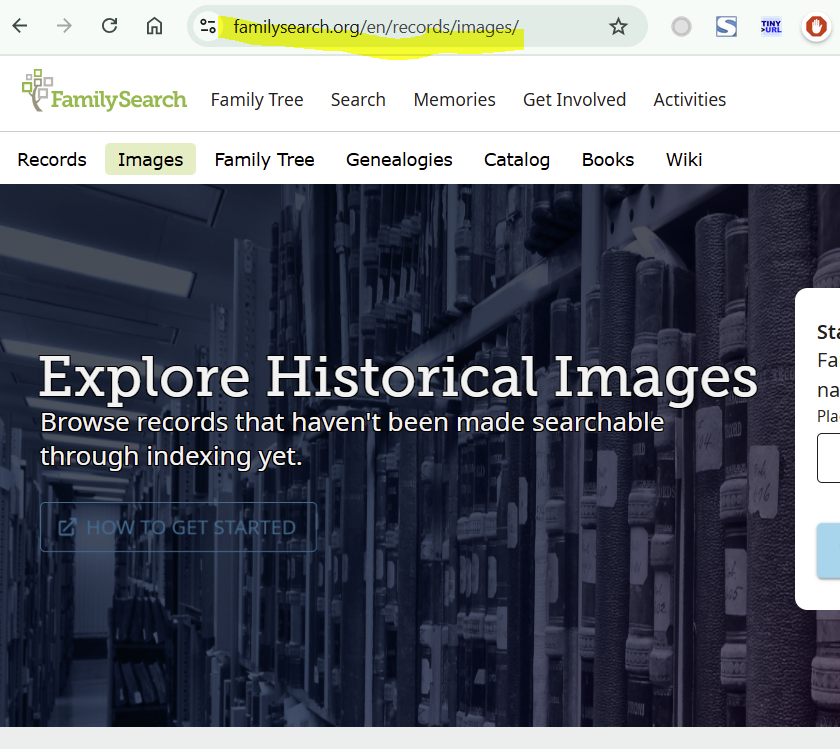
Windows 10, Chrome, both fully updated.
1 -
Mandy, you gave me an idea so I tried it on my iphone with safari and this works as well. Obviously, not very practical to use but…
0 -
Aine, I get this far but it's when I fill in a place name to search and activate the actual search by clicking the Search button that the problem occurs.
0 -
Same. How very peculiar that it does work on both an Android 'phone and an iPhone, but doesn't on either a Mac or a Windows PC.
UPDATE: Just had a thought and tried with Windows 11 Chrome but using the Developer Tools to set the device type to 'phone (Samsung Galaxy) or tablet (Surface Pro 7). In both cases it worked fine. Back to ordinary desktop and it failed again. BUT, from desktop, if you zoom out (just one press of CTRL+- did it for me) it works!
0 -
It works just fine on Windows as I mentioned above. I also checked with a friend who had no problems.
I picked a collection at random, and I have no problems accessing. 0
0 -
I think it's about how far the screen is or isn't zoomed, as updated on my previous comment, or possibly some sort of combination of that and the window size.
I've just tried with the browser maximised on my big monitor, and it worked perfectly, as you've seen, Áine. On my Surface Pro 7 it doesn't, and on the big monitor with the Chrome window not maximised it doesn't always work (though I am having trouble working out where the behaviour starts and stops).
0 -
I tried all the suggestions but no luck. However, I think I now cracked the issue.
Setting Firefox to accept 'https: sites only' solved it (for me anyway!). I normally had this settings to 'not https: only'
Thanks everyone for helping out!
1 -
I'm opening this strand again because after some more digging I found that the real solution has nothing to do with the HTTP ONLY settings.
Any setting works for me as long as the VERTICAL TAB is set instead of the horizontal tab.
Apologies for my earlier non-solution but with changing a number of parameters at the same time I overlooked I had also set this vertical tab one.
0 -
@Theovan Elmpt Is the Vertical/Horizontal tab option part of the browsers or an extension add-on?
0


