
Problem with clerical survey that is indexed incorrectly

I want to correct the indexing on the above clerical survey in Rännelanda Parish 1896-1914. The family is Elis Johannesson and his wife
Debora Fredr. Isaksd:r and their two children: Emma Mathilda and Sigre Ottilia. Anna Maja Persdotter should not be listed as a child. The family is listed twice on the same page. Debora's husband is shown as Unknown. It should be Elis Johannesson.
Can you tell me how to change the spouse from Unknown to Elis Johannesson? On another version of the same survey Anna Maja Persdotter is listed as a child of Debora Fredr. Isaksdr. and needs to be removed. How would I do that?
Thanks so much!
Best Answer
-
This whole procedure is pretty straight forward and repetitious. Hope this explanation lets you see how you can just take care of these types of indexing errors by yourself. But there will always be people willing to help with complicated problems.
I'll go double check the second entry for Elis and his family now.
Good luck with your future work here!
1
Answers
-
It looks to me that the family is listed twice but the first set of documentation has been crossed out. Is the second documention correct? The indexing could be taken from that. If it is not correct I believe you can not alter the record for what it should have been. Can you show me the index of the document? The child could be listed as a child because she was considered a child to her. The unknown I think should not be changed because at the time this document was written it was considered unknown.
If I am not understanding what you are looking for please post again and I can see if there is a proper work around.
0 -
I've taken a quick glance at this and it should be pretty easy to fix. Let me stare at it for a while, post here what I see (my Norwegian is far better than my Swedish), ask you a few questions, then either tell you how to fix it or if you don't want to, get it fixed for you.
@jamiehadlock I'll help out with this. For your general interest, when you see a crossed out name in these clerical surveys, it means the person died or moved. The information that was crossed out is still correct, the person just isn't at that residence anymore. There actually is no Unknown on the document and that entry does need to be removed. However, I want to carefully write out what I see on the page and confirm with Joelle that I am reading things right before even thinking about making changes.
0 -
@Joellen McAlister , is this how you read all this?
Farm/Property Baken SE
Household One
Line 1 - Owner Johannes Jonasson b. 14 Jan 1837
Household Two - the line spacing makes this look like a different residence on the property
Line 4 - Sister (to Johannes) Sara Jonasdatter b 11 Sep 1847
Household Three - such wide spacing that is definitely a different residence
Line 9 - Owner Johannes Larsson b 6 May 1822 d. 19 April1910
Line 10 - Wife (of Johannes Larsson) Elin Olsdatter b. 17 July 1822 d. May 1903
Line 11 - Daughter (of Johannes and Elin) Anna Rebecka b. 17 April 1860
Line 12 - Son (of Johannes and Elin) Elis Johannesson b. 25 Feb. 1864
Line 13 - Wife (of Elis Johannesson) Debora Fredr. Isaksdatter b. 4 Dec 1866, md. 19 April 1899
Line 14 - Daughter (of Elis and Debora) Emma Mathilda b. 5 March 1900
Line 15 - Household help - Anna Kajsa Persdatter b. 1 Jan. 1857 (no relationships)
Line 16 - Household help - Augusta Jansdatter b. 16 Jan 1882 (no relationships)
Household Four - Same residence as Household Three but just re-written on 7 April 1903 for clarity since so many people had died or moved away from the household.
Line 19 - Elis Johannesson b. 25 Feb. 1864
Line 20 - Wife (of Elis Johannesson) Debora Fredrika Isaksdatter b. 4 Dec 1866, md. 19 April 1899
Line 21 - Daughter (of Elis and Debora) Emma Mathilda b. 5 March 1900
Line 22 - Daughter (of Elis and Debora) Signe Ottilia b. 11 Feb 1903
Here is the indexing: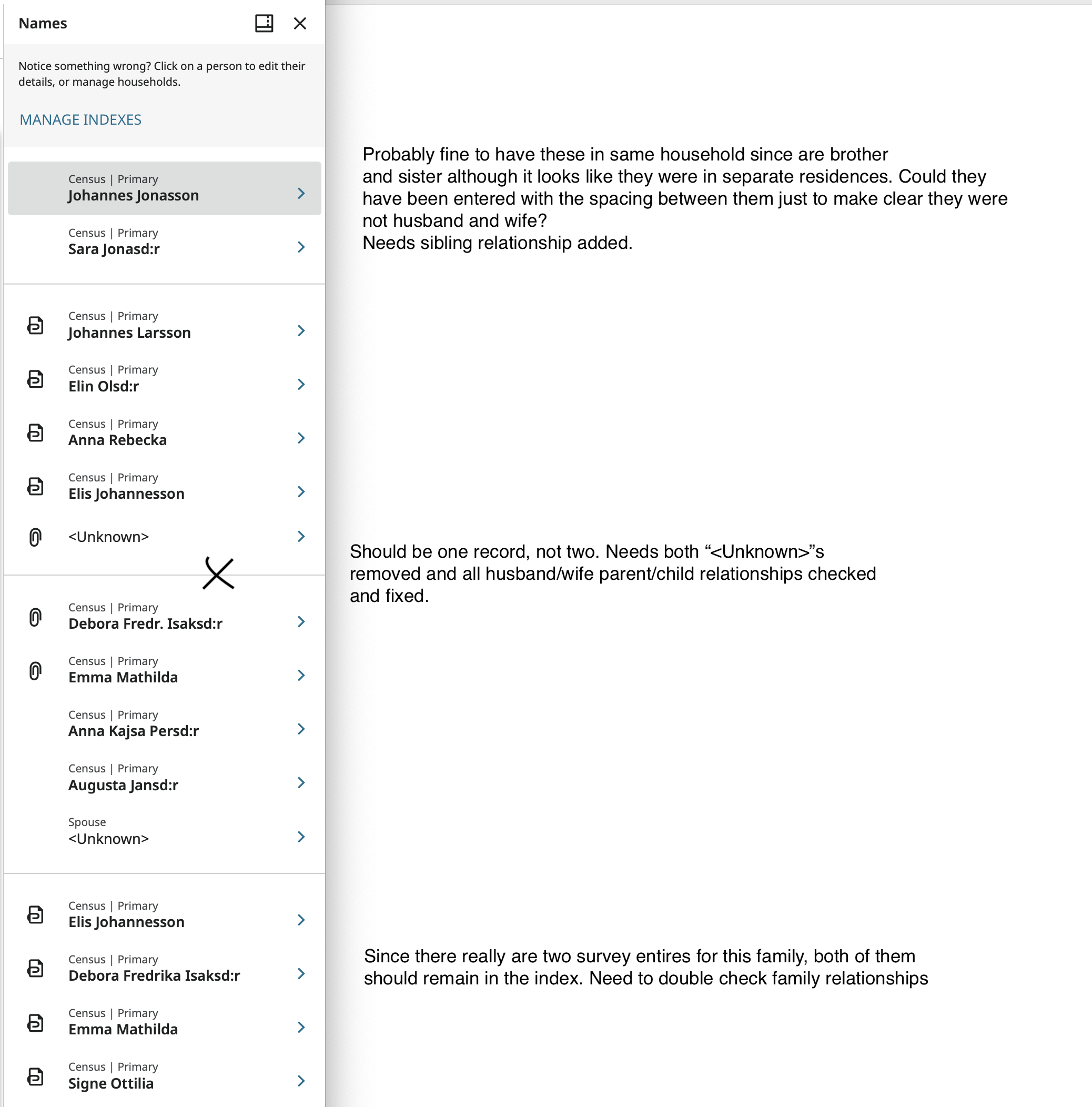
If you agree with this, and are unsure how to fix it, let me know and I'll demonstrate the processes.
0 -
I was told that this a census record that records the same household over time, People are crosses out as they are no longer in the house in the year that came up. The two girls whoare not daughters were people who were working in the household.
Yes you can add the relationship by clicking on the relationship pencil icon on the side of the page by the person you want to add relationships to.
Thank you Gordon Collett for laying out the information in the record so nicely
1 -
@jamiehadlock These are referred to as census records, and they sort of are. But they are much more than that and are extremely valuable Swedish records. I think the other term for them - Clerical Survey - is a better way to refer to them.
Basically these are a parish record kept by the priest who would record each household in it. He would add each birth, marriage, death, move in, move out, who took communion, and the state of everyone's Christian knowledge. Unless an individual made an unusual jump of a distant move, you can usually follow someone from birth through every step of their life to death. If this practice was still in use, it would drive modern day privacy advocates totally insane.
1 -
yes that is how it was explained to me. And it is a very valuable record.
0 -
Gordon is correct except that in Sweden we spell daughter as dotter not datter so for instance it would be Debora Fredrika Isaksdotter.
If you didn't know, Elis Johanesson died 1954-05-16 in Stora backen, Rännelanda, Älvsborg
His wife Debora died 1941-03-07 in Ödgården, Rännelanda, Älvsborg2 -
Thank you all! If you look at https://www.familysearch.org/ark:/61903/3:1:3Q9M-CSGH-ZSF2-8?view=index&personArk=%2Fark%3A%2F61903%2F1%3A1%3AQLKV-B1M3&action=view&lang=en&groupId=
you will see that Debora's spouse is "unknown". Both times on the same page her husband is listed with her as is their daughter. Can someone fix the unknown and list her husband as Elis Johanesson? I'd like to attach it and have the indexed record corrected. Thanks so much!
0 -
Sorry about -datter/-dotter! just a habit. My wife is Norwegian. But she is from the west coast and her aunts out on Stord use the Nynorsk -dotter as well.
0 -
I will fix the indexing when I have some time later this evening and take images of what I do so that you can do it yourself next time.
0 -
One of the dishes I'm making for dinner has to rest a bit, so I'll start correcting things.
Beginning at the top
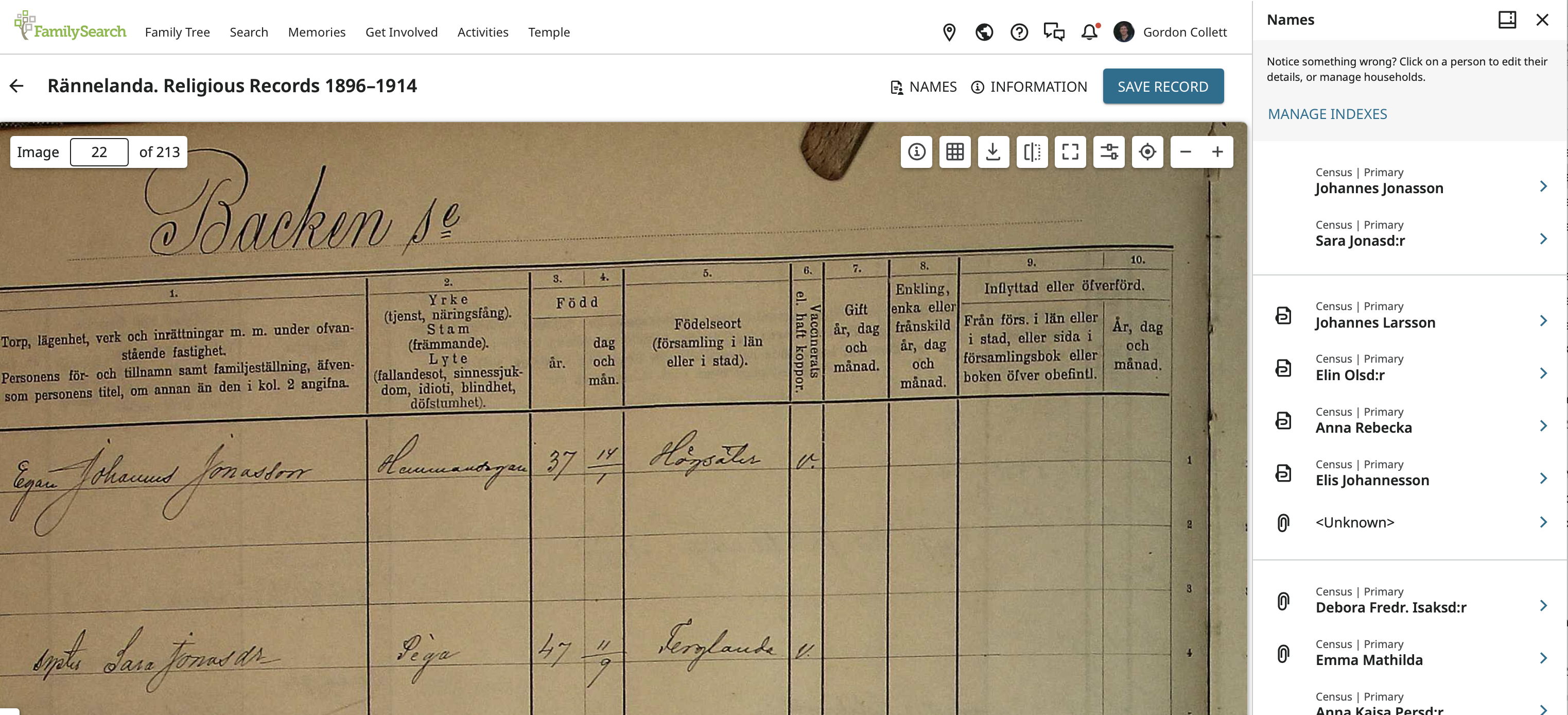
click on Johannes Jonasson to go to his index entry and review the information:
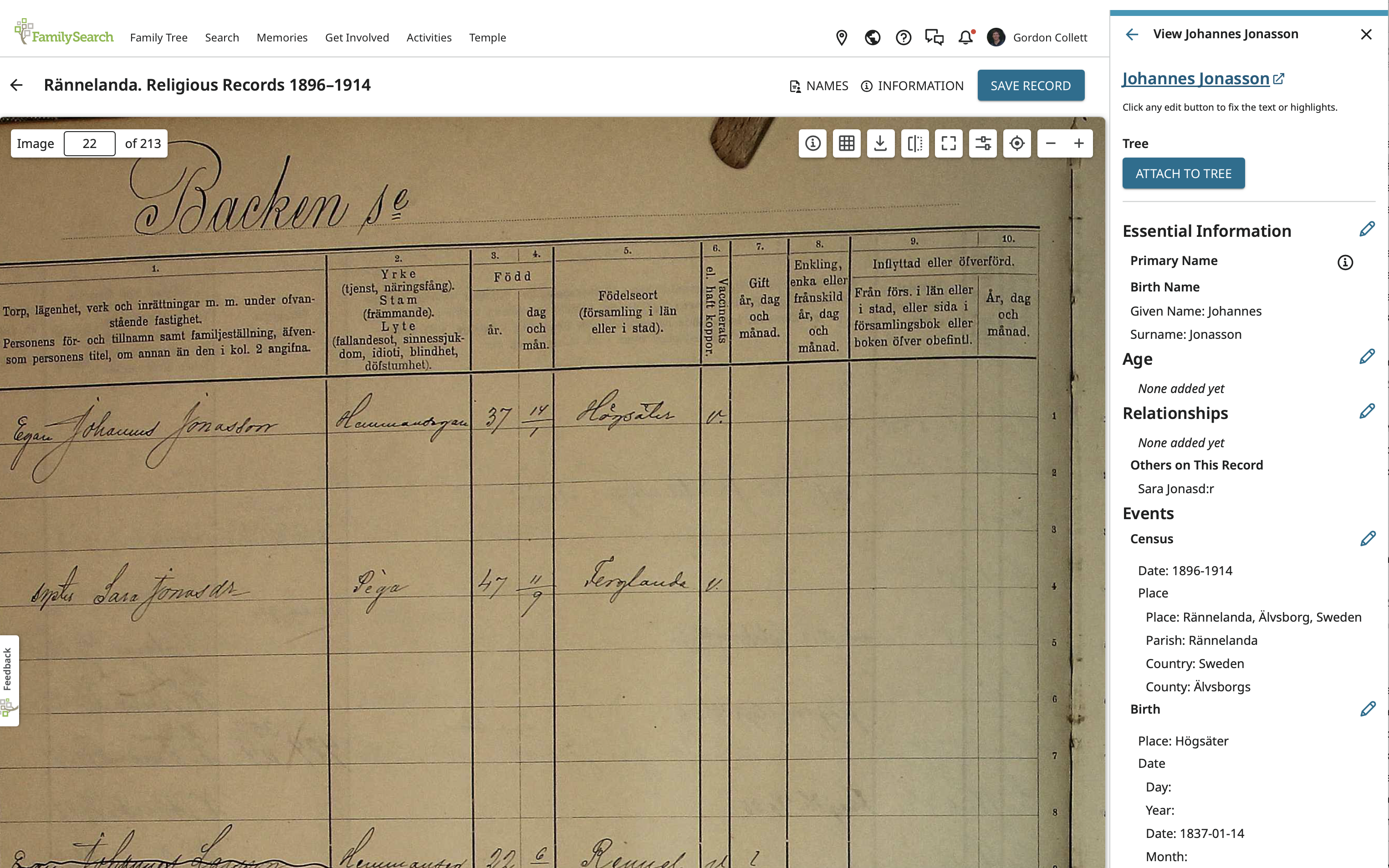
Name is fine, birth date is fine. Note that the birth date is entered using the ISO standard of YYYY-MM-DD. What is missing is his relationship to his sister and, a bit harder to see because there is not even a place for it showing, is that he is male.
To add the relationship, click on the pencil next to that heading to get to here:
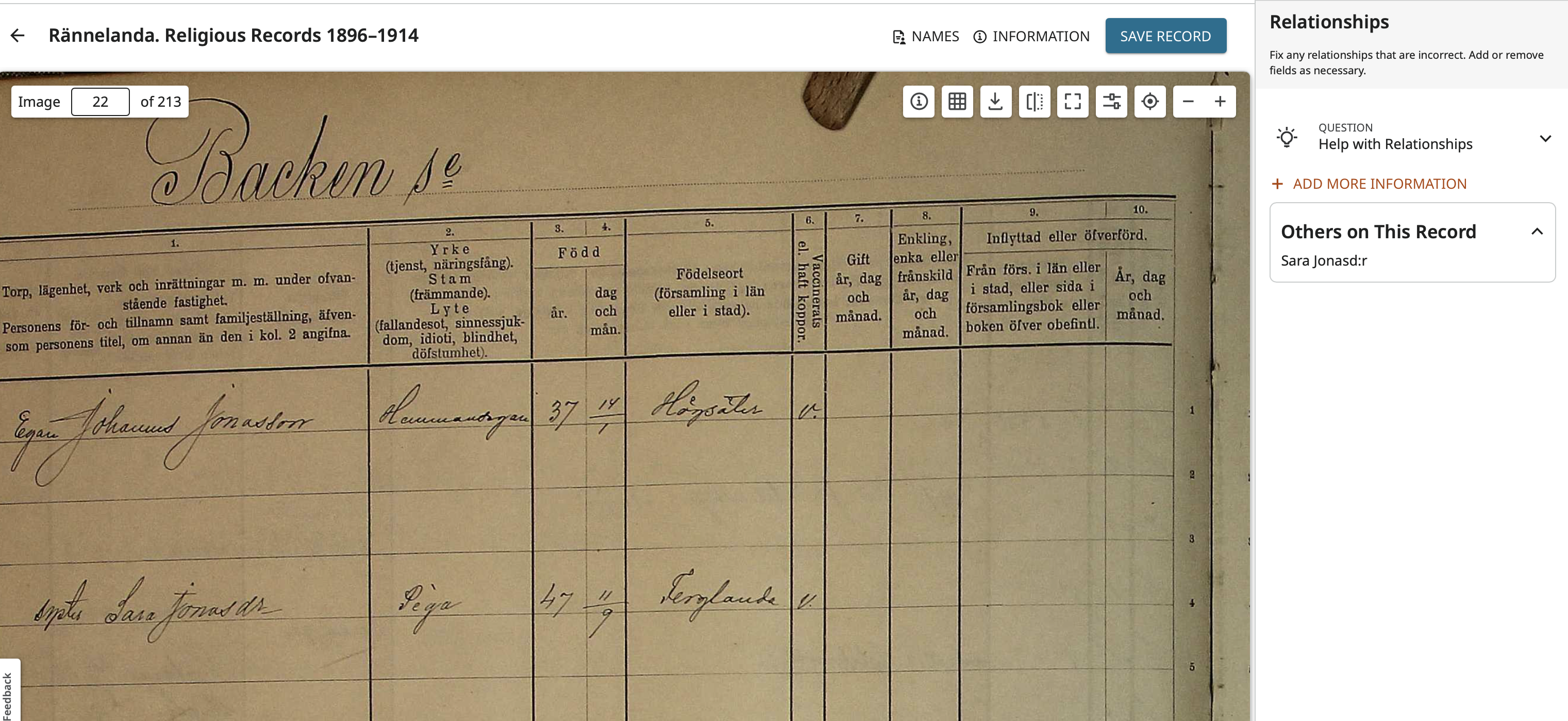
Now click on Add More Information:
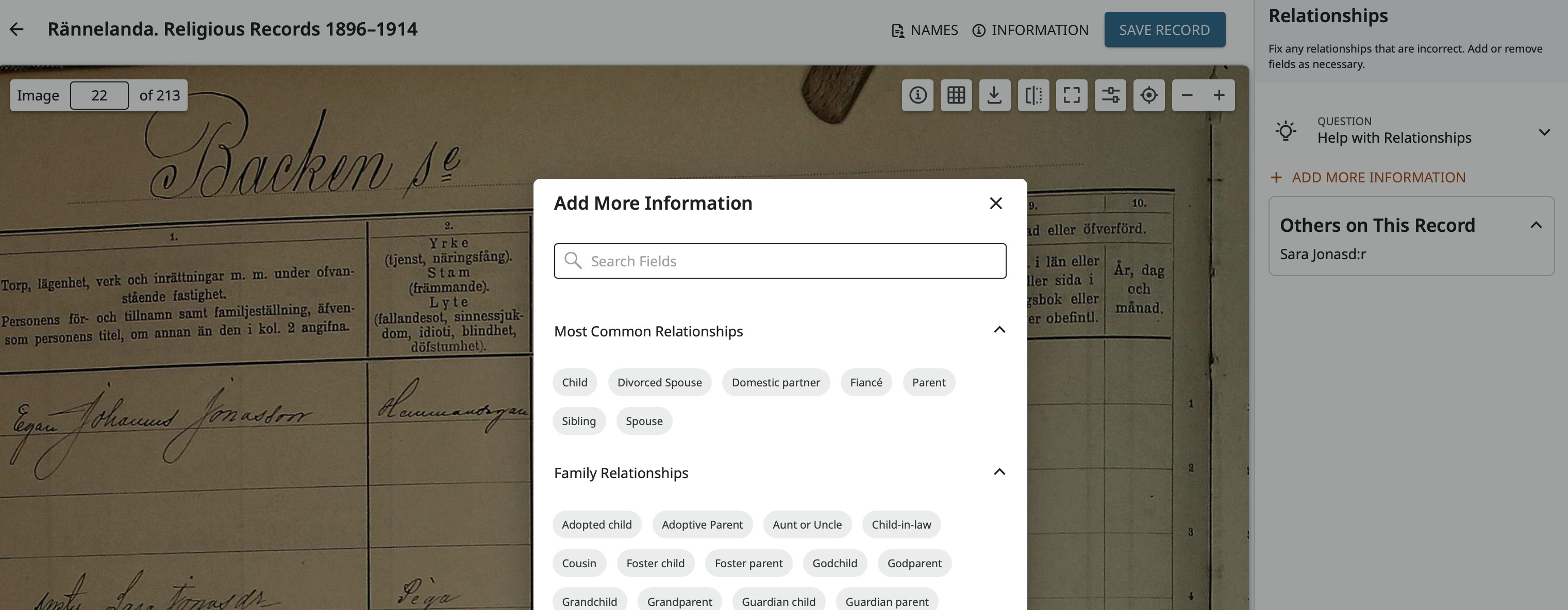
Click on Sibling to add that as a relationship type:
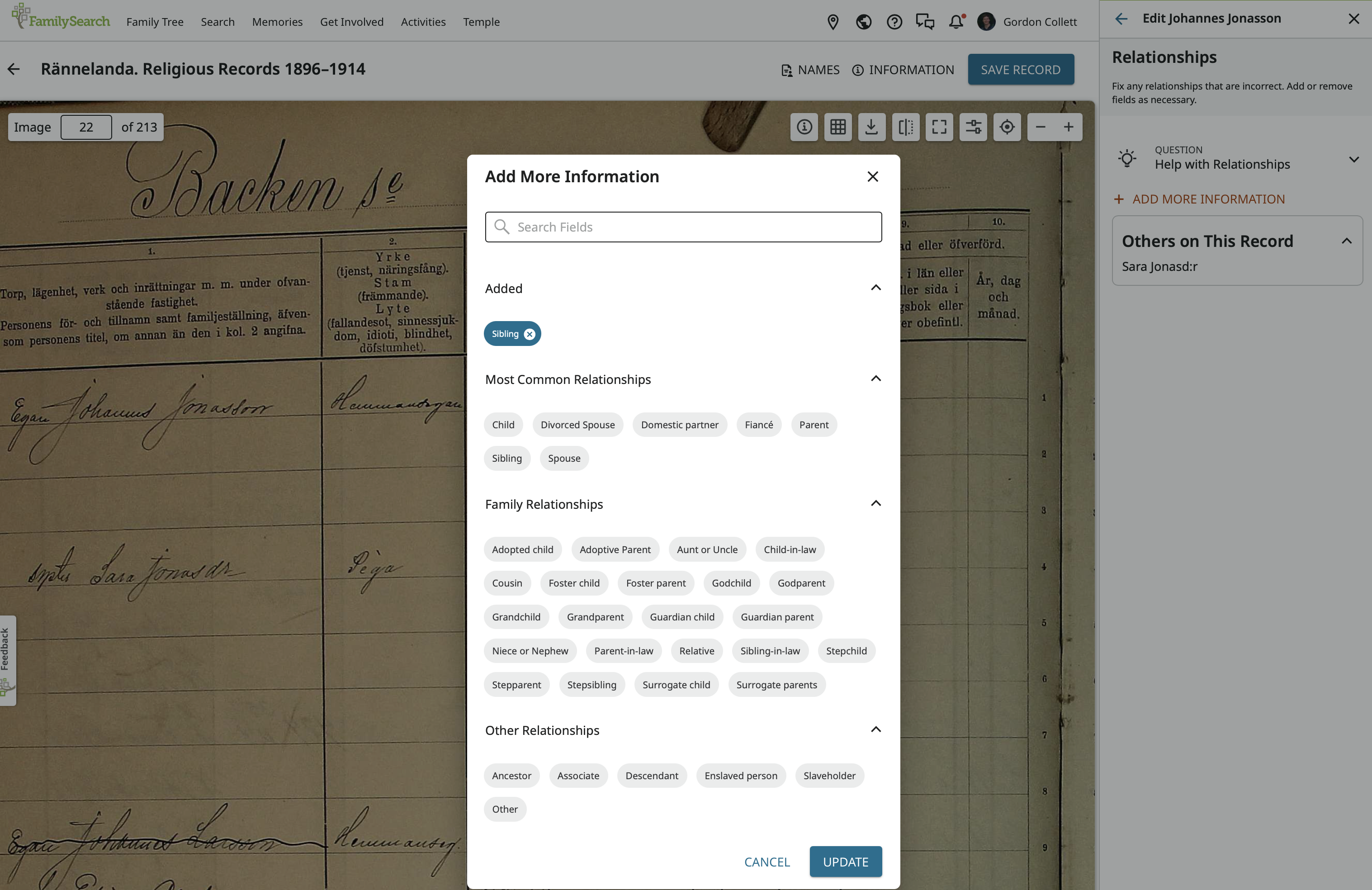
Then on Update:
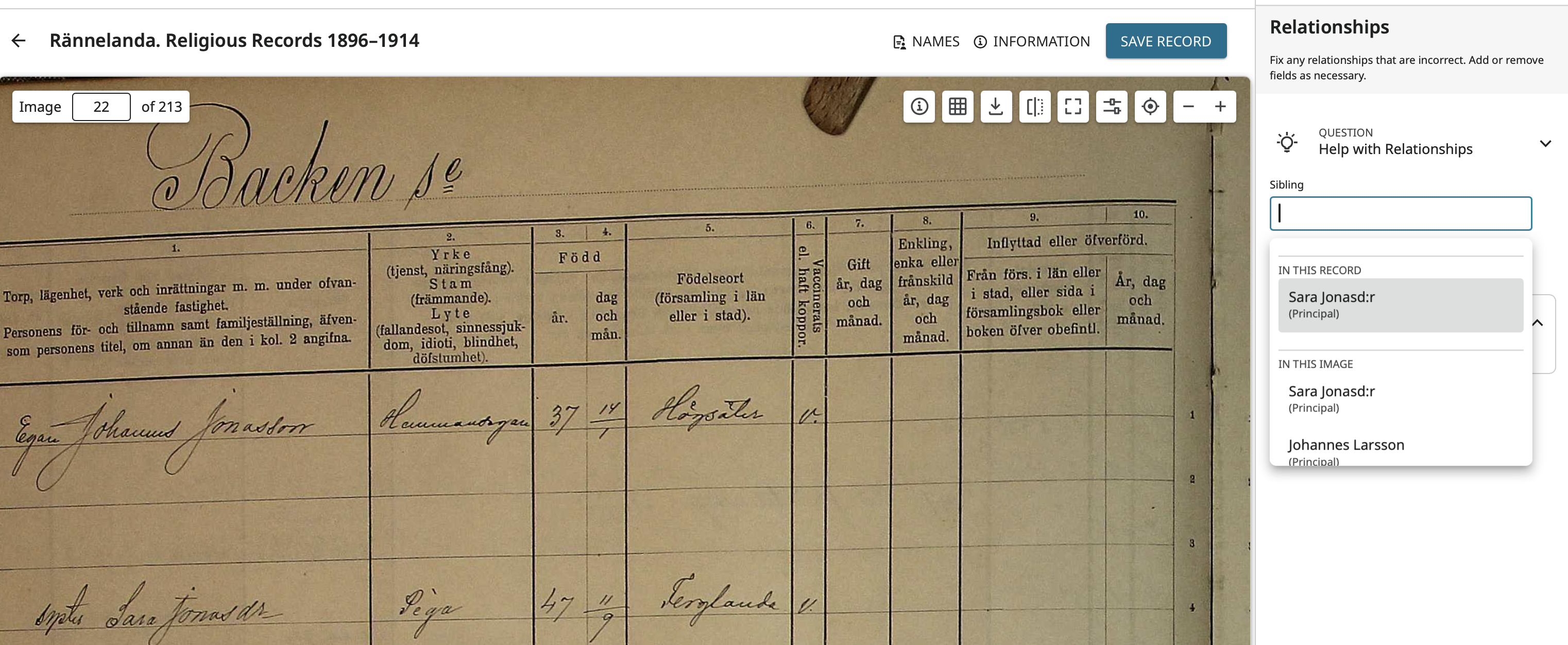
Now click in the empty data field which opens a drop down menu of everyone in the same record as Johannes and of everyone in this image. Choose Sara then save:
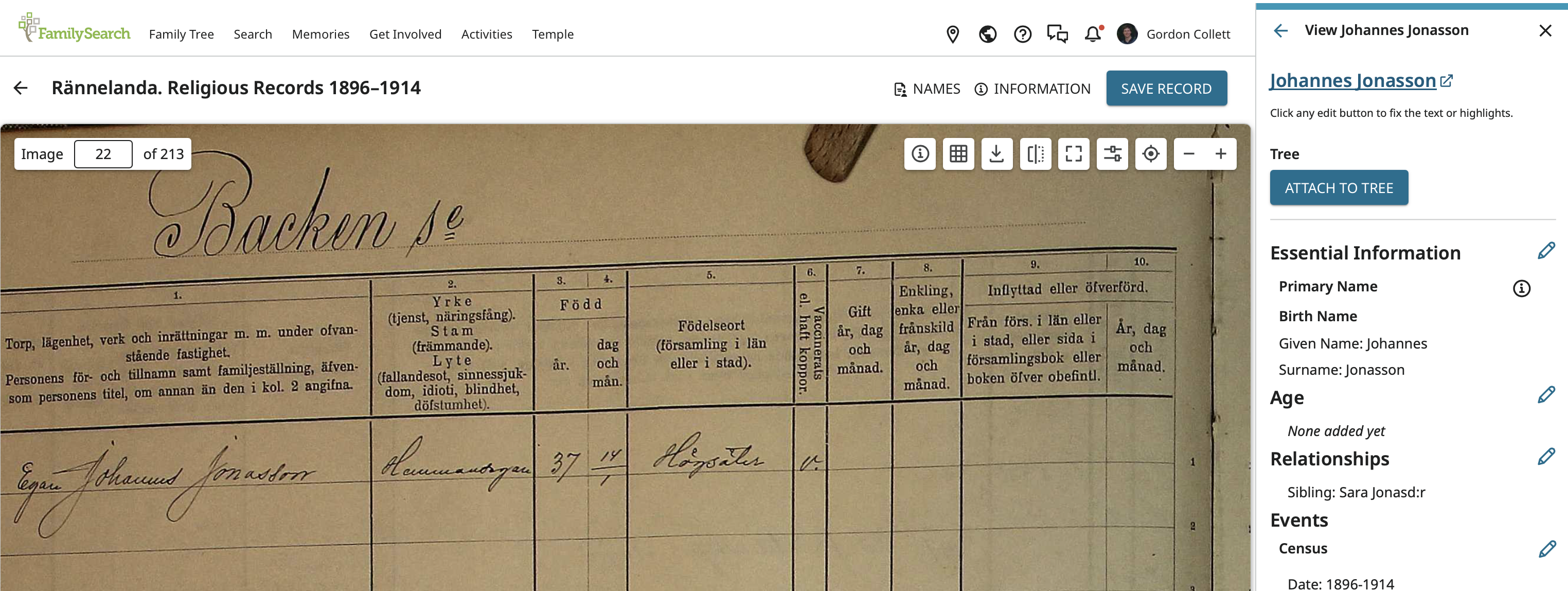
Now you can see that Sara is listed as a Sibling. Now click on the pencil next to Essential Information:
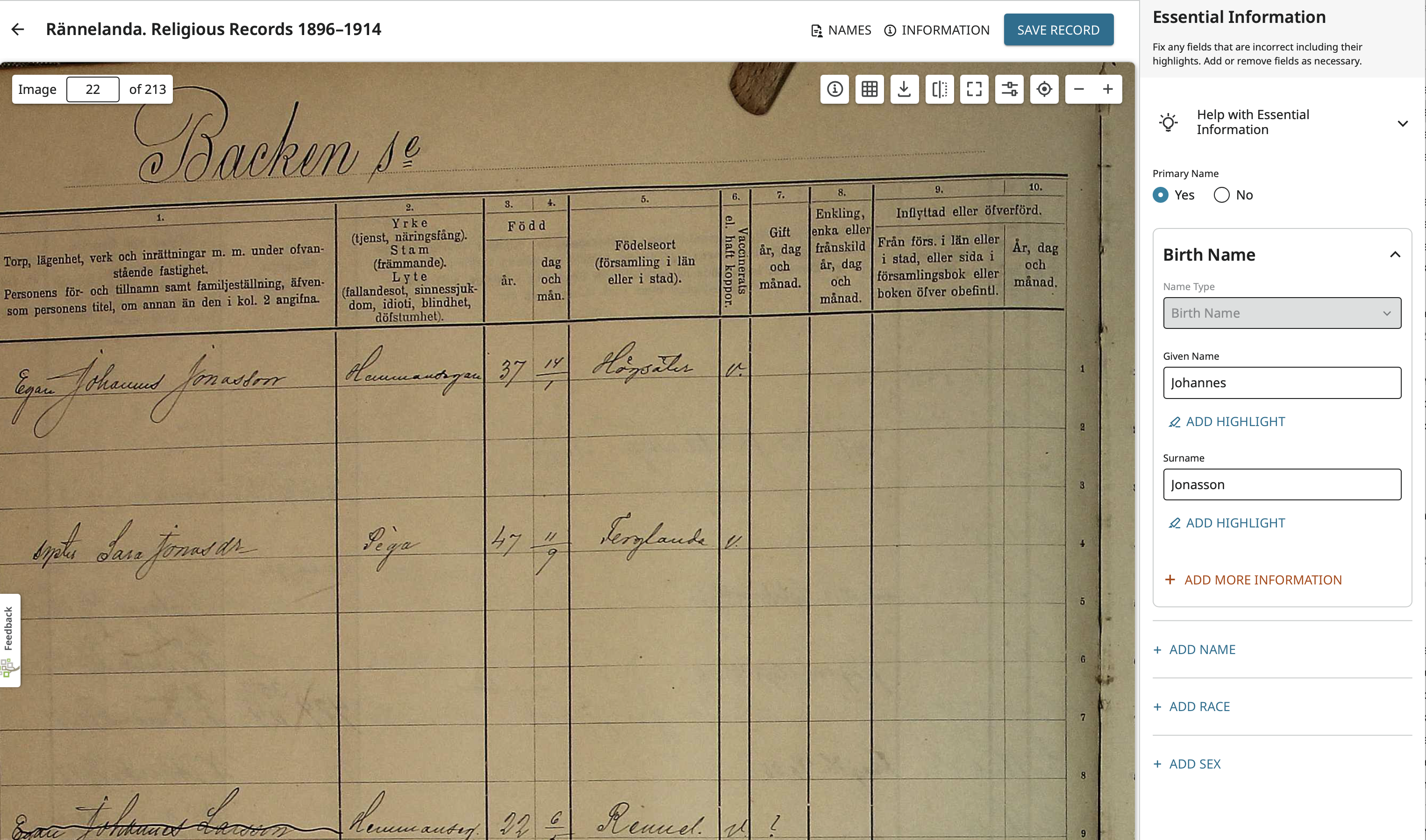
Add Male and save
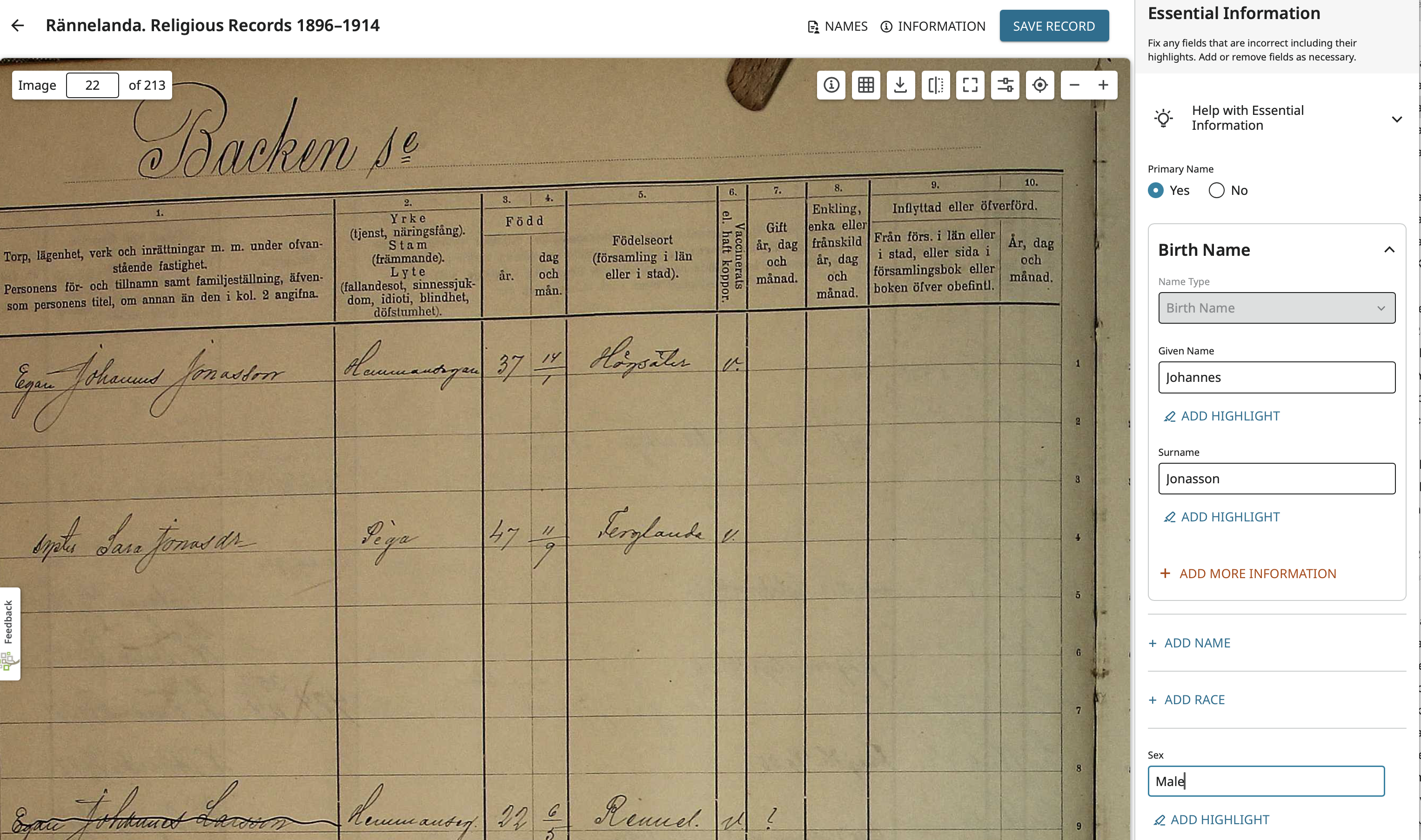
Now go to the top of the panel on the right and click on the left pointing arrow next to View Johannes Jonasson. This brings back the list of everyone's name and you can click on Sara. Note that Johannes has already been added there. Not as a sibling, but rather as a brother. The program as already added the relationship we created for her with Johannes.
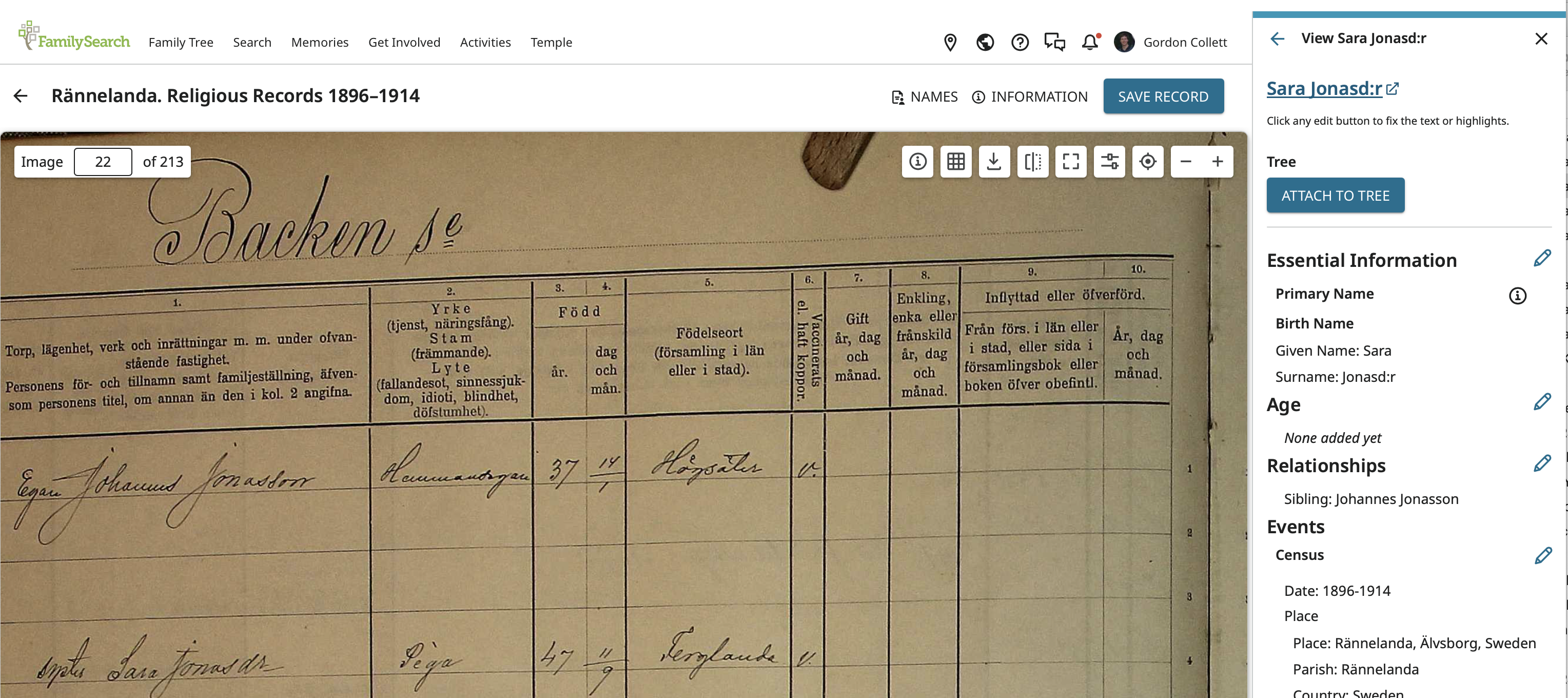
I will, however, still click on the pencil next to Essential Information and do two things. Make her female:
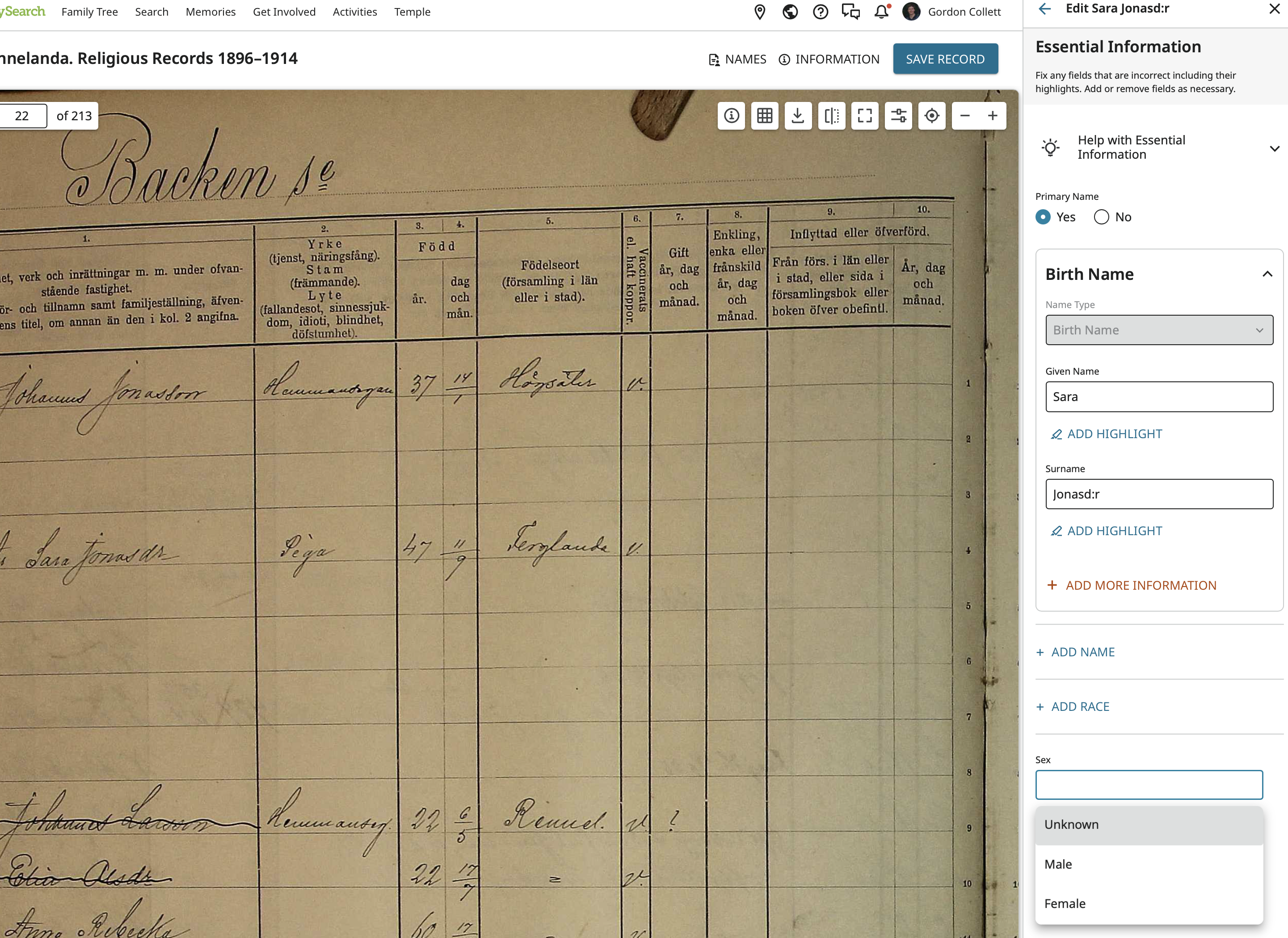
and remove the colon in her last name which the indexer added but is not on the image:
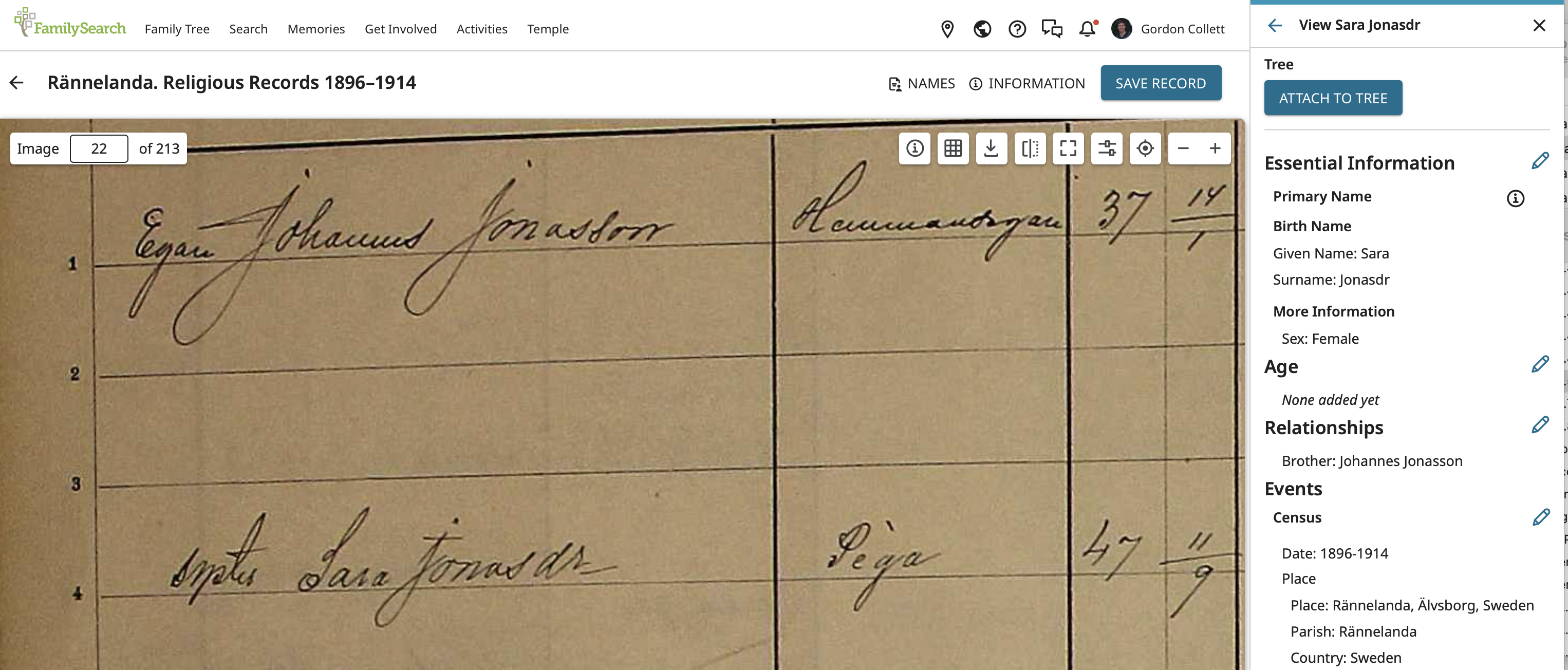
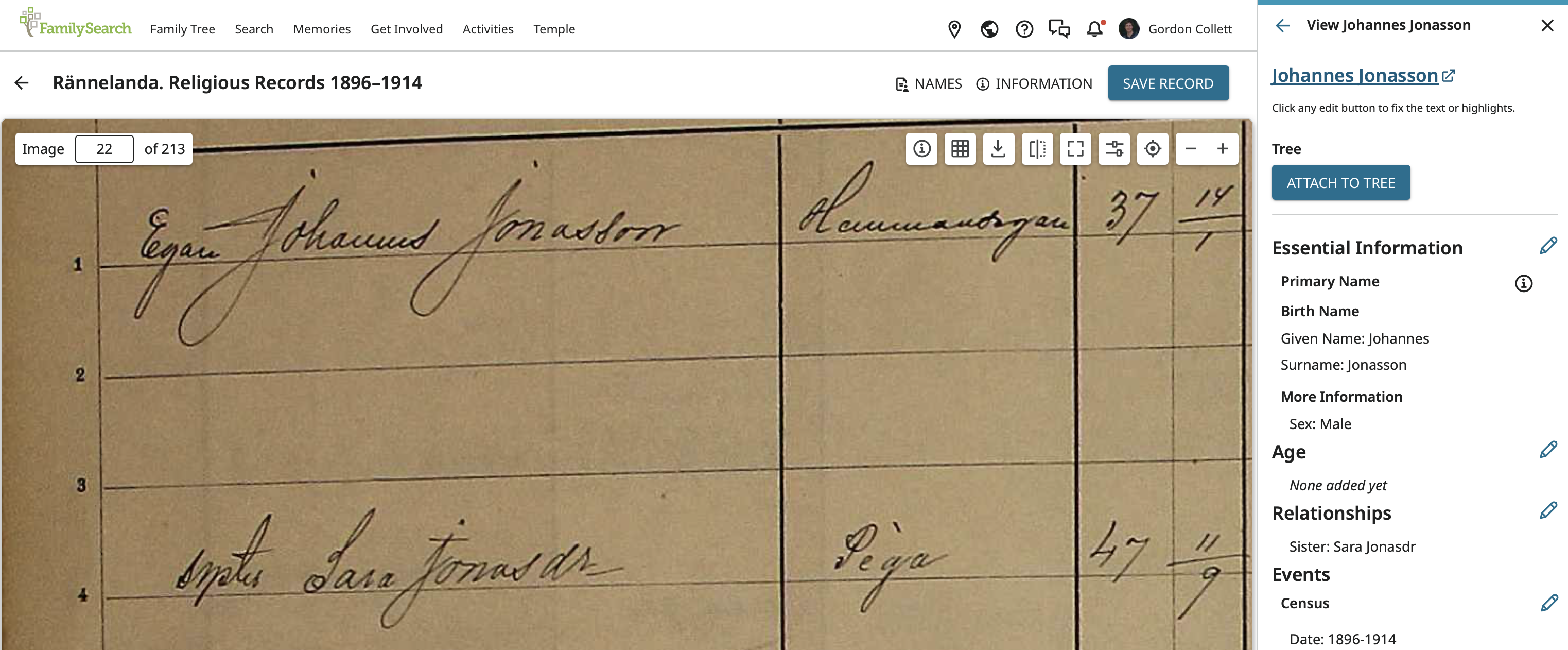
If you check back on Johannes' page, you see Sara is now listed as a sister instead of a sibling:
I have to get back to cooking dinner. Thursdays are my night. I'll return later to go over the more complicated relationship editing of the family you actually want fixed.
0 -
Starting back at the main page that lists every one in the image, we need to combine the next two records into one.
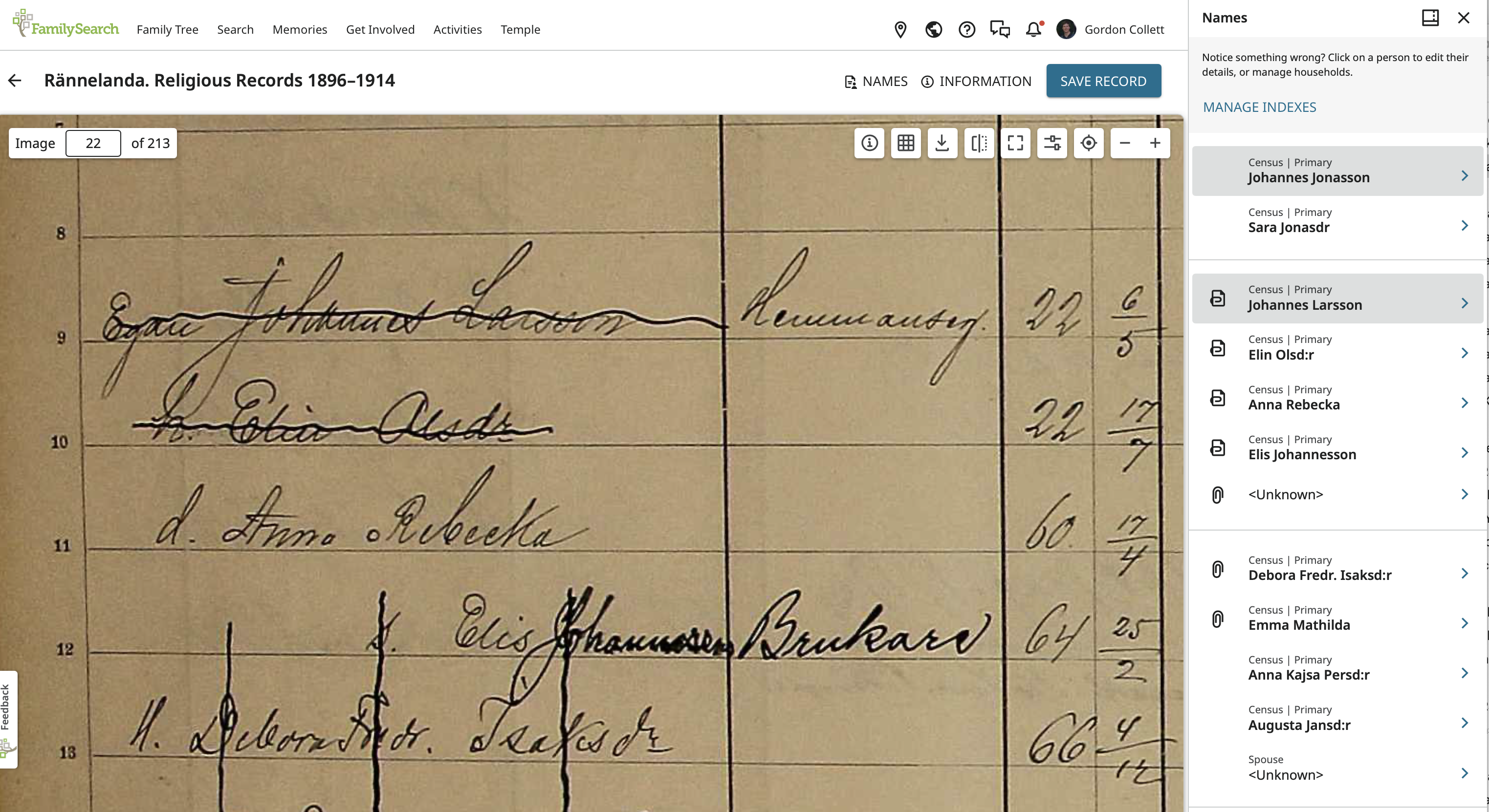
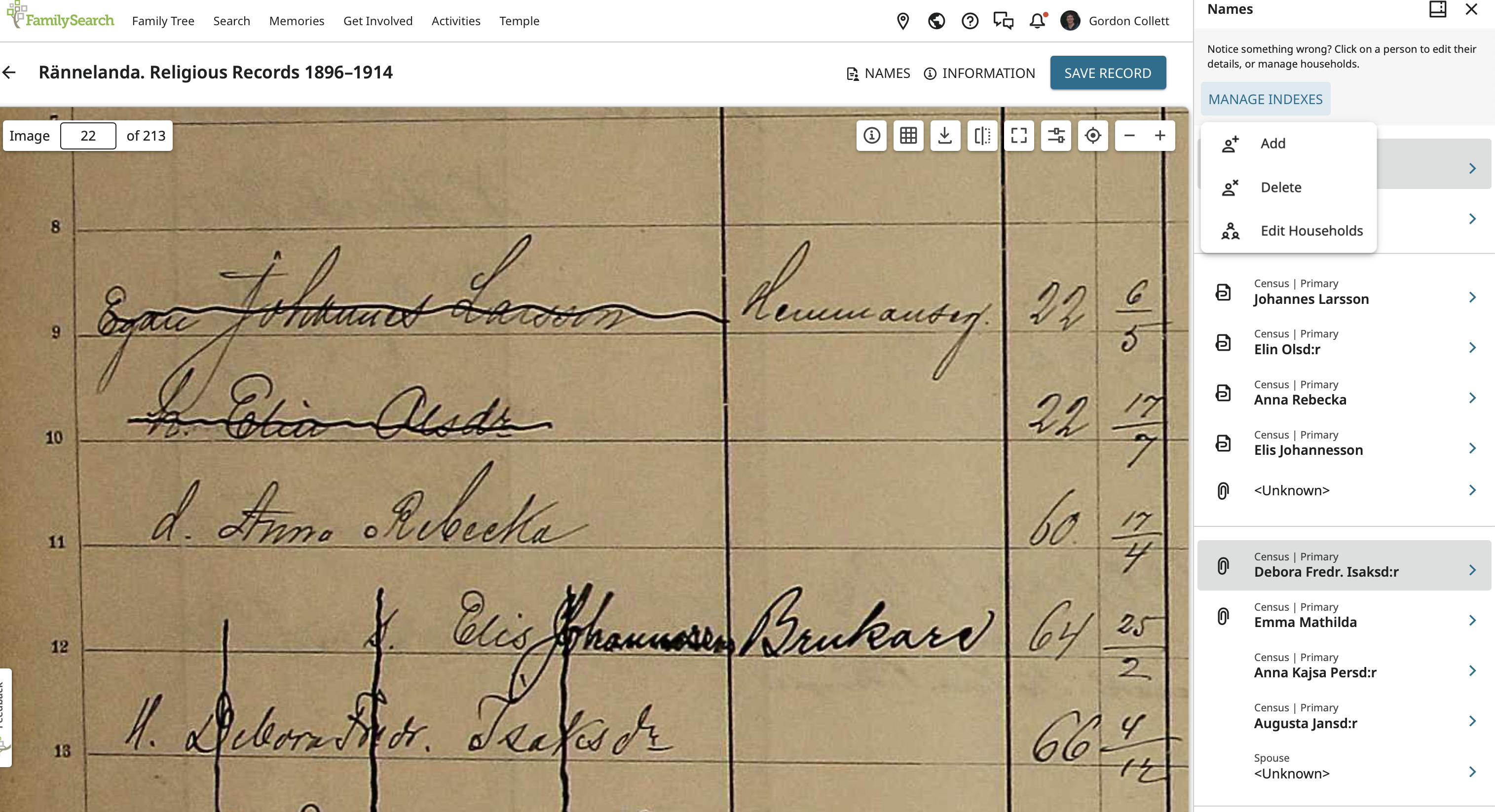
Do that by clicking on Mange Indexes to open a drop down where you can choose Edit Households.
Coming here:
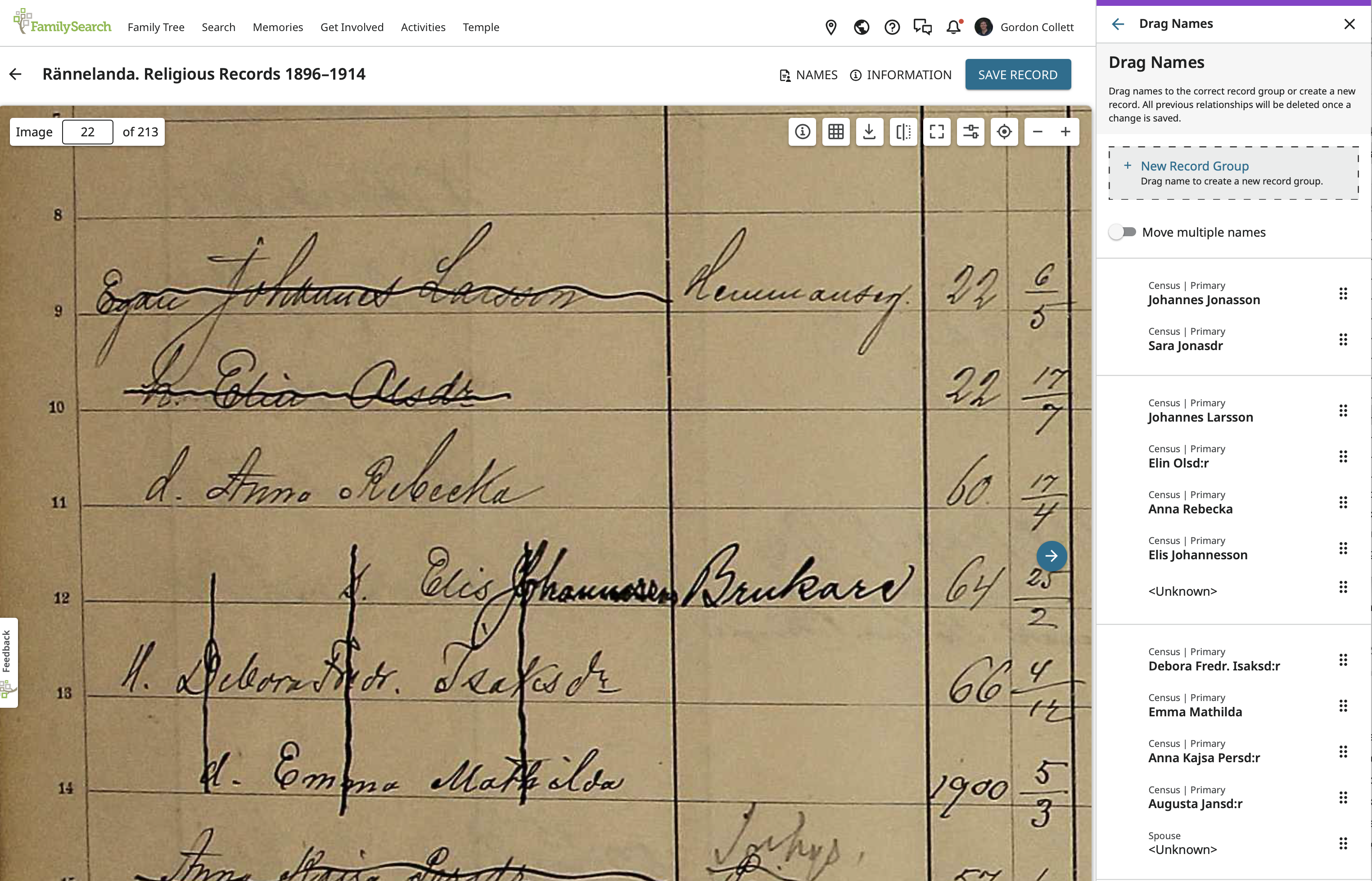
Notice the warning that editing a house hold deletes all existing relationship which is fine because we want to fix them anyway.
I'll drag Debora, Emma Mathilda, Anna Kajsa, and Augusta to Johannes Larsson's household where they belong.
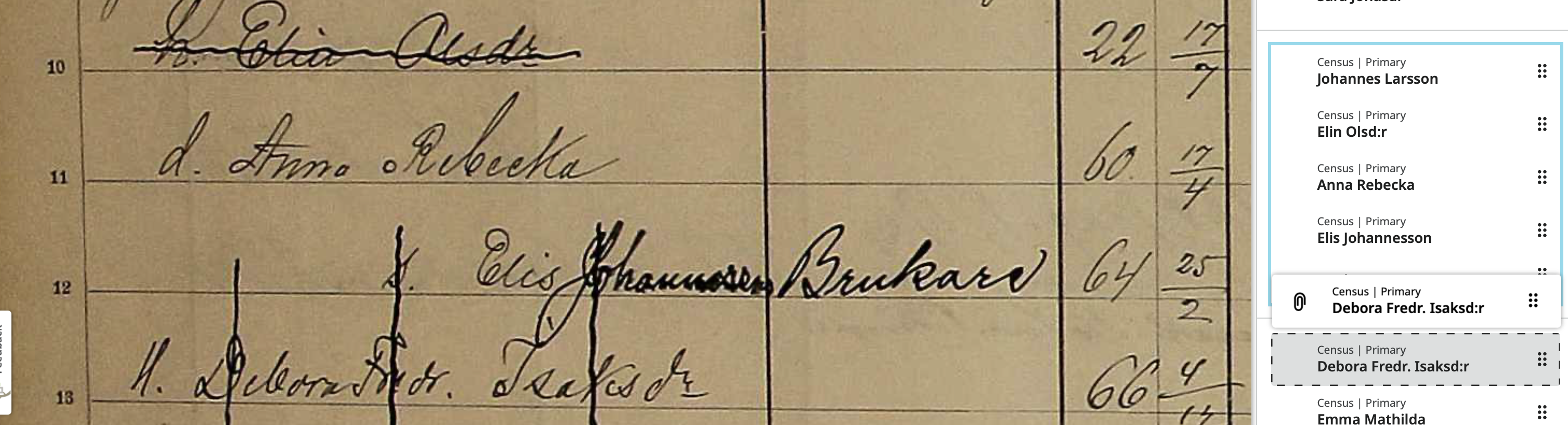
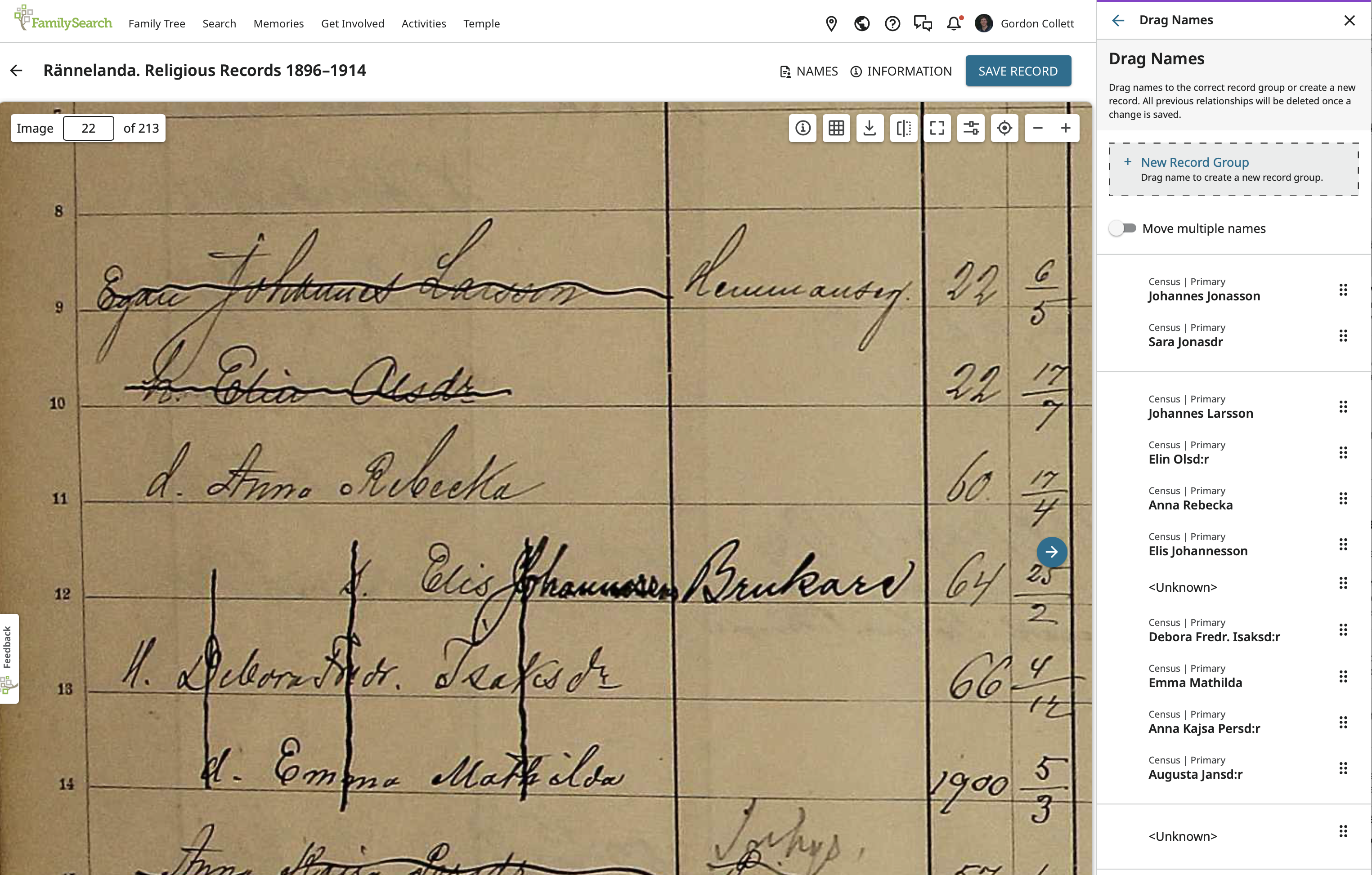
Next, click the left pointing arrow at the top next to Drag Names to get back to the Panel with Mange Indexes and this time choose Delete:
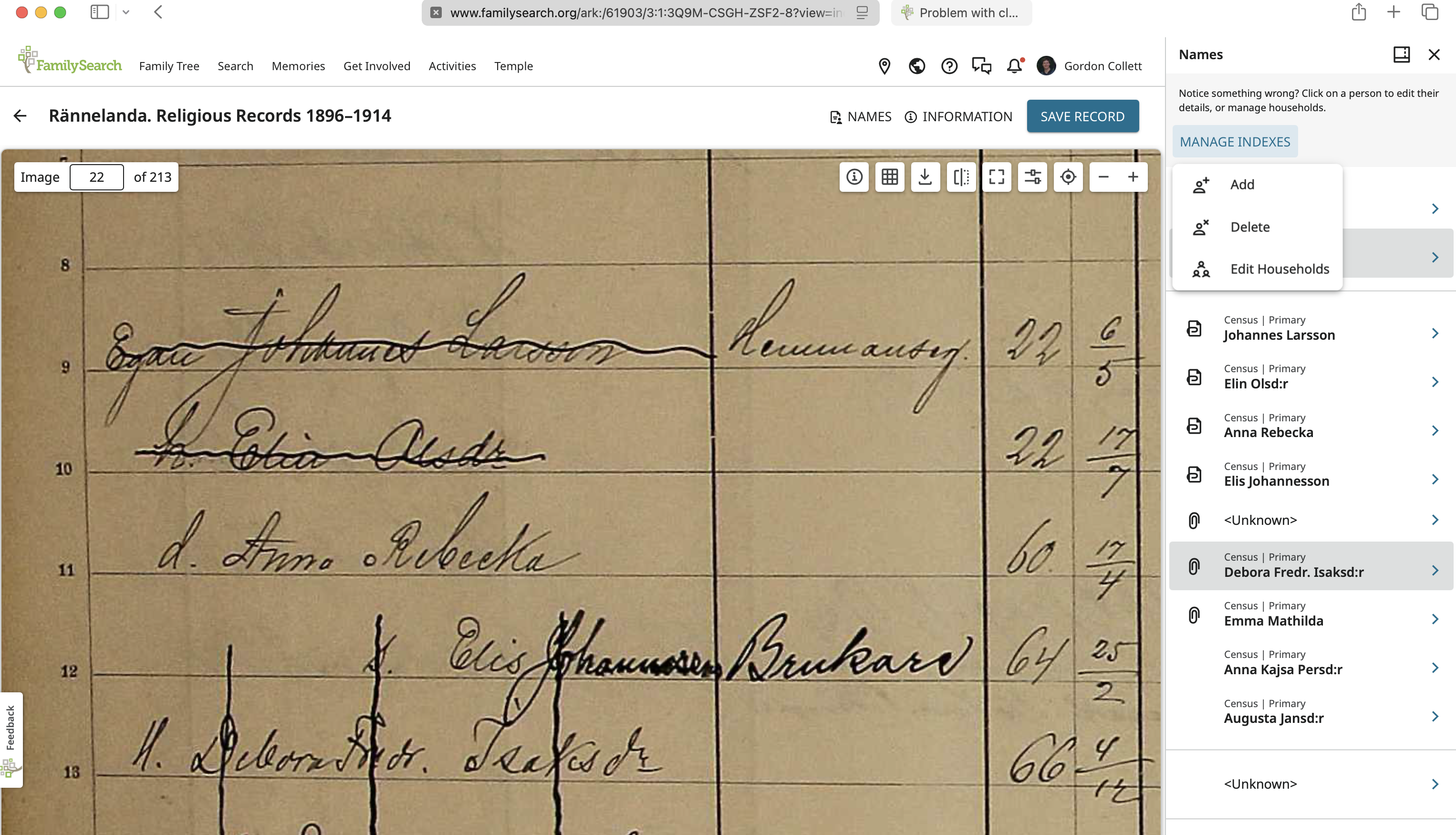
Where I will delete the two Unknown:
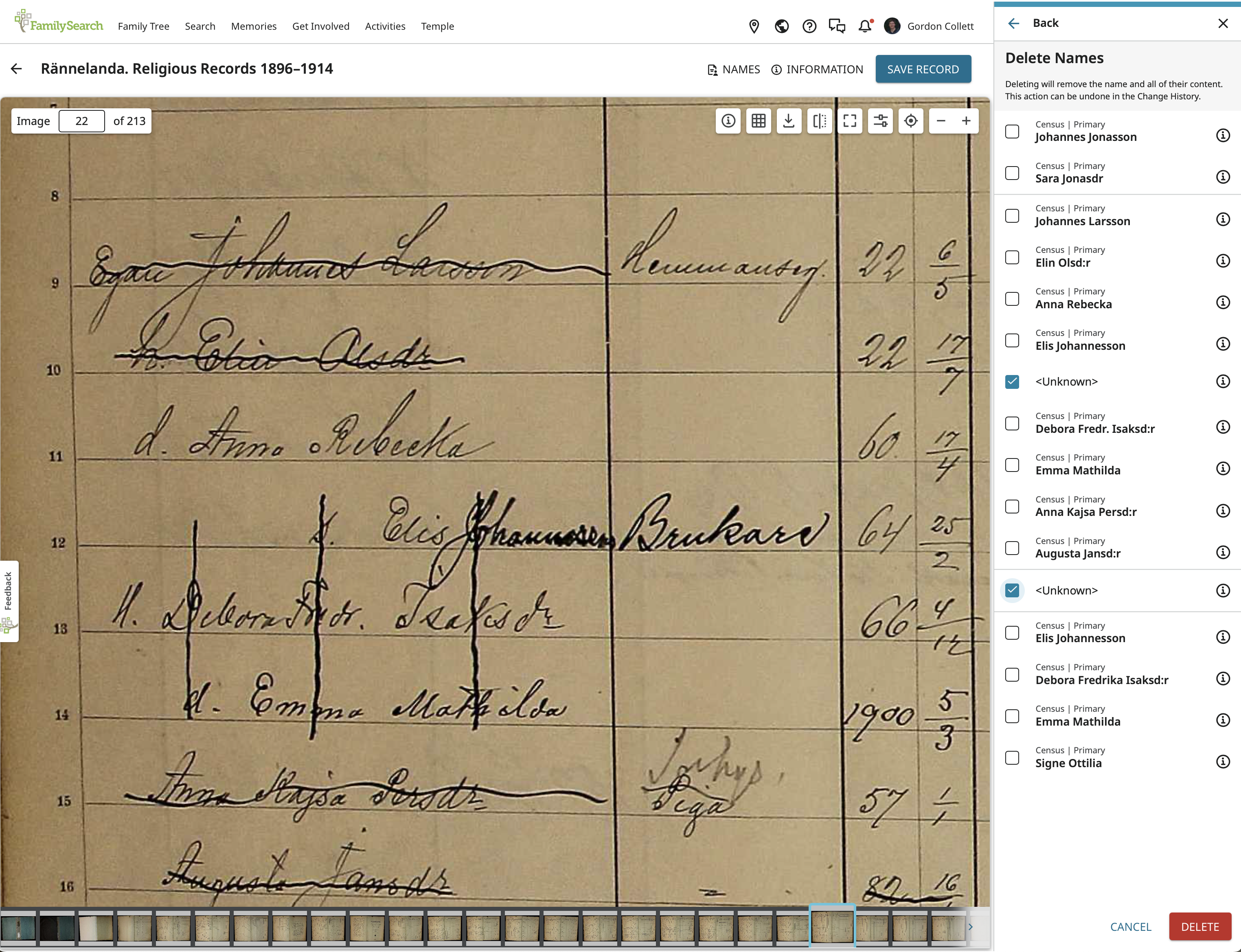
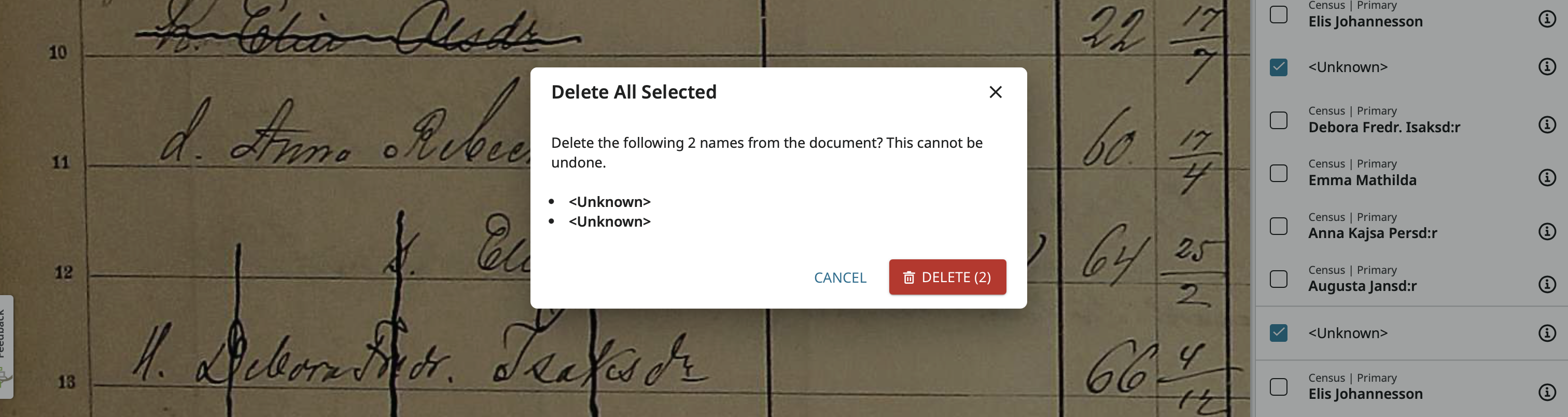
And they are gone:
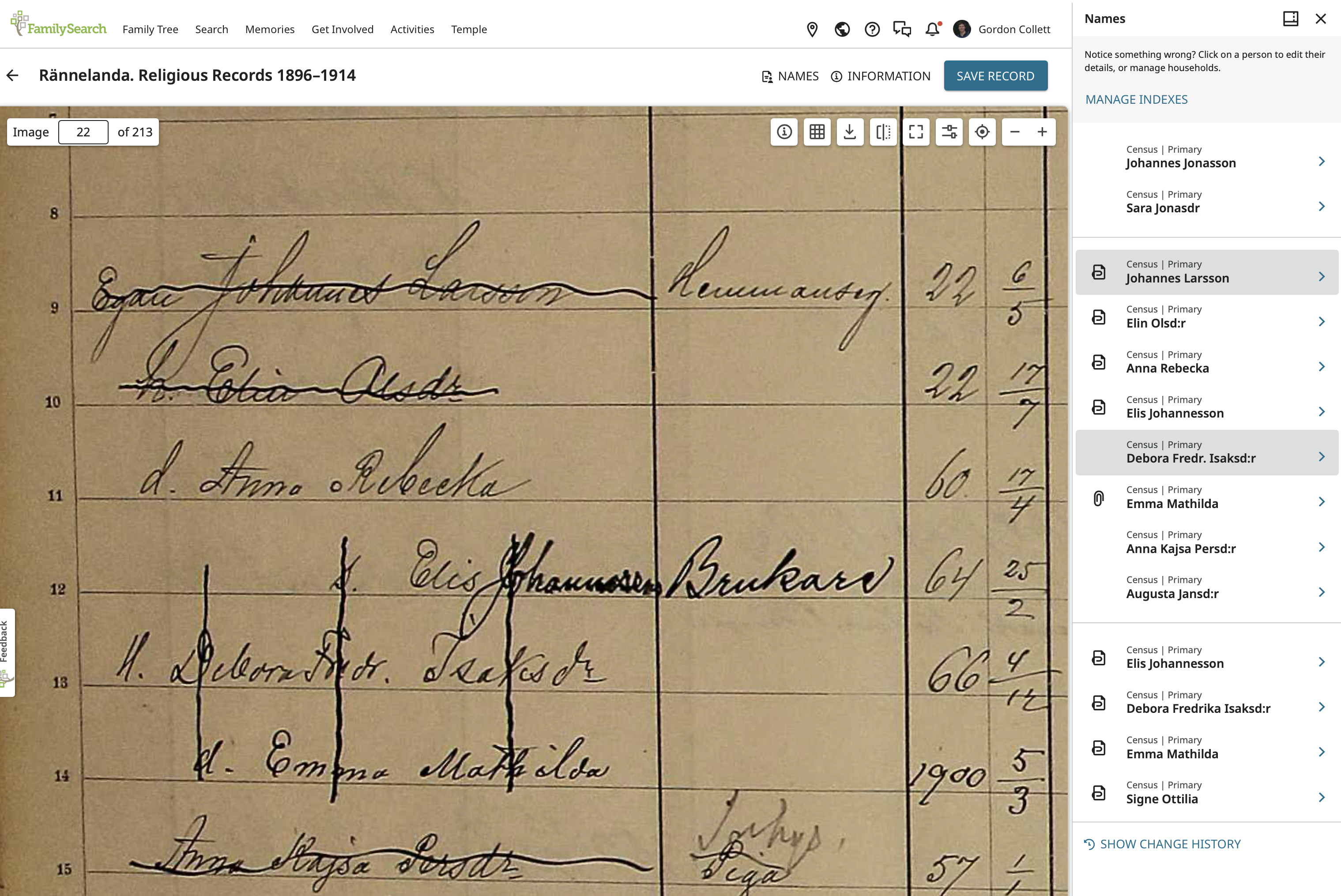
Before I start adding relationships, I going to quickly scan through everyone in this household, make sure the information is correct, and add Male or Female so the relationships show up better and so the source linker works better. I'll be back after that.
0 -
Now to work on relationships. The first person takes the longest because you have to check the relationships to everyone else. For each subsequent person, there is one less to do because you will have already fixed the relationship to everyone above them.
Starting with Johannes Larsson by clicking on his name to come here:
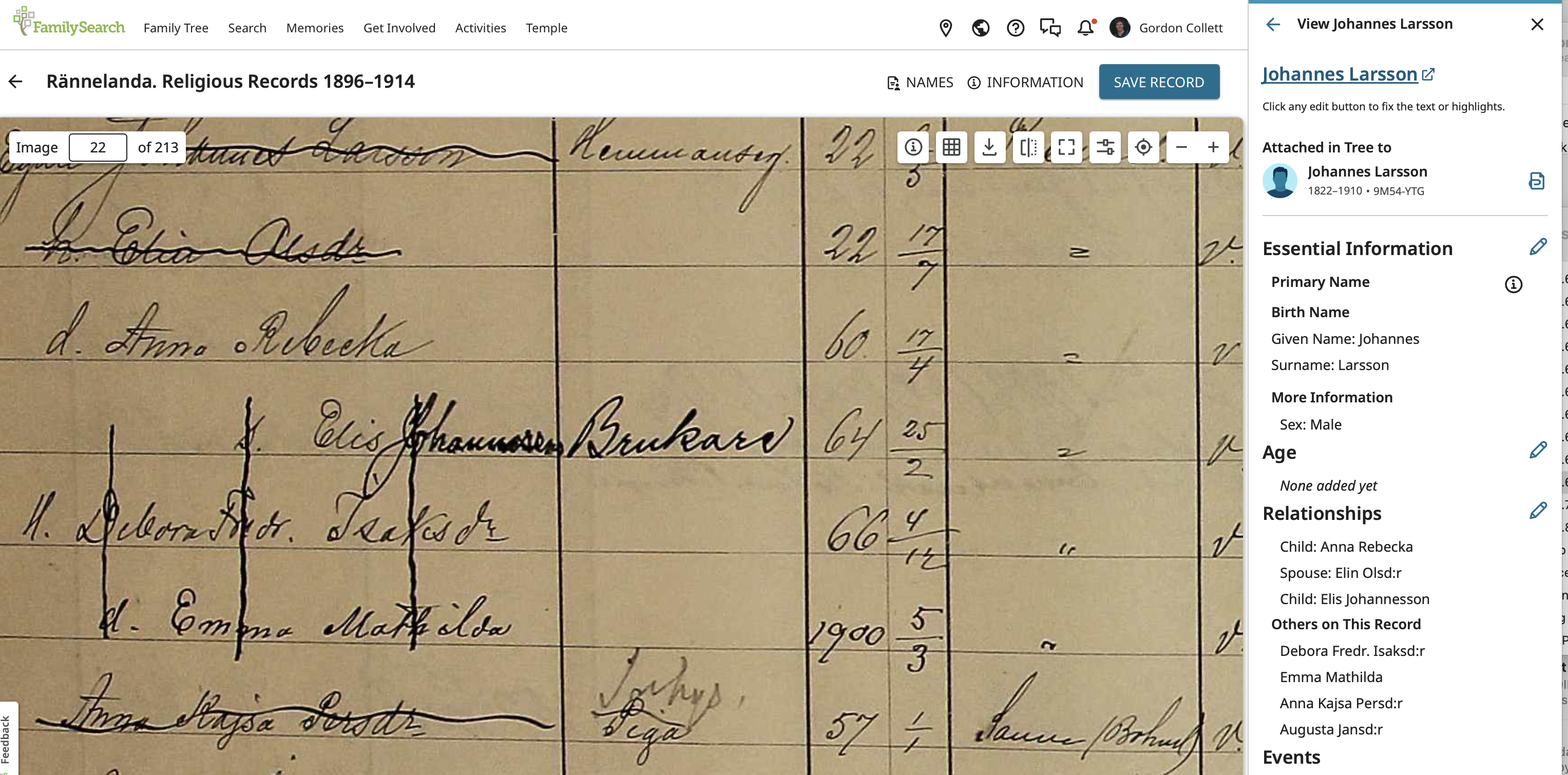
Things actually look pretty good. There is the correct relationship to his wife and his two children. We'll have to look and see if it is possible to create a daughter-in-law or grandchild relationship. One thing to keep an eye on is the lower part of the page:

Under Additional Fields there is a Relationship to Head field. Better make sure all those are correct. It is for Johannes
Going back up, click on the pencil next to Relationships to come to this screen we have seen before:
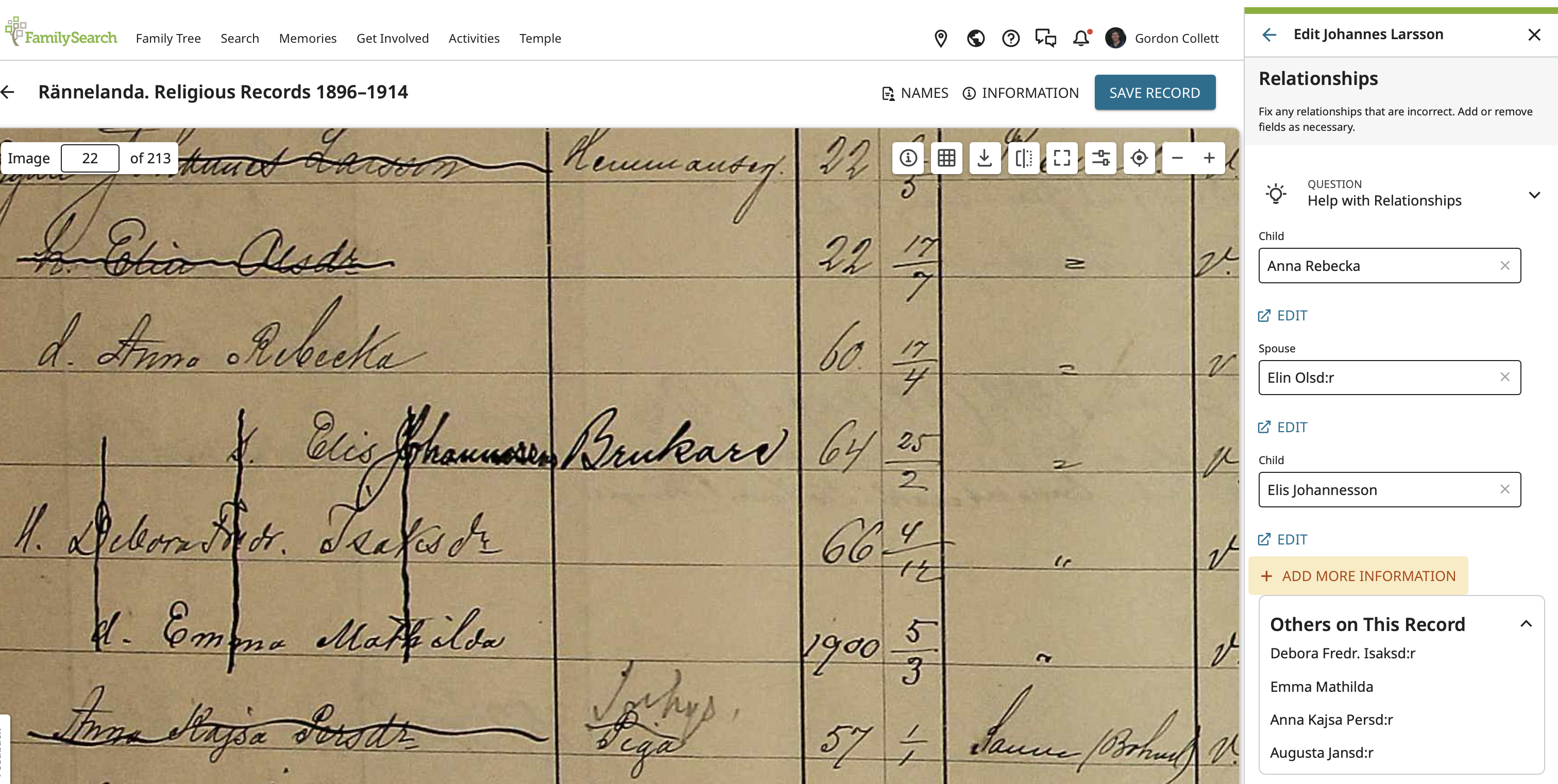
Click on Add More Information and search through the options there:
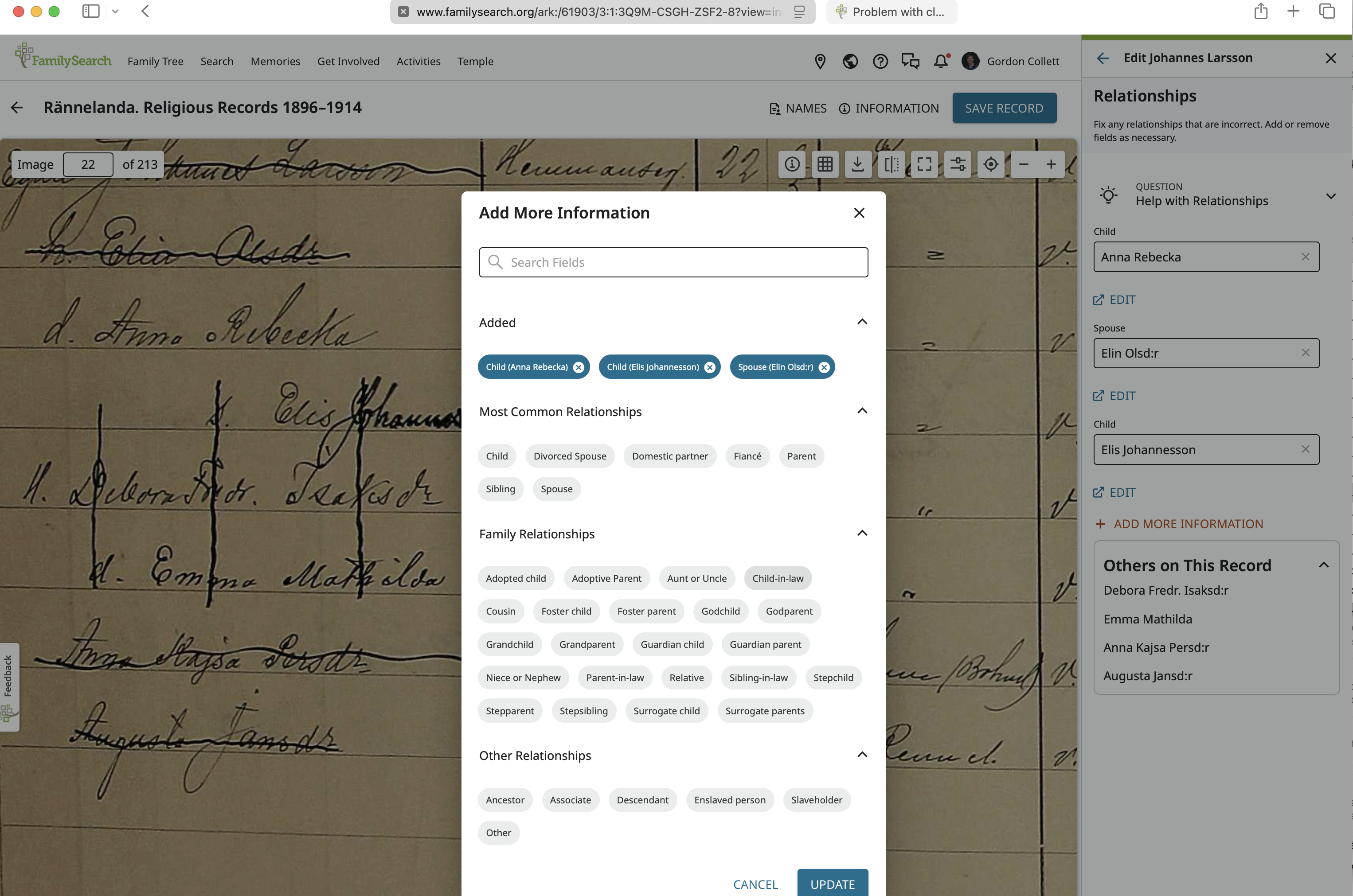
There are, in fact, Child-in-law and Grandchild and we can add both by clicking on them:
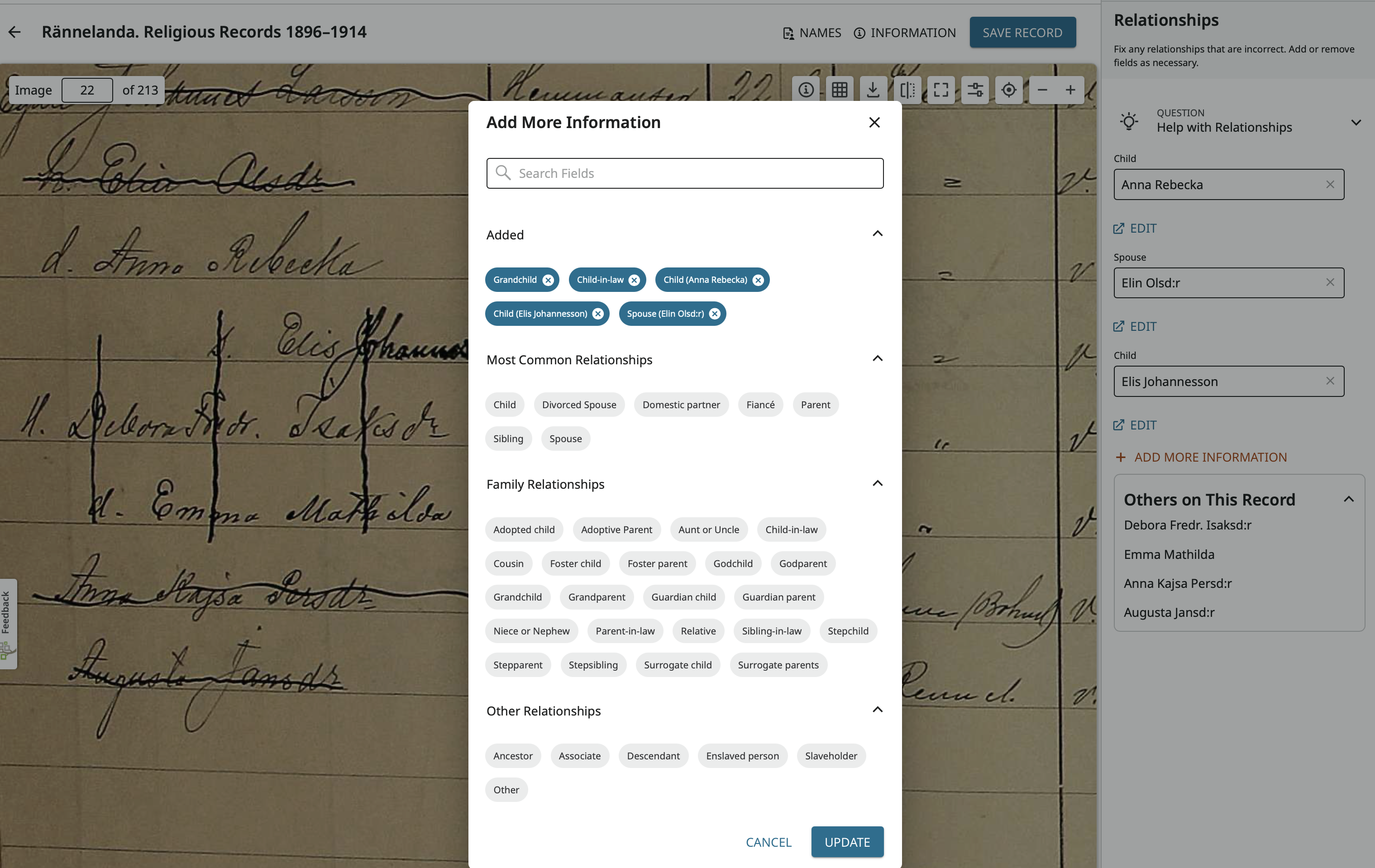
Click Update to find the two new blank data fields. Click in each and add the right people:
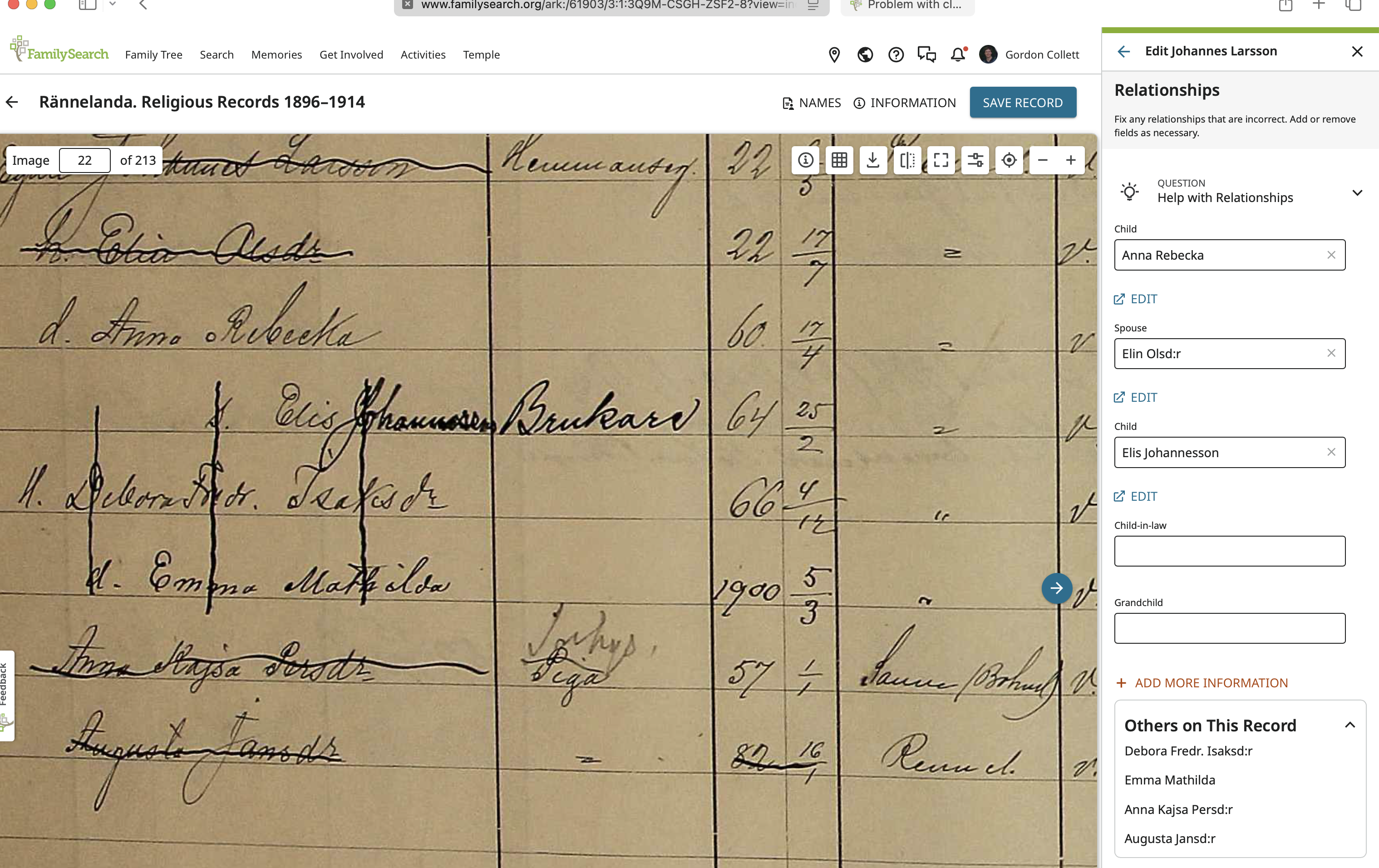
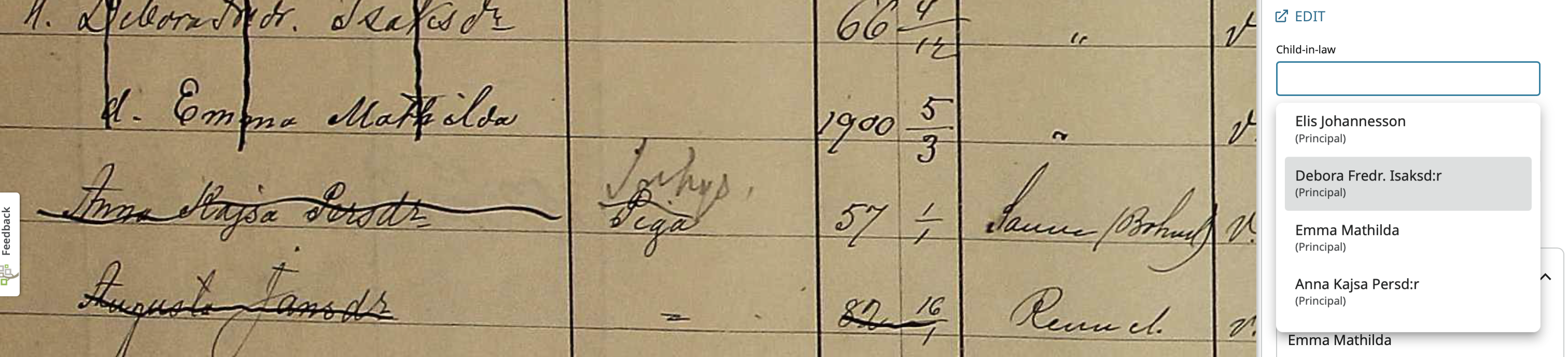

Click Save and now you can see the updated relationships:
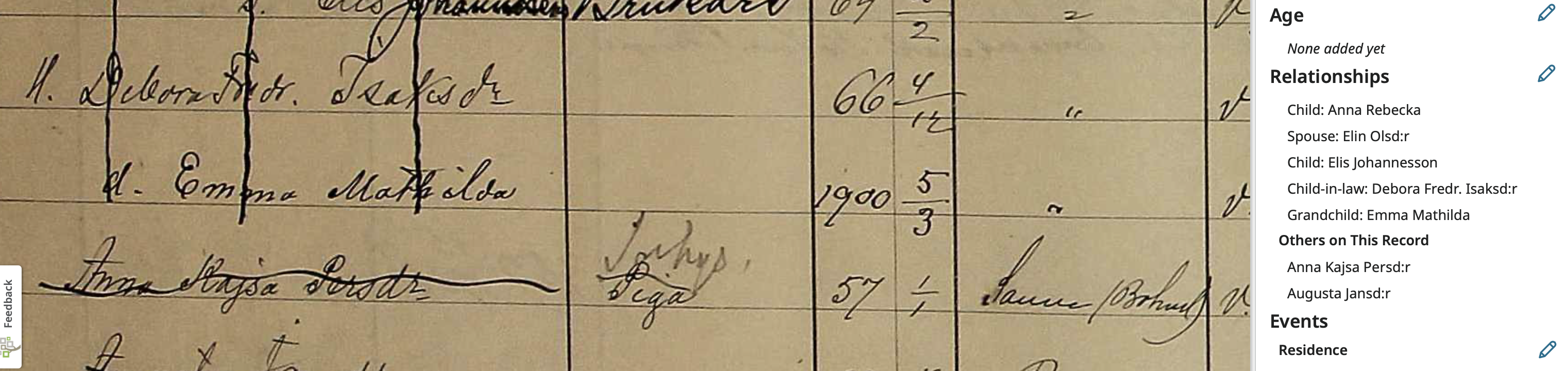
These relationships are now all correct and the only two people to which Johannes does not have a relationship are the two household help.
0 -
Moving on to Elin Olsdotter by returning to the full list of names via the arrow at the top right and clicking on her name, we can see her relationships:


The procedure to assign Debora as a daughter-in-law and Emma Mathilda as a granddaughter is exactly the same so I won't go through it again. Here are the final results:

Remember that all the relationships are in relation to the person you are on, in this case Elin.
0 -
Here I've gone to Anna Rebecka:
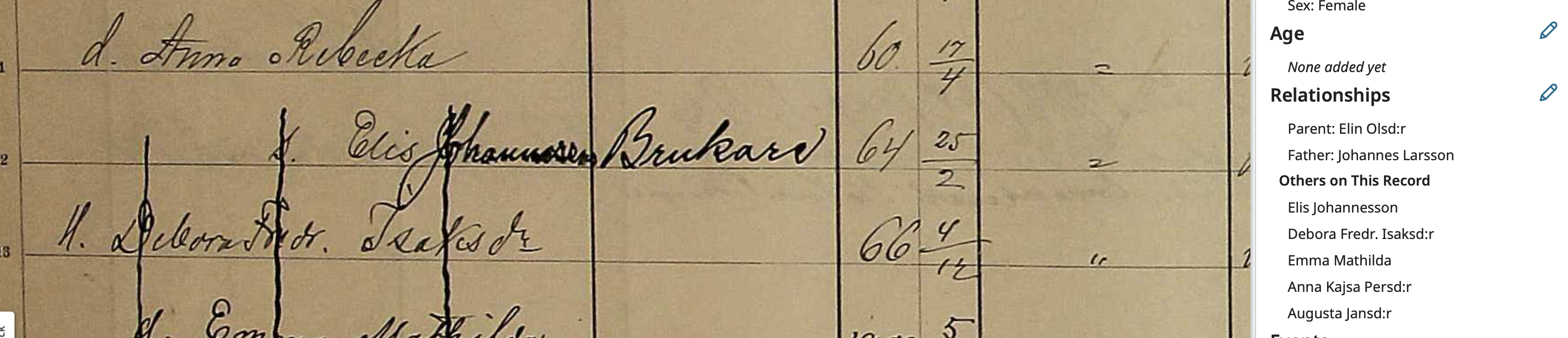

The relationship to her parents is correct, but she needs, if available sibling, sibling-in-law, and niece relationships.
Once again, click the pencil next to relationships then click Add More Information to come here:
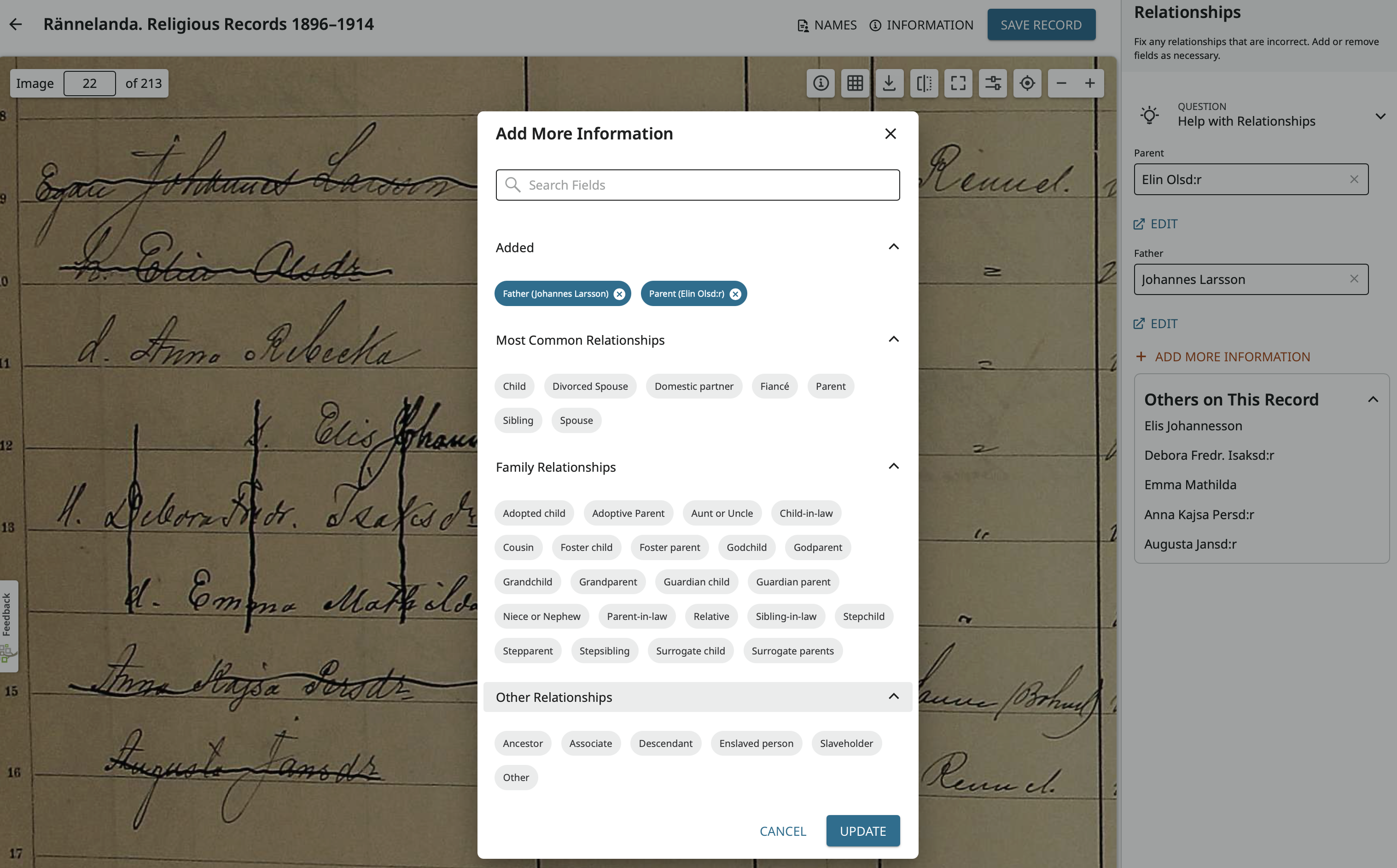
Where I am going to click Sibling twice to add two sibling fields, sibling-in-law, and niece or nephew:
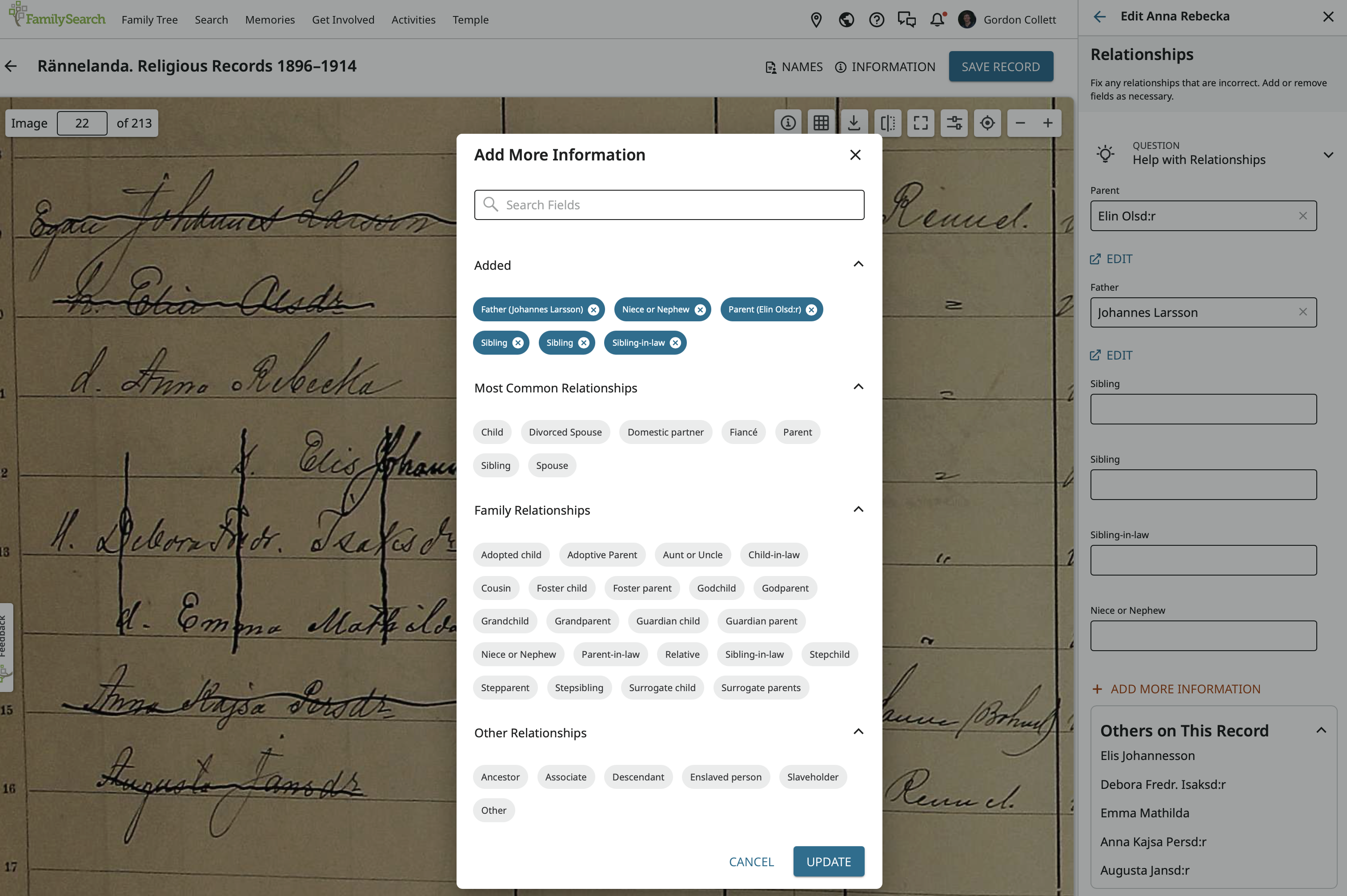
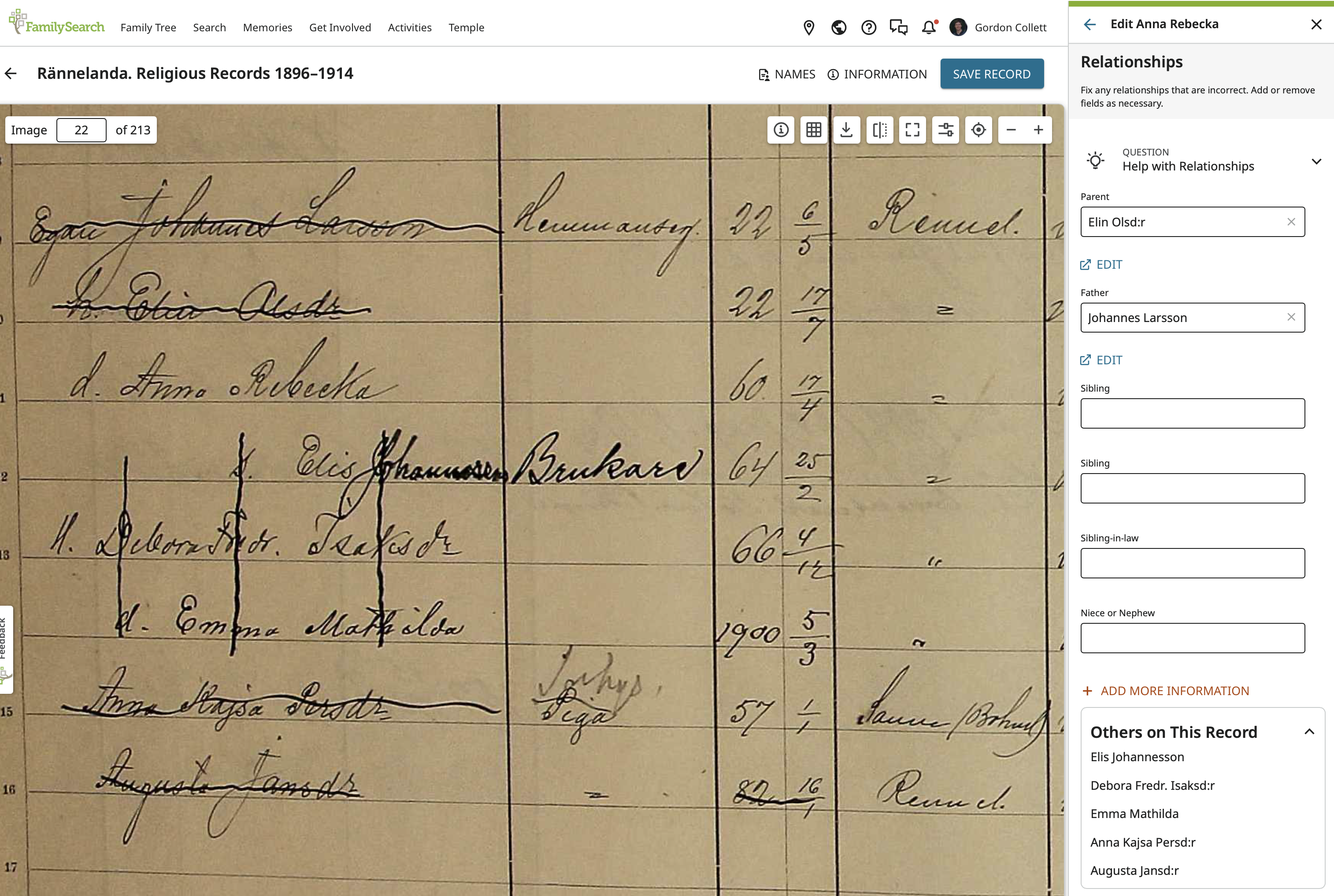
And now I can fill in the blank fields:
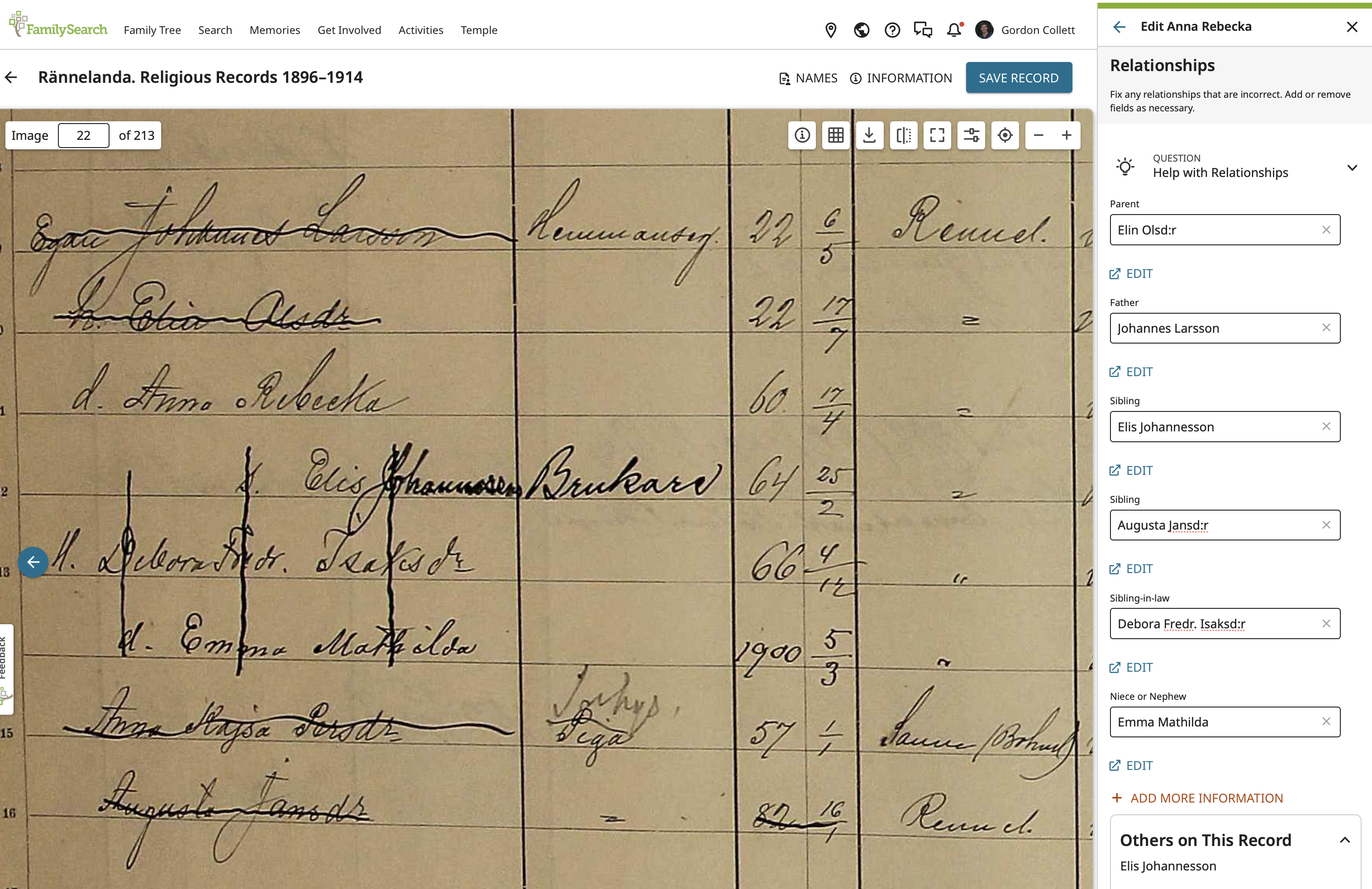
Oh, no! I accidentally added Augusta as a sibling and there is no delete icon!
Don't worry. This is one of the more cryptic features of the index editor. To fix my "mistake," I just do the not very obvious and click on Add More Information again to come back to here:
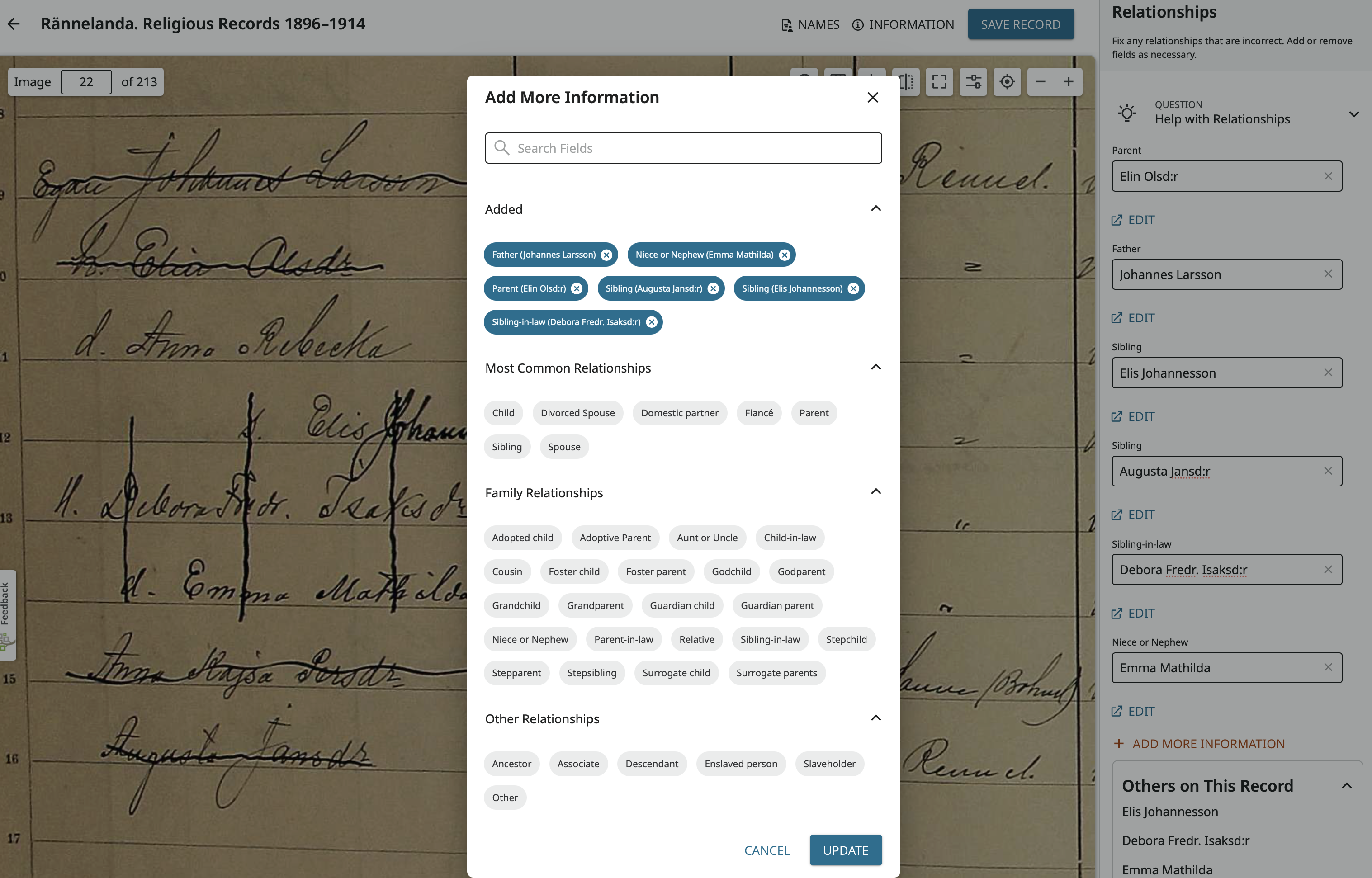
Notice that next to each relationship shown here there is an X:
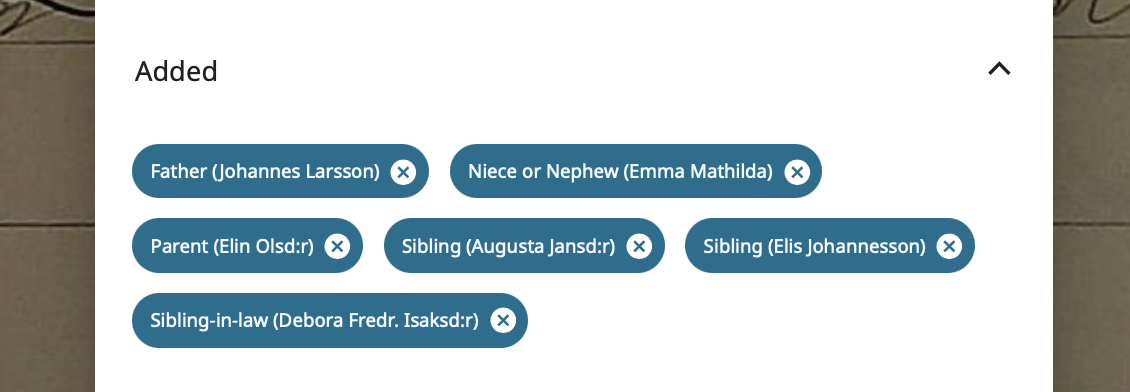
Click on the X next to Sibling (Augusta Jansd:r) and she will vanish. Click update to get back to Anna's page and you will see that entry and relationship is gone and you can click Save and confirm everything looks good:

The editor does have a few quirks. As you can see it is displaying Johannes as her father but Elin as her parent.
I have to take care of some things. Will be back later to continue on.
0 -
Next is Elis. As you can see by going to him, the list of correct relationships is getting longer and longer:
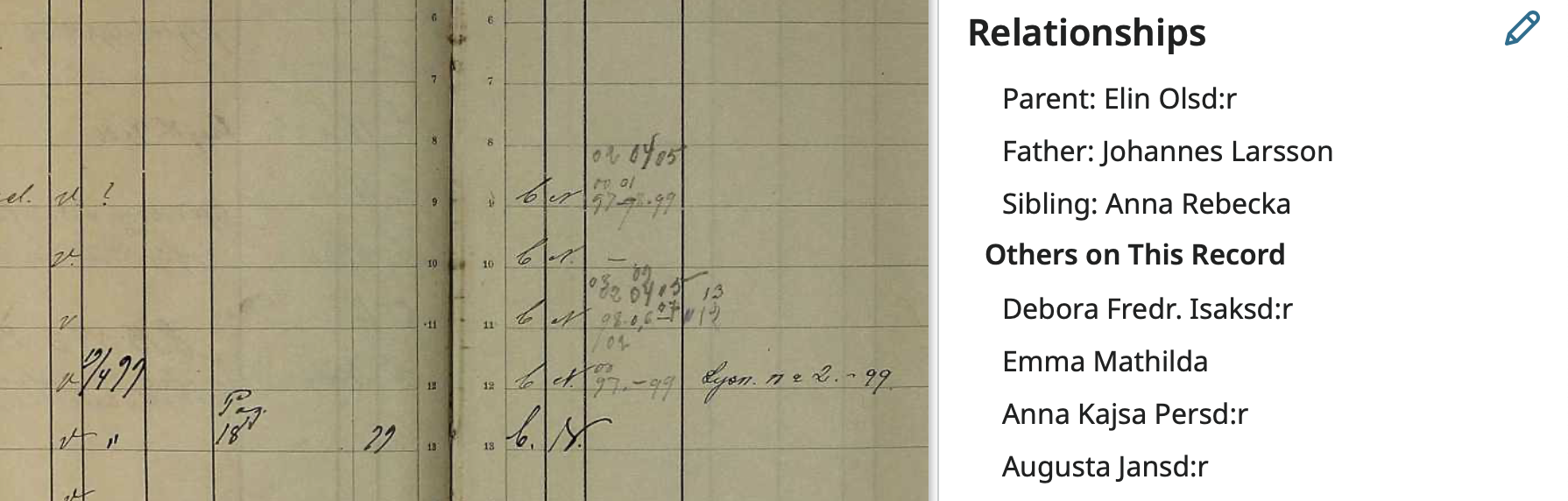
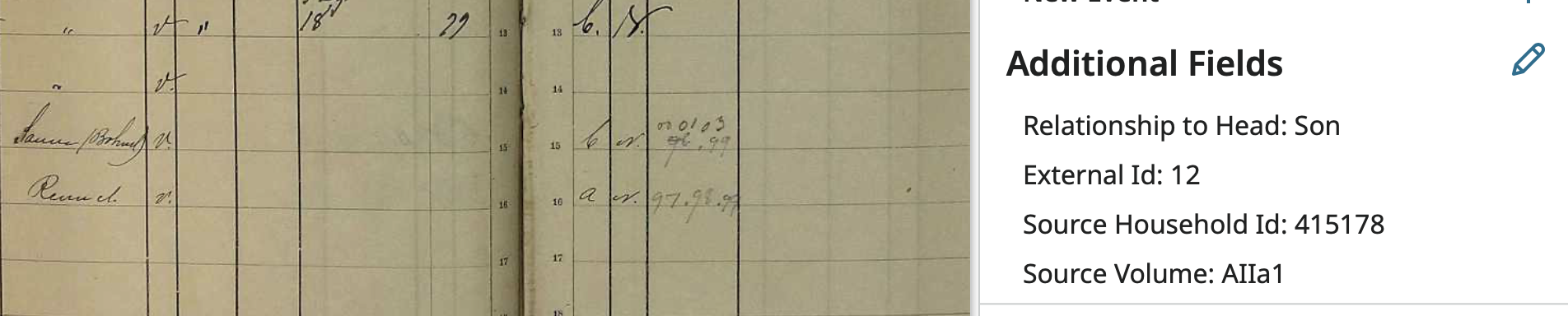
All I need to do is make Debora his wife and Emma Mathilda his daughter using the same process as before. 1) Click Relationships pencil icon. 2) Click Add More Information. 3) Add the needed relationship types. 4) Fill names into the relationships. 5) Save. To get to here:
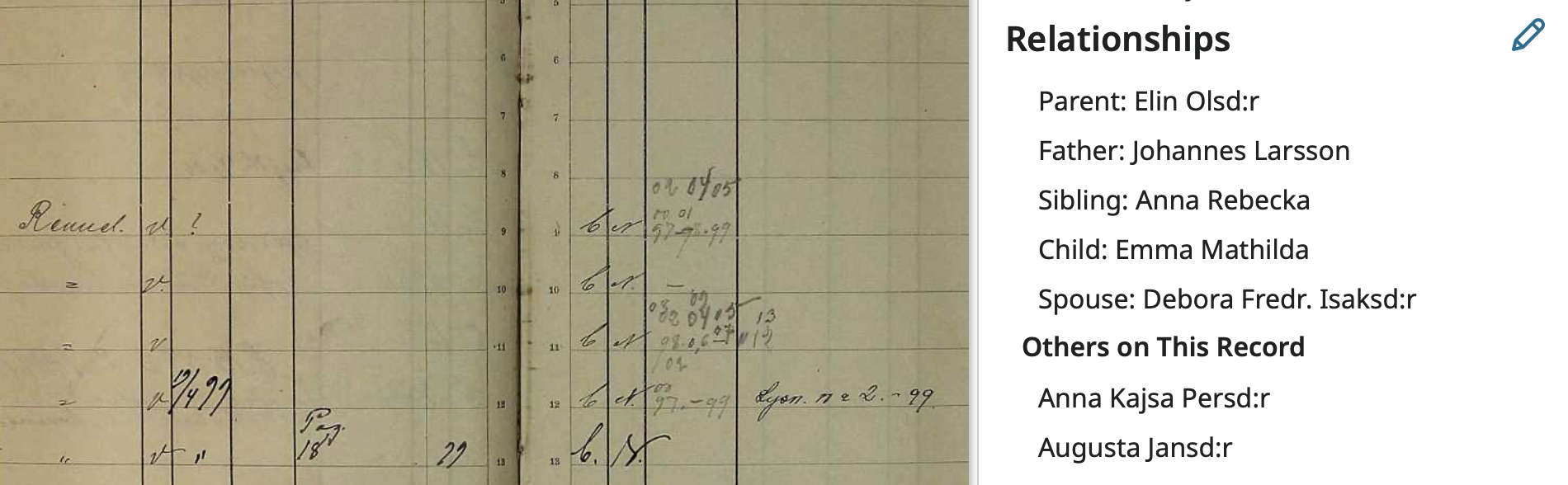
For Debora I just have to add her relationship to Emma Mathilda:
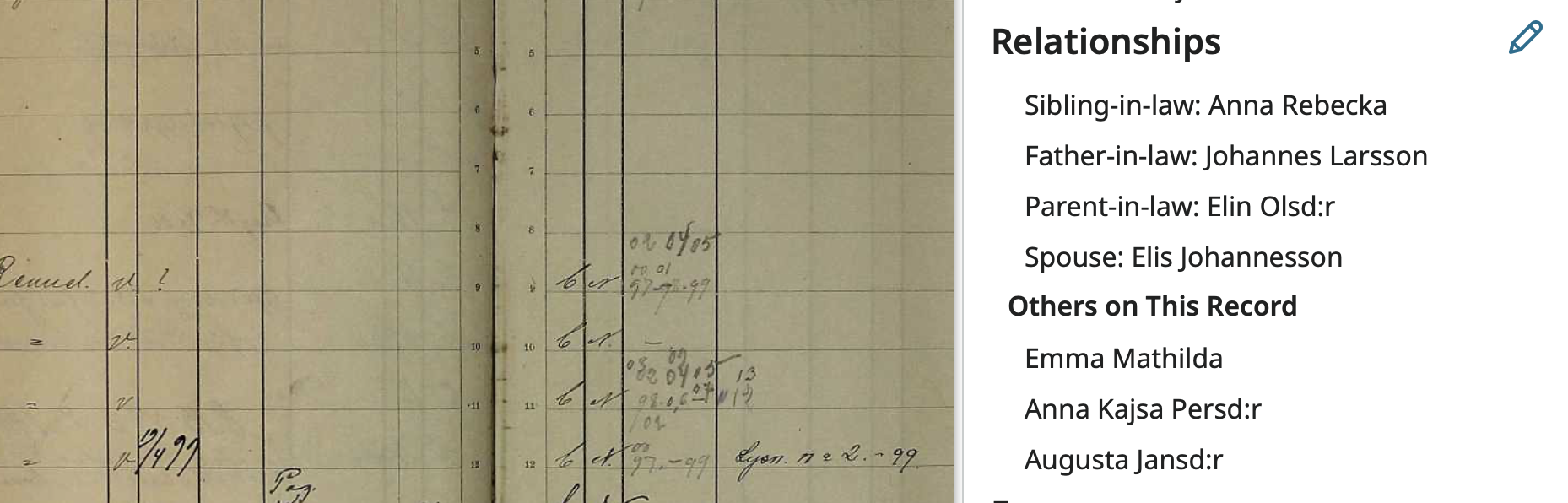
But she is the first to have an incorrect relationship at the bottom of the page:
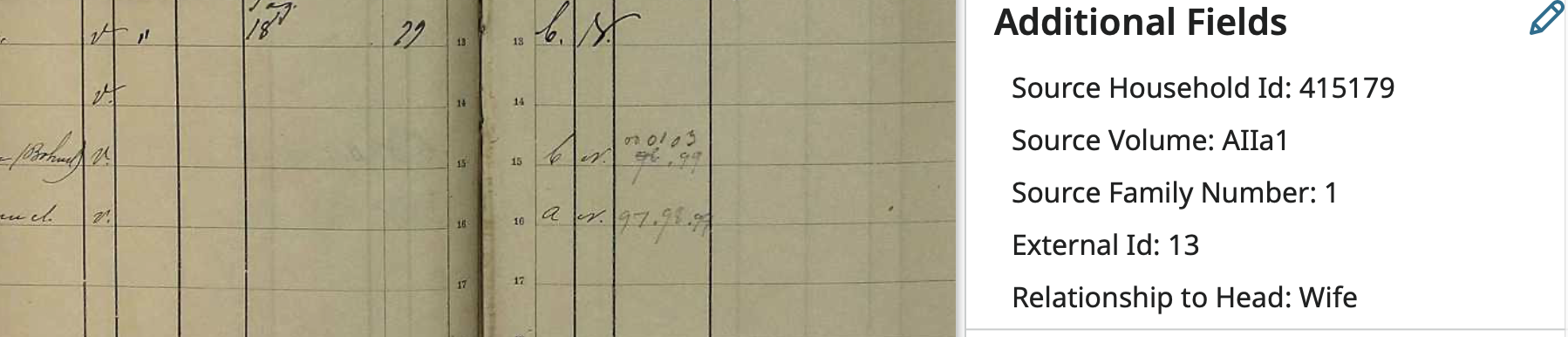
She is the daughter-in-law to the head of household.
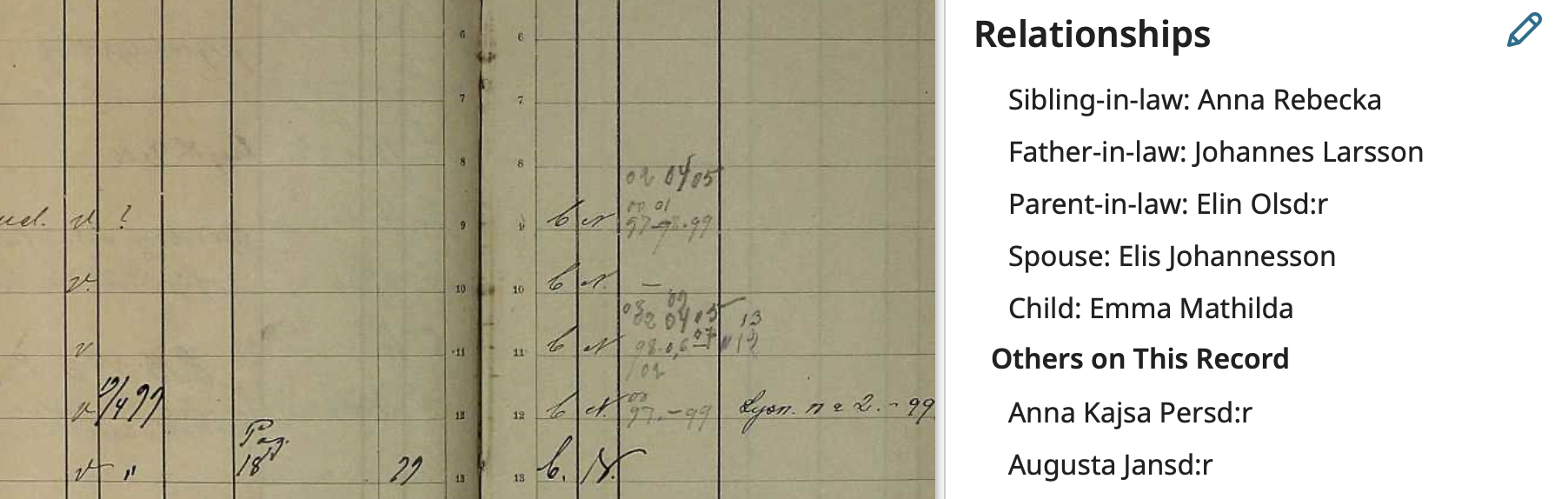
So first fix her relationship to her daughter just like before: 1) Click Relationships pencil icon. 2) Click Add More Information. 3) Add the needed relationship types. 4) Fill names into the relationships. 5) Save. To get to here:
Now I'll scroll to the bottom of the side panel and click on the pencil next to Additional Fields:
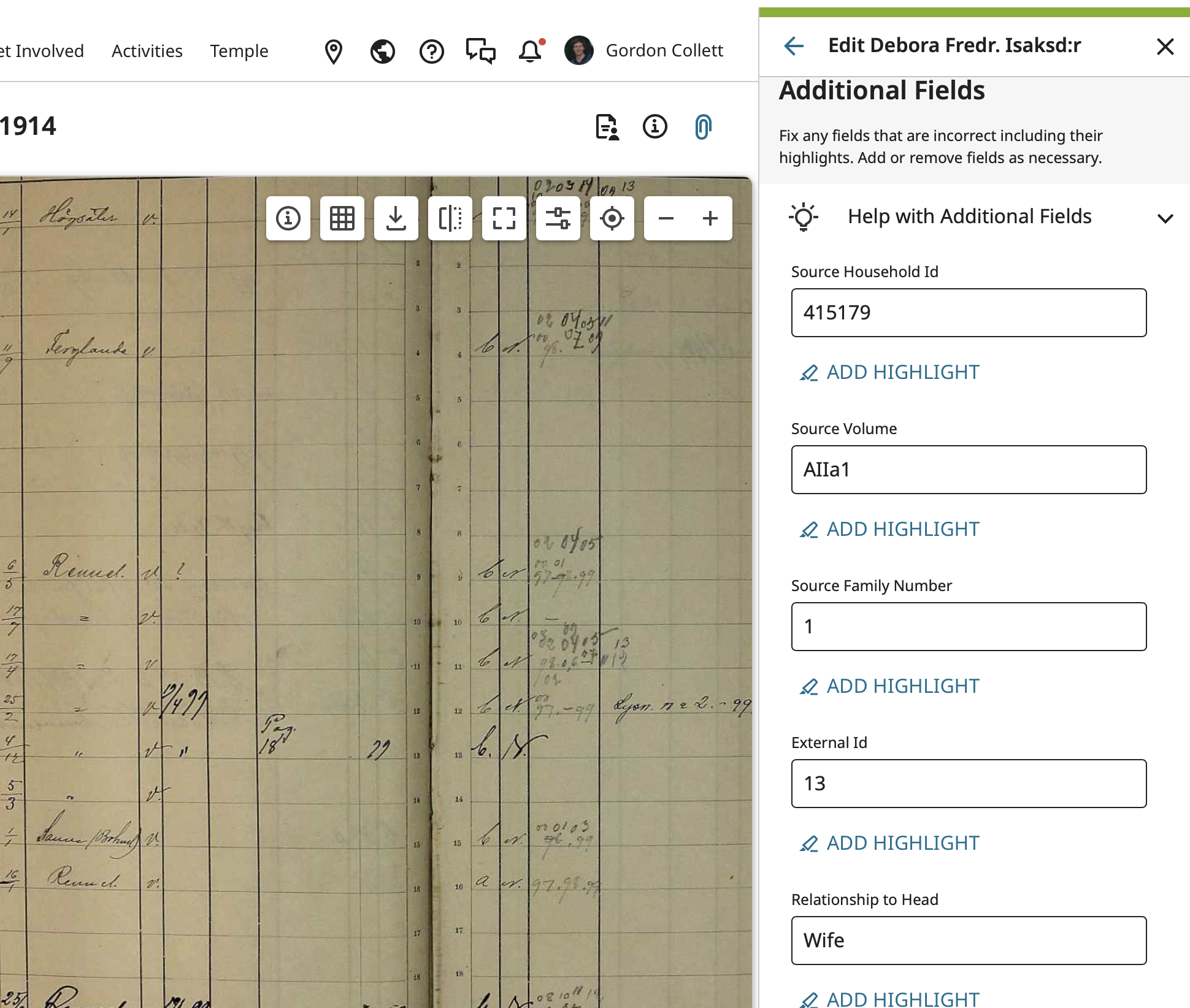
Where I find this is just a text field so not used by any routine in FamilySearch, not even the source linker. But is it good to have it correct anyway.
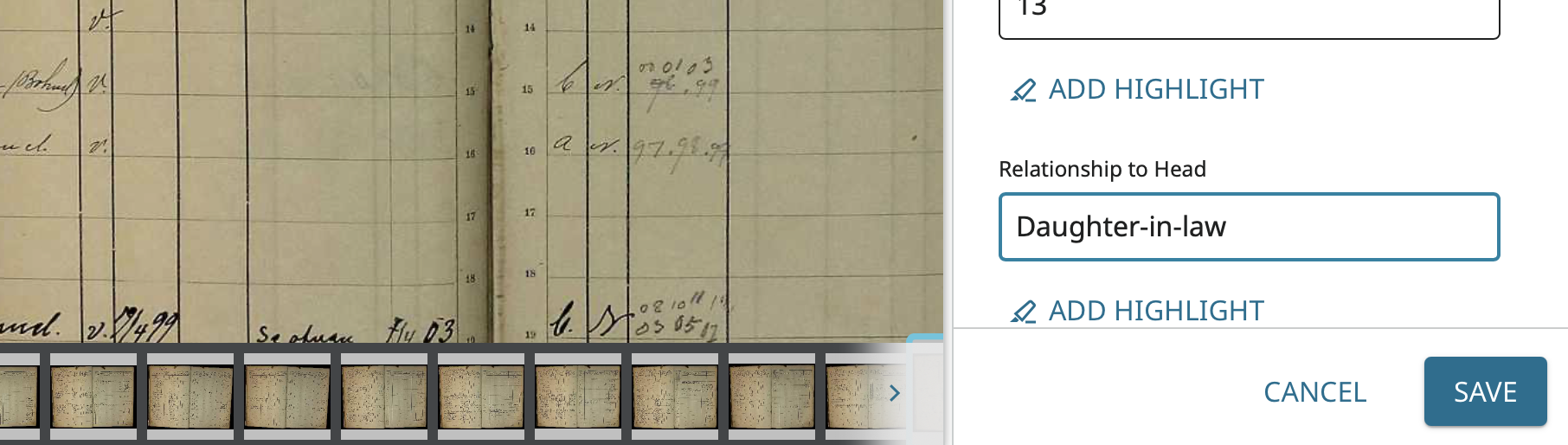 0
0 -
Now because Emma Matilde is the last member of the family, all her relationships should be just fine because they were created through the other people. And they are:
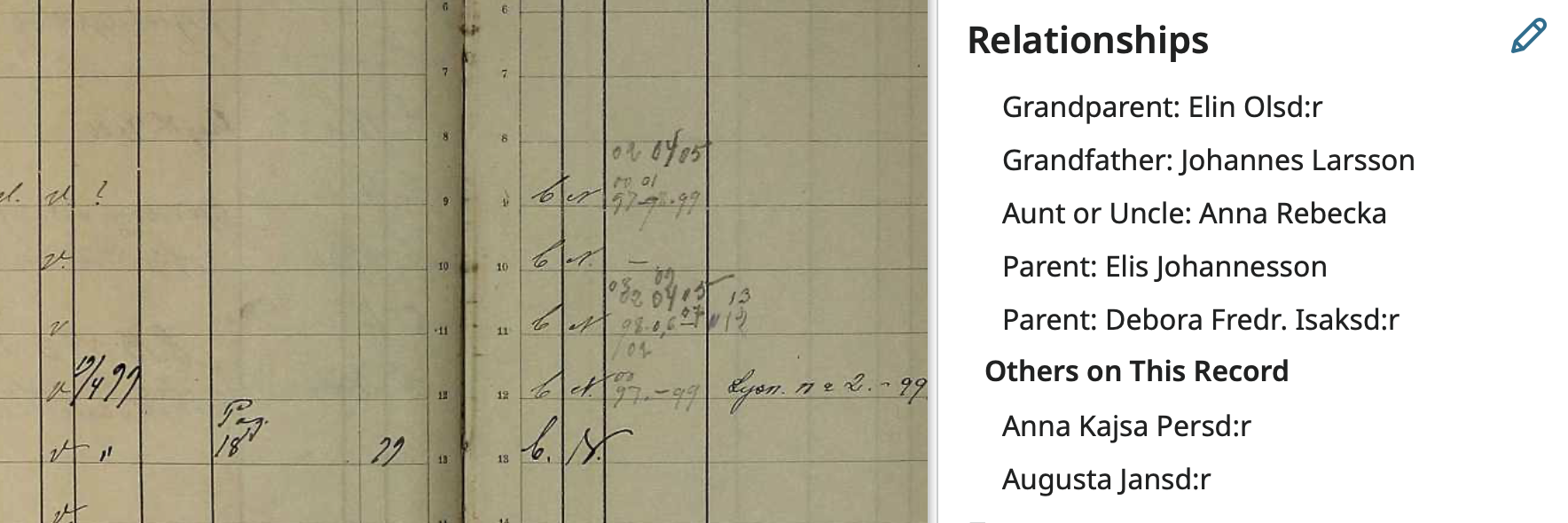
Except for that Additional Field one and I fixed it.
0 -
The two household help should not have relationships to anyone. And they do not. They are in the household but do not have family relationships with any of the Others on This Record:
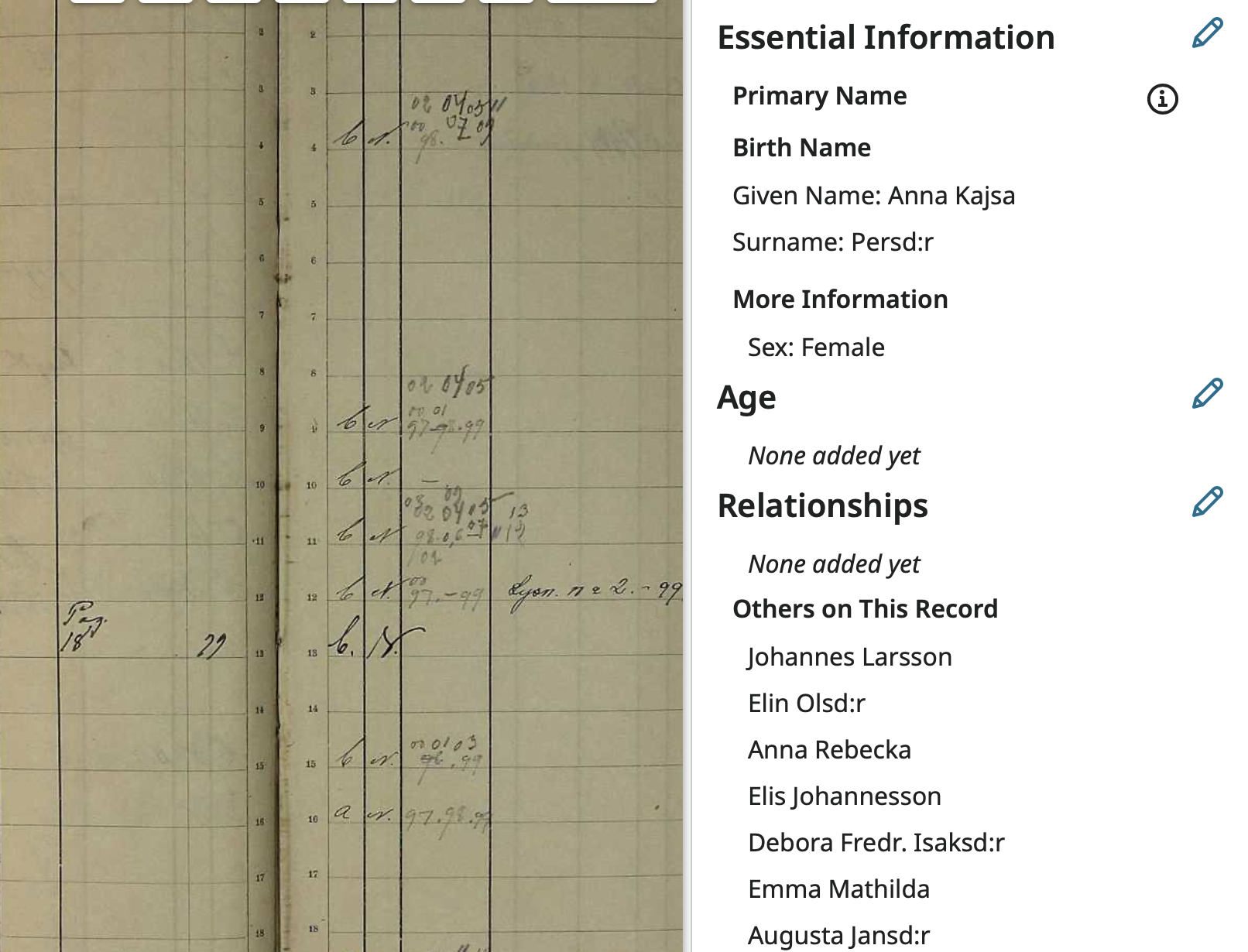
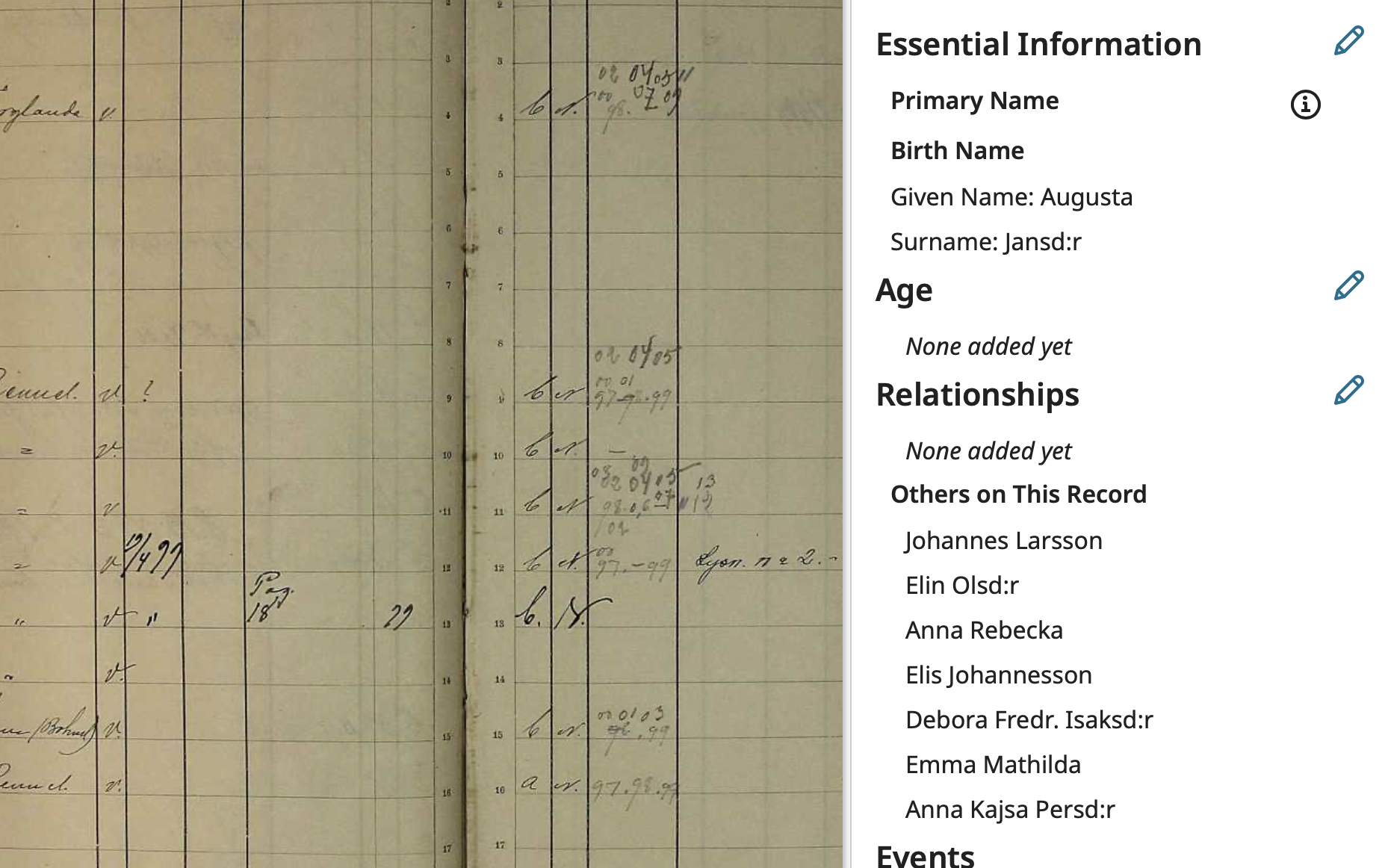
Now it is just a matter of going back and doing some proof-reading and making sure I didn't miss anything.
0